11
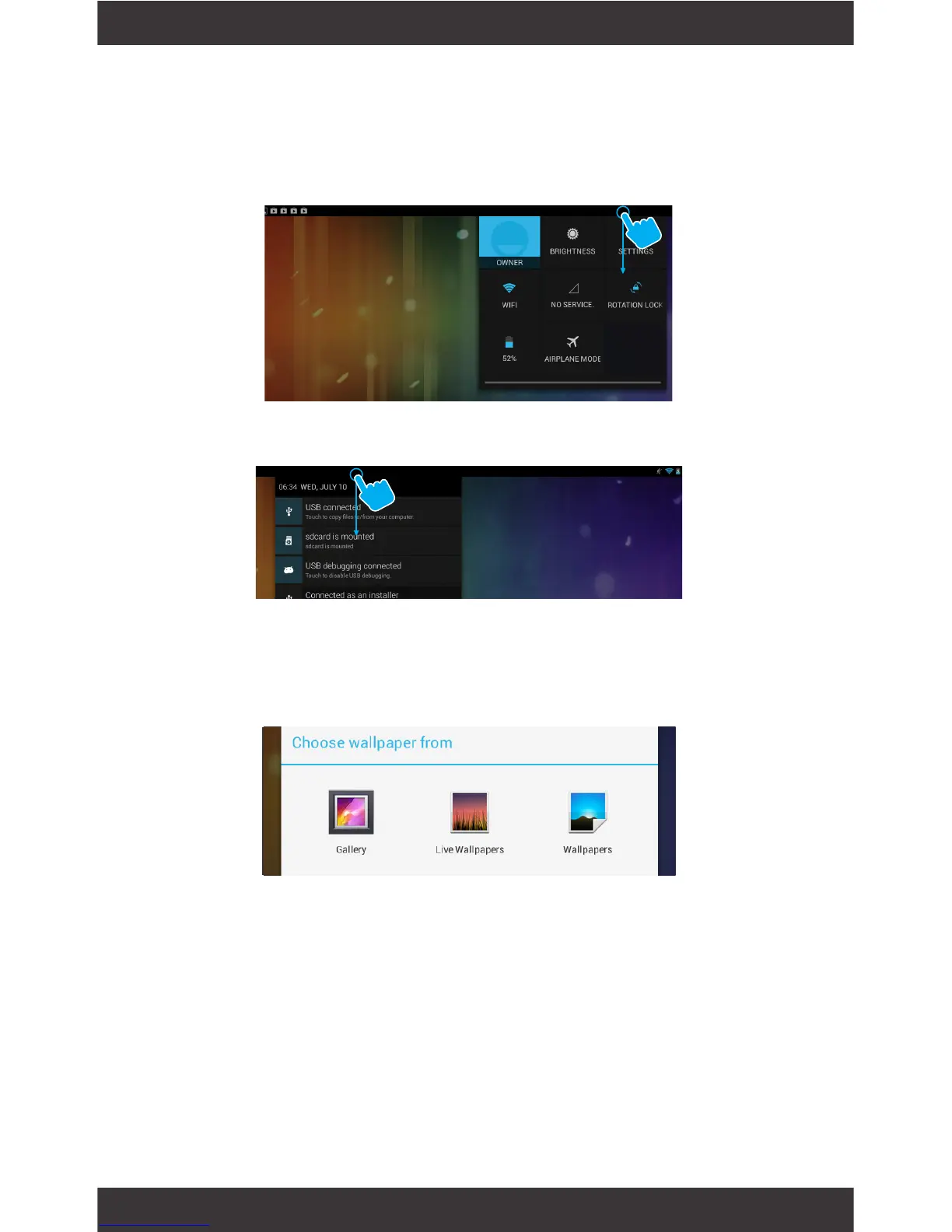
Swipe down from the top right of your Home Screen
to view your Quick Settings.
Swipe down from the top left of your Home Screen
to view your Notications.
Tap and hold your nger on any open space on your
home screen. A list of options appears.
Gallery: Choose a wallpaper from your personal gallery
Live Wallpapers: Choose from a scrolling list of ani-
mated wallpapers
Wallpapers: Choose from thumbnails of default images
Notications
Change the Wallpaper



 To Next Page