EasyManua.ls Logo

Ematic EVH625BL - Photo Capture Settings; Image Size and Quality Options; Metering, White Balance, and Exposure; Capture Mode and Effects

Ematic EVH625BL
18 pages
Print Icon
To Next Page IconTo Next Page
To Previous Page IconTo Previous Page
Loading...
9
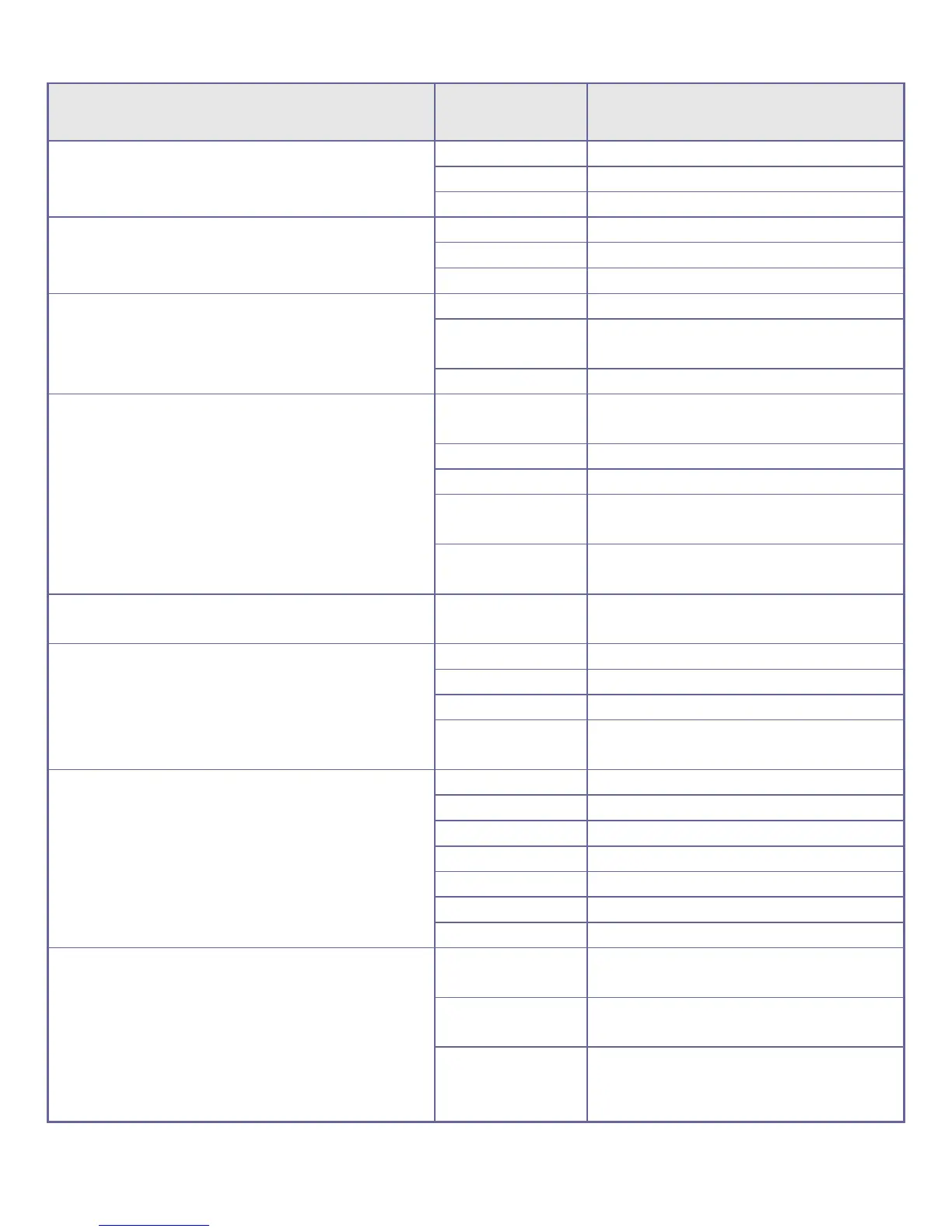
Capture Menu Options
Main Menu
Sub-Menu
Description
Image size
2592 x 1944
5-megapixel resolution.
2048 x 1536
3-megapixel resolution.
1280 x 960
1-megapixel resolution.
Image quality
Excellent
Best quality image.
Good
Good image quality.
Normal
General quality image.
Metering mode
Central Metering
Metering subject to the central area.
Megapixel
resolution
Metering subject to multi-points.
Point Metering
Metering subject to one point.
White balance
Automatic
Using automatic white balance, suitable
for most cases.
Daylight
Suitable for daylight environment.
Cloudy
Suitable for cloudy environment.
Fluorescent light
Suitable for fluorescent light source
environment.
Tungsten light
Suitable for tungsten light source
environment.
Exposure
/
Use Left and Right Keys to adjust
exposure.
Capture mode
Off
Use general single-shot mode.
2s
Use 2 sec. delay self-timer mode.
10s
Use 10 sec. delay self-timer mode.
Continuous
shooting
Use continuous shooting.
Special effect
Normal
Normal effect.
White and black
White and black effect.
Sepia
Sepia effect.
Negative film
Negative film effect.
Red
Reddish effect.
Green
Greenish effect.
Blue
Bluish effect.
Date stamp
Off
Turn off displaying date/time on the
file.
Date
During capture/record mode, display
date on right bottom corner of the file.
Date / time
During capture/record mode, display
date and time on right bottom corner of
the file.