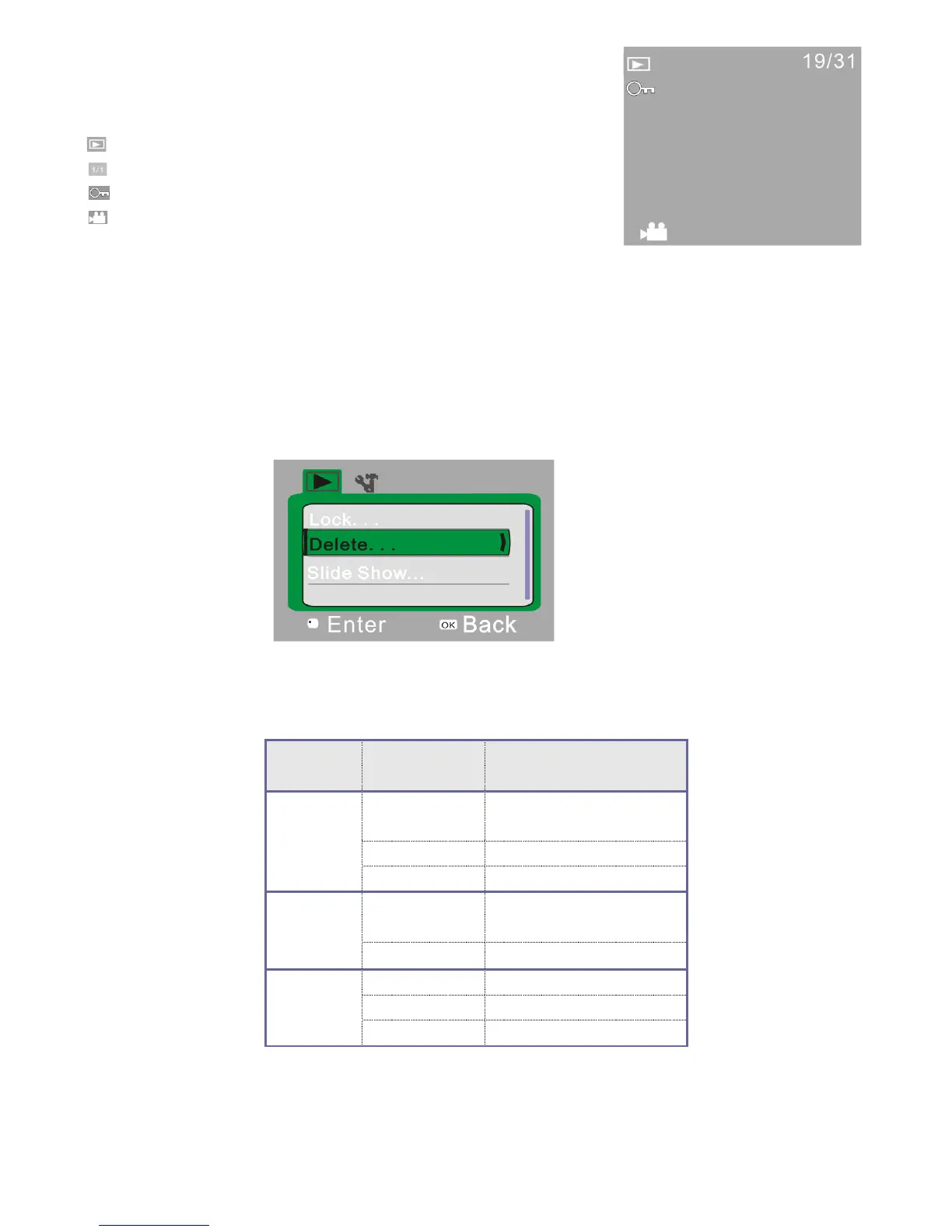
9 Playback Mode:
9.1 After powering on, push Mode switch to Playback mode:
1. : Mode icon: Indicates ActionCam is in playback mode.
2. : Indicates number of files in a folder.
3. : Indicates that the current folder is locked.
4. : Indicates current file is a video file.
9.2 Playback Menu Setup
In playback mode, press the OK key to open the menu. Press the Up and Down key to scroll through menu
selections. When selecting a menu option, the background of the currently selected item will be highlighted. Press
the Shutter-Release button to enter the sub-menu. In the sub-menu, press the Up and Down keys to scroll through
menu selections. Then press the Shutter-Release button to confirm your selection and go back to the main menu. In
the main menu, press OK key to exit the menu screen.
▲Playback Menu
Playback Menu Options


 To Next Page