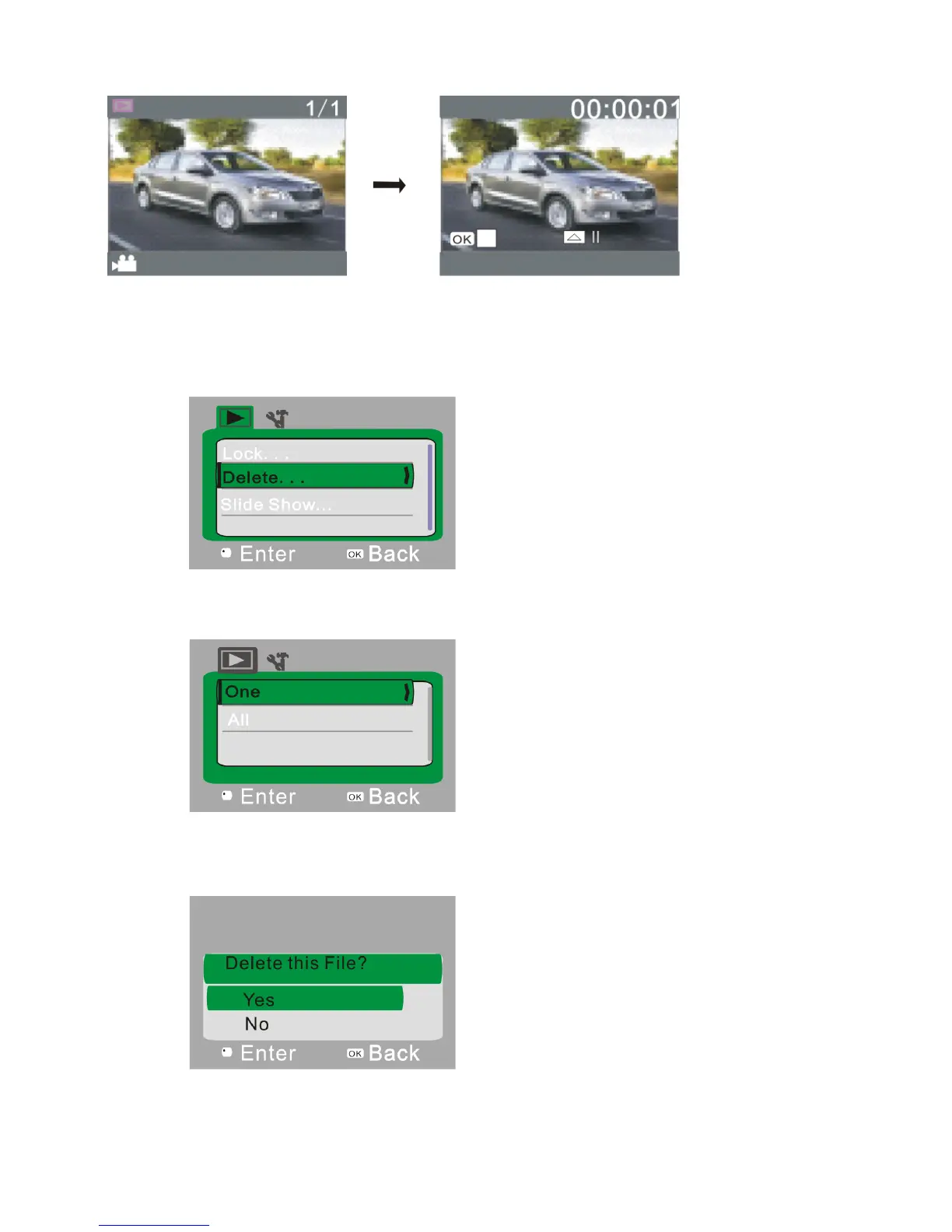
9.3 Play Movie Clips:
During video playback, press the shutter-release button to play video. Press the Up key to pause. Press the
shutter-release button again to stop playing video.
9.4 Delete File:
1) After selecting the file to be deleted, open the menu, and press the Up/Down key to select “Delete”.
2)Press the Shutter-Release button to enter the sub-menu. Select “One”, and then press the Shutter-Release button
again to confirm. “All” means to delete all files.
3) After selecting “Yes”, press the Shutter-Release button to delete the file. When the file is deleted, press OK key to
exit from the menu.


 To Next Page