Tinyhawk III Plus Freestyle
Top of Form
1.3.4 Joystick Calibration
The E8 Transmitter (ELRS-2.4G) comes pre-calibrated, but recalibrating can
help address some issues. With the E8 Transmitter (ELRS-2.4G) turned off,
simultaneously press the "L3-" button and the power button while powering on.
Wait for the central indicator light to illuminate and transition from rapid
flashing to slow flashing. Push each joystick of the E8 Transmitter (ELRS-2.4G) to
its maximum position in all four directions: up, down, left, and right. Press the
"L3-" button, a sound prompt will be heard, exiting the calibration mode, and
the E8 Transmitter (ELRS-2.4G) will power up normally.
1.3.5 Left/Right Hand Switching
Remove the screws and open the rear cover of the E8 Transmitter (ELRS-
2.4G). On the left side of the board, there's a toggle switch. Set the switch to "L"
(left-hand throttle mode) or "R" (right-hand throttle mode). Swap the positions
of the joysticks accordingly (the 6-pin wires connecting the joysticks to the
mainboard do not need to be changed).
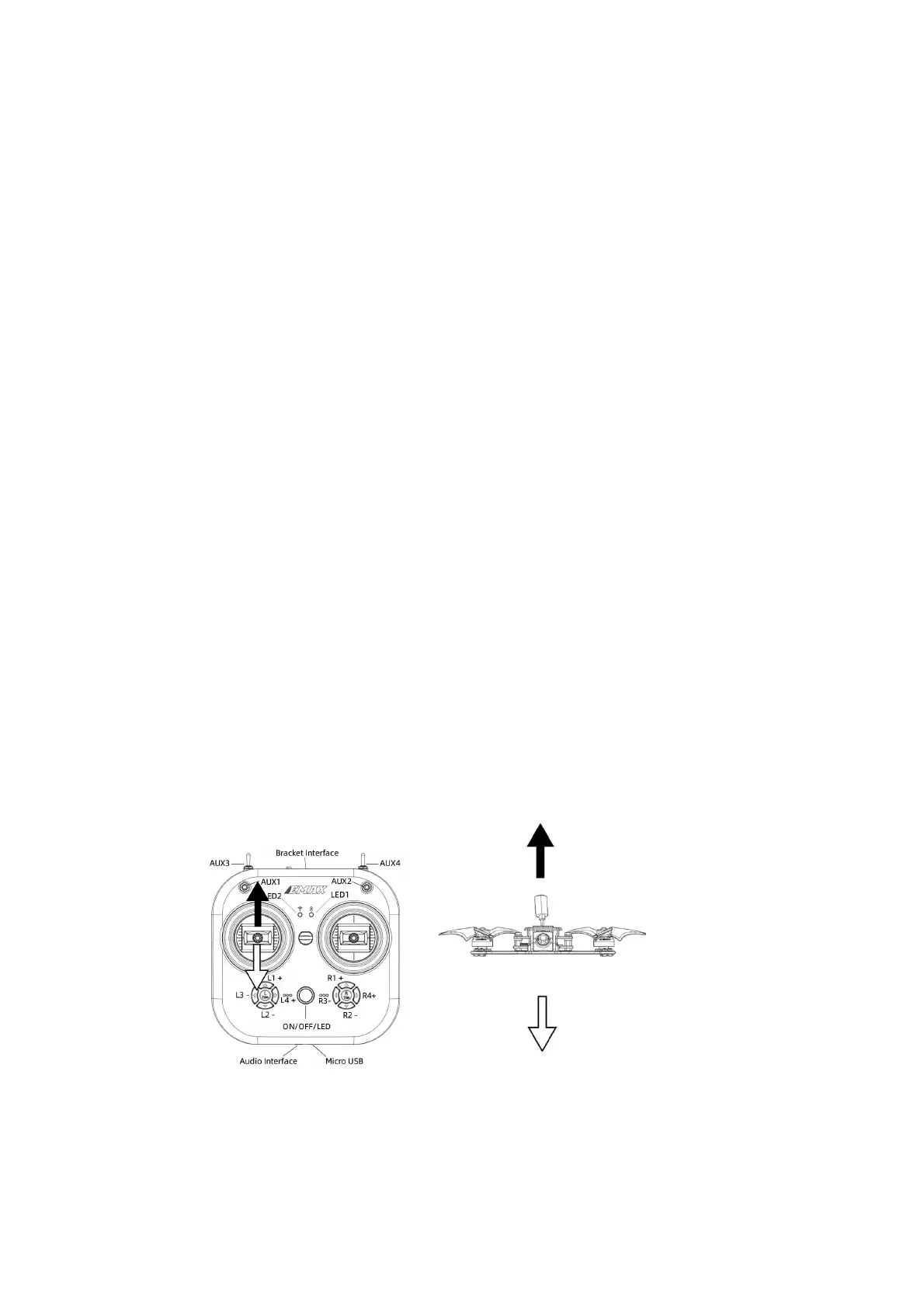
Left Hand Mode: In E8 Transmitter (ELRS-2.4G) left side joystick controls
Tinyhawk III Freestyle throttle and yaw; right side joystick controls Tinyhawk III
Freestyle pitch and roll.
Right Hand Mode: In E8 Transmitter (ELRS-2.4G) left side joystick controls
Tinyhawk III Freestyle pitch and roll; right side joystick controls Tinyhawk III
Freestyle throttle and yaw.
Top of Form
Schematic diagram of the left and right-handed joysticks (the picture shows the
left-handed mode, and of the joystick control reversed in the right-handed
mode



 To Next Page