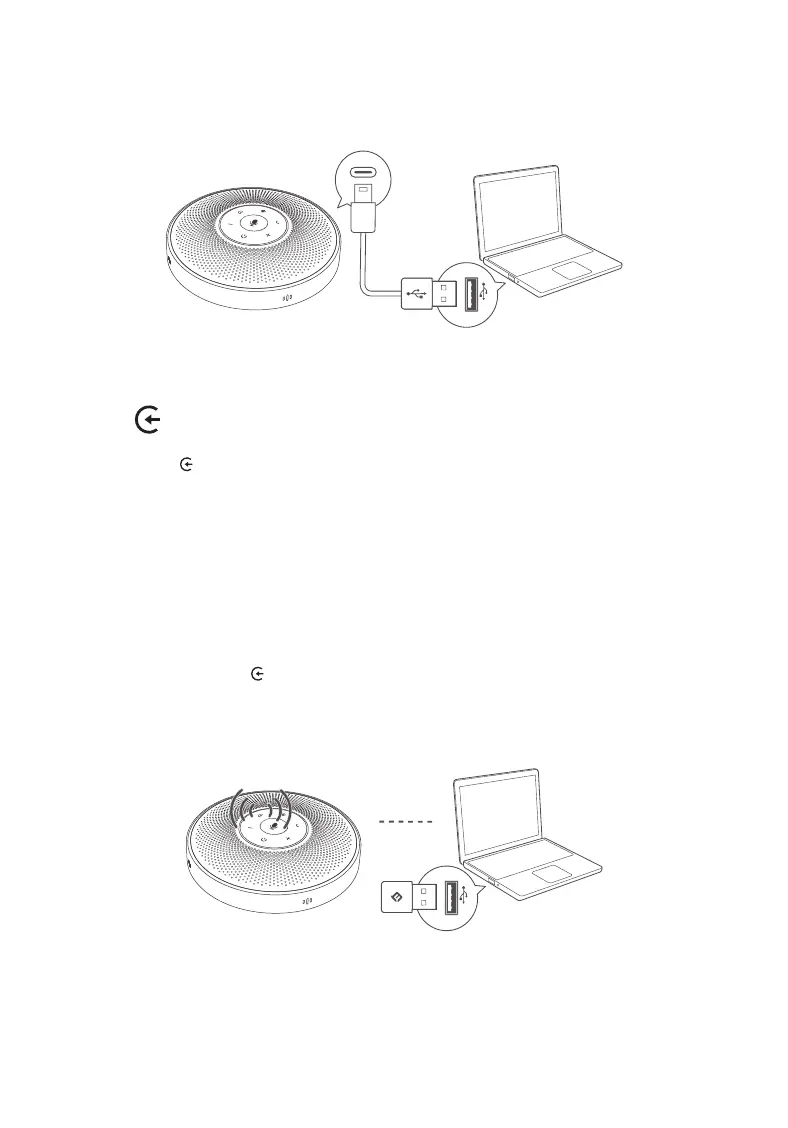
2.1 The first mode: connect the computer to eMeet OceCore M2 Lite product with a USB
cable
2.2 The second mode: connect eMeet OceCore M2 Lite product via Bluetooth
① Press the “ ” for two seconds. The status light is blue when pairing
② Turn on Bluetooth on mobile phone or PC and select eMeet M2 Lite from the list of
devices
2.3 The third mode: connect eMeet OceCore M2 Lite product via eMeet Audio adapter
A200
① Plug eMeet Audio adapter A200 into computer, turn on eMeet OceCore M2 Lite
product and press the “ ” for two seconds. The status light is blue and enter pairing.
② The eMeet Audio adapter A200 will be automatically connected to eMeet OceCore
M2 Lite product.
2.4 The fourth mode: connect eMeet OceCore M2 Lite product with AUX analog audio
wire
2


 To Next Page