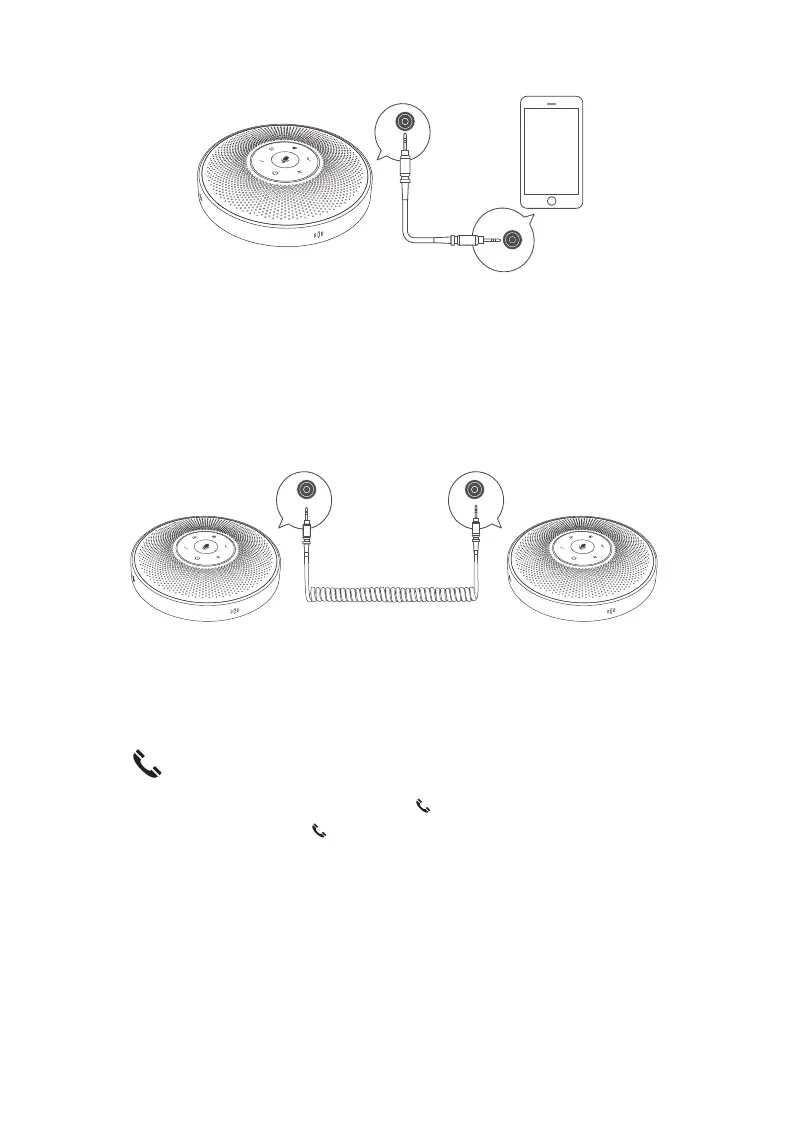
IN
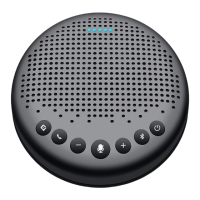
3. Daisy chain function
The Daisy chain function requires the use of Daisy chain cable, which are inserted into the
OUT port (circles) of the two machines using Daisy chain cable to extend the distance of
sound pickup and playback so as to get a larger meeting space.
Note:1)Daisy chain function, “ · ” Status light is Ice Blue light.
2)Daisy chain needs to be purchased separately.
4. Answer\end call
4.1 When there is an incoming call, press the “ ” button to answer the call.
4.2 In the talk mode, press the “ ” button to end the call.
Note:
① After the device is connected to a mobile phone via Bluetooth, you can answer and
hang up calls with eMeet OceCore M2 Lite(Remark:Somesoftphonesdo not support
thisfunction).
② After the device is connected to a PC through the USB cable, you can answer and hang
up Skype for Business calls.
3
OUT OUT


 To Next Page