EasyManua.ls Logo

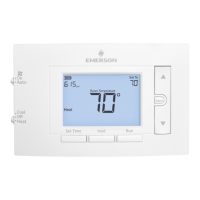
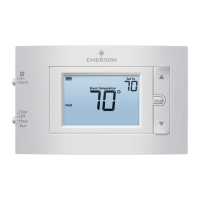
Emerson 1F83C-11NP - User Manual

Emerson 1F83C-11NP
4 pages
Print Icon
To Next Page IconTo Next Page
Loading...
Electrical Rating:
Battery Power ..................................... mV to 30 VAC, NEC Class II, 50/60 Hz
Input-Hardwire .................................... 20 to 30 VAC, NEC Class II, 50/60 Hz
Terminal Load .......................................... 1.0 A per terminal, 1.5A maximum all terminals combined
Setpoint Range ........................................ 45° to 99° F (to 37° C)
Rated Dierentials: Fast Med Slow
Heat (@ 6°F/ Hr) .................................. 0.5°F 0.75°F 1.9°F
Cool (@ 6°F/ Hr) .................................. 0.9°F 1.2°F 1.7°F
Operating Ambient .................................. 32°F to +105°F (0° to +41°C)
Display Temperature Range ....................... 32°F to +99°F (0 to 37°C)
Operating Humidity ................................. 90% non-condensing max
Shipping Temperature Range ................... -20°F to + 150°F (-29° to +65°C)
Thermostat Dimensions ........................... 3-3/4” H x 6” W x 1-1/8” D
PART NO. 37-7479A-EN
1504
1F83C-11NP (Non-Programmable)
Installation and Operating Instructions
80 Series Single Stage Thermostat
Battery Powered or Hardwired with Common
Thermostat Applications
Maximum
Stages
Heat/Cool
Conventional Gas, Oil, Electric (mV and
24V), Heat Only, Cool Only or Heat/
Cool Systems
1/1
Heat Pump (air source or geothermal)
with no Aux. Heat
1/1
Thermostat Installation
2-4
Wiring
2
Installer Menu
3-4
Using the Thermostat
5-7
Thermostat Overview
5
User Menu
6
Thermostat Operation
6
Thermostat Schedule
7
Troubleshooting
7-8
Homeowner Help Line
8
INDEX
SPECIFICATIONS
emersonthermostats.com
white-rodgers.com
MERCURY NOTICE: This product does not contain
mercury. However, this product may replace a product
that contains mercury. Mercury and products containing
mercury must not be discarded in household trash.
Refer to www.thermostat-recycle.org for information
on disposing of products containing mercury.
Optional Accessory: Wall Cover-Up Plate F61-2663, 6 3/4” W x 4 1/2” H
2
Terminal Designations Terminal Function
RC* Power for Cooling
RH* Power for Heating
O/B
Changeover Terminal-Energized in Heat (B) or Cool (O)
for Heat Pump or Damper Systems
Y** Cooling Relay
G Fan Relay
W** Heating Relay
C
Common wire for 24V (optional with batteries)
*When both RC and RH wires are present, cut RC/RH jumper (see next page).
**For heat pump systems, add a jumper wire to connect terminals Y and W
THERMOSTAT INSTALLATION
Leveling Thermostat
Leveling is for appearance only and
will not aect thermostat operation.
WIRING
Refer to equipment manufacturer’s instructions for specic system wiring information. After
wiring, see INSTALLER MENU for proper thermostat conguration. Wiring table shown are
for typical systems and describe the thermostat terminal functions.
WARNING
!
Do not use on circuits exceeding specied voltage.
Higher voltage will damage control and could
cause shock or re hazard.
Do not short out terminals on gas valve or primary
control to test. Short or incorrect wiring will burn
out thermostat and could cause personal injury
and/or property damage.
CAUTION
!
To prevent electrical shock and/or equipment
damage, disconnect electrical power to system,
at main fuse or circuit breaker box,until
installation is complete.
Precautions
Do not exceed the specication ratings.
All wiring must conform to local and national electrical codes and ordinances.
This control is a precision instrument, and should be handled carefully. Rough handing or
distorting components could cause the control to malfunction.


Questions and Answers

  • J
    John CarrollJul 27, 2025
    Why is my Emerson Thermostat not providing heat?
    • C
      costarobertJul 27, 2025
      If your Emerson Thermostat is not providing heat, first ensure the system switch is set to Heat. Also, verify that all thermostat and system wires are securely attached. To diagnose, set the system switch to Heat and raise the setpoint above the room temperature. Within five minutes, the thermostat should make a soft click, and “Heat On” should appear on the display, indicating proper operation. If it doesn't click, consider a reset. If the thermostat still doesn't click after resetting, it may need replacement. If it does click but there's still no heat, the heating system may require professional service.
  • V
    Valerie WhitneyJul 31, 2025
    How to adjust the cycle rate on my Emerson 1F83C-11NP Thermostat?
    • K
      kayla83Jul 31, 2025
      If your Emerson Thermostat is causing the furnace or air conditioner to cycle too quickly or slowly, it might be due to the thermostat's location or the heating system's size. Digital thermostats cycle faster than older models, turning on and off more frequently for shorter periods. To increase cycle time, select SLO (slow cycle) in the Installer menu. If an acceptable cycle rate isn't achieved, consulting an HVAC service person is recommended.
  • T
    tiffanyhardyAug 4, 2025
    What to do if the 'Call for Service' icon appears on my Emerson 1F83C-11NP Thermostat?
    • M
      Mark Williamson DVMAug 4, 2025
      If your Emerson Thermostat displays the “Call for Service” icon, it could mean several things. First, the heating or cooling system may not be able to reach within 10 degrees of the set temperature within 2 hours. If “--” is shown for the room temperature, the thermostat likely needs replacing. Finally, check if the keypad lockout is activated, indicated by an icon, as this disables the buttons.
  • S
    Samuel WilsonAug 8, 2025
    How to troubleshoot an Emerson Thermostat with no heat, cool, or fan?
    • C
      Colin JuarezAug 8, 2025
      If your Emerson Thermostat isn't heating, cooling, or the fan isn't working, check the following: 1. Replace any blown fuses or reset tripped circuit breakers. 2. Ensure the furnace power switch is set to the ON position. 3. Make sure the furnace blower compartment door panel is correctly installed to engage the safety interlock or door switch. 4. Tighten any loose connections to the thermostat or system.
  • K
    Kristen GarciaAug 13, 2025
    Why is my Emerson 1F83C-11NP not cooling?
    • V
      Veronica WilsonAug 13, 2025
      If your Emerson Thermostat is not providing cool air, first ensure that the system switch is set to Cool. Next, verify that all thermostat and system wires are securely attached. To diagnose, set the system switch to Cool and lower the setpoint below the room temperature. Listen for a click (it might take up to five minutes if the compressor lock-out option is enabled in the installer menu). If there's no click, the thermostat might need replacing. If the thermostat clicks, the cooling system may require professional service.
  • J
    Jay ChandlerAug 17, 2025
    What to do if my Emerson 1F83C-11NP's heat, cool, or fan runs constantly?
    • S
      Steven KingAug 17, 2025
      If your Emerson Thermostat's heat, cool, or fan runs constantly, it could be due to a short in the wiring, the thermostat itself, or the heating, cooling, or fan system. Check each wire connection to ensure they are not shorted or touching other wires. You can also try resetting the thermostat. If the problem continues, it's best to contact an HVAC service person.
  • J
    Jenny LopezAug 21, 2025
    How to calibrate the temperature on my Emerson Thermostat?
    • J
      jesse81Aug 21, 2025
      If the thermostat display and thermometer on your Emerson Thermostat disagree, you can adjust the display by +/-5 degrees via User Menu item 04.

Summary

Thermostat Installation and Wiring

Wiring Terminal Functions

Describes the function of each terminal designation for thermostat wiring.

Specifications

Lists technical details including electrical ratings, setpoint range, and dimensions.

Safety Precautions and Warnings

Provides essential safety advice, warnings, and cautions for thermostat installation and use.

Installer Menu Configuration

Installer Menu Options

Details menu items for configuring thermostat settings like cycle rate and limits.

Test Equipment Operation

Guides on testing fan, heating, and cooling system operation after installation.

Using the Thermostat

Thermostat Overview and Buttons

Explains the thermostat's features, display, and location of buttons and switches.

User Menu Settings

Covers user-accessible settings for temperature display and keypad lock.

Troubleshooting and Reset

Common Troubleshooting Scenarios

Addresses issues like no heat/cool/fan, constant operation, and display discrepancies.

Resetting Thermostat Settings

Provides instructions on how to reset the thermostat to factory defaults.

Emerson 1F83C-11NP Specifications

General IconGeneral
Model1F83C-11NP
CategoryThermostat
DisplayDigital
Power SourceBattery
Temperature Control Range45°F to 90°F
Stages1
Voltage24V
Battery2 AA batteries

Related product manuals