EasyManua.ls Logo

Emerson CR202EM9 - User Manual

Emerson CR202EM9
52 pages
Print Icon
To Next Page IconTo Next Page
Loading...
__e_sQ_ TM
EMERSON AND THE GOLEF LOGO ARE REGISTERED TRADEMARKS
OF EMERSON RADIO CORR, PARSIPPANY, NEW JERSEY, U.S.A.
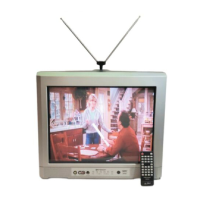
20" Digital / Analog
Television
Owner's Manual
CR202EM9
.¸¸¸¸¸¸¸¸¸¸¸¸¸¸¸¸¸¸¸¸¸¸¸¸¸¸¸¸¸%.
ii i!
DB_
D|G|TAL
I TO RECE'ME D'G'TAL/ANALOG S'GNAL, IYOU MUST CONNECT ANTENNA.
_) 2008 Funai Electric Co., Ltd.

Questions and Answers

  • M
    Matthew PooleSep 4, 2025
    Why is the picture on my Emerson CRT TV blurred?
    • R
      Rebecca Richmond MDSep 4, 2025
      If the picture on your Emerson CRT TV is blurred, check the wire condition and connection if you are using an outside antenna. You may also want to view other TV channels to see if the problem is limited to the broadcasting station.
  • M
    morganowensSep 18, 2025
    Why does the entered channel number change automatically on my Emerson CR202EM9 CRT TV?
    • J
      Jared RamirezSep 18, 2025
      The channel number on your Emerson CRT TV might be changing automatically because many digital channels have alternate channel numbers. The unit automatically changes the numbers to those signifying the broadcasting stations.
  • S
    samantha60Sep 16, 2025
    What to do if my Emerson CR202EM9 CRT TV has no reception of digital signals?
    • J
      jonespatrickSep 16, 2025
      To resolve the issue of no reception of digital signals on your Emerson CRT TV, make sure auto channel scan has been completed. The selected channel may not be broadcasting. When auto channel scan is interrupted and not completed, some channels will not be received, so ensure the scan is fully completed.
  • M
    Michael SimsSep 14, 2025
    What to do if my Emerson CRT TV picture is OK, but sound is poor?
    • C
      Cynthia ThompsonSep 14, 2025
      If your Emerson CRT TV has picture OK, but the sound is poor, try viewing other TV channels. The problem might be limited to the broadcasting station.
  • H
    hbeckerSep 12, 2025
    Why is the picture rolling vertically on my Emerson CR202EM9 CRT TV?
    • R
      Rebekah WebsterSep 12, 2025
      If the picture on your Emerson CRT TV rolls vertically, check the wire condition and connection if you are using an outside antenna. Electrical interference from nearby appliances may affect picture quality. You may also want to view other TV channels to see if the problem is limited to the broadcasting station.
  • L
    Lauren JohnsonSep 12, 2025
    What causes bars on my Emerson CR202EM9 screen?
    • K
      Kelly McgeeSep 12, 2025
      If you see bars on your Emerson CRT TV screen, check the wire condition and connection if you are using an outside antenna. Electrical interference from nearby appliances may affect picture quality.
  • E
    Eric RhodesSep 9, 2025
    How do I fix different color marks on my Emerson CR202EM9 CRT TV screen?
    • M
      margaretperrySep 9, 2025
      If your Emerson CRT TV is showing different color marks on the screen, move the unit away from nearby electric appliances. Turn off the power and wait 30 minutes before turning it back on. You can also try viewing other TV channels to see if it is a broadcasting issue.
  • D
    Dr. Adam WalkerSep 7, 2025
    Why are there ghosts in the picture on my Emerson CR202EM9?
    • J
      Jill MurphySep 7, 2025
      If you're seeing ghosts in the picture on your Emerson CRT TV, check the antenna or cable connection to the main unit. Also, if you are using an outside antenna, check the wire condition and connection. Electrical interference from nearby appliances may affect picture quality. Try viewing other TV channels to see if the issue persists.
  • J
    James ColonSep 5, 2025
    How to remove lines or streaks in the picture on my Emerson CRT TV?
    • M
      Maria SalazarSep 5, 2025
      If you see lines or streaks in the picture on your Emerson CRT TV, if you are using an outside antenna, check the wire condition and connection. Electrical interference from nearby appliances may affect picture quality. Try viewing other TV channels to see if the problem persists.
  • A
    Audrey BernardAug 20, 2025
    Why is my Emerson CRT TV remote control not working?
    • D
      Debbie RamirezAug 21, 2025
      If the remote control for your Emerson CRT TV isn't working, start by checking the batteries and ensuring they are correctly inserted with the proper polarities (+/– signs). Verify that there are no obstructions between the remote control and the infrared sensor window on the front of the unit. Aim the remote directly at the sensor window and reduce the distance to the unit. Also, check the antenna or cable connection to the main unit. If the signal output of the remote is OK, there might be an issue with the infrared sensor.

Summary

INTRODUCTION

Important Safeguards

Comprehensive safety and operating instructions to reduce risks of fire and electric shock.

Precautions and Warnings

Safety warnings and advice for preventing electric shock, fire, and unit damage.

Location and Setup Notes

Guidelines for selecting a proper installation location for safe operation and optimal performance.

Remote Control Operation

Detailed explanation of each button on the remote control and its function.

Remote Control Battery Installation

Instructions for installing remote control batteries and important battery precautions.

TV Control Panel Overview

Identification and function of buttons and jacks on the TV's control panel.

Rear Panel Connections

Identification of all input/output jacks and the power cord on the rear of the unit.

FEATURES

Channel Selection and Information

How to select digital/analog channels and view program information on DTV.

Program Blocking and Captioning

V-chip for blocking programs and Closed Caption Decoder functionality.

Convenience and Audio Features

Auto Shut Off, Sleep Timer, language options, and audio features.

Input and Connectivity Options

Details on S-video, AV, and Digital Audio Coaxial Output inputs.

CONNECTION

Cable Connection Requirements

Reminder that necessary cables must be purchased separately for connections.

Basic Antenna and Cable Hookup

Guides on connecting the TV to an antenna or cable/satellite box.

External Device Hookup

Instructions for connecting external devices like DVD players, VCRs, and digital audio devices.

INITIAL SETTING

Initial Setup Wizard

Step-by-step guide for initial setup, including language and channel scanning.

Main Menu Structure

Overview of the main menu items and their functions for system configuration.

Automated Channel Scanning

Procedure for performing auto channel scan to add or delete channels from the TV.

On-Screen Language Setup

How to choose the menu language from English, Spanish, or French.

WATCHING TV

Channel Selection and Volume Control

Methods for selecting channels and adjusting volume using the remote control.

Digital vs Analog Broadcasts

Information on digital TV broadcasting quality and minor channel concepts.

Switching TV Modes and Inputs

Switching between DTV, Analog TV, external inputs, and displaying screen information.

Program Information Display

How to view program titles, guides, and other broadcasting information.

TV Screen Aspect Ratio Modes

Selecting display modes (Letterbox, Zoom) for 16:9 digital broadcasts.

Sleep Timer Functionality

Setting the sleep timer for automatic power off after a specified time.

OPTIONAL SETTING

Channel List Management

Adding or deleting channels that were not captured by the auto channel scan.

Picture Quality Adjustments

Adjusting picture settings like brightness, contrast, color, tint, and sharpness.

Basic Closed Captioning

Viewing closed captioning (cc) for dialogue and descriptions for the hearing impaired.

Digital TV Closed Caption (DTVCC)

Settings for DTVCC, the closed caption feature for digital TV broadcasts.

DTVCC Customization Styles

Customizing DTV closed caption settings like style, font, and color.

V-Chip Parental Control Setup

Using V-chip to block programs based on rating levels for child protection.

TV Rating System Configuration

Setting TV ratings to block specific program elements and sub-ratings.

MPAA Rating and Password Management

Setting MPAA ratings and managing the password for parental controls.

TROUBLESHOOTING

General Troubleshooting Guide

A guide to diagnose and resolve common TV problems like no power, picture, or sound.

Caption and Maintenance Troubleshooting

Troubleshooting closed caption problems and performing basic maintenance like cleaning.

Remote Control Functionality Check

Methods to check if the remote control is functioning correctly by testing its infrared signal.

INFORMATION

Technical Glossary and Specifications

Definitions of technical terms, cable channel designations, and general/other specifications.

LIMITED WARRANTY

Warranty Terms and Conditions

Details on warranty duration, labor, parts, exclusions, and important notes for service.

Emerson CR202EM9 Specifications

General IconGeneral
BrandEmerson
ModelCR202EM9
CategoryCRT TV
LanguageEnglish

Related product manuals