Need help?
Do you have a question about the Emerson Nickelodeon SpongeBob SquarePants SB315 and is the answer not in the manual?
Step-by-step instructions for inserting batteries into the remote control.
Information on the optimal operating distance and factors affecting the remote signal.
Guides for basic, scrambled, and premium cable/satellite services.
Instructions for connecting indoor rod and outdoor VHF/UHF antennas.
Set up channel blocking and activate the parental lock feature with a password.
Set limits for movie content based on ratings.
Adjust TV content ratings for violence, sex, language, and dialogue.
Procedure to change the parental control password for security.
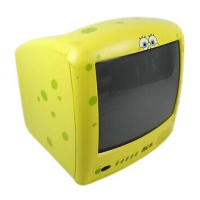
This document is the owner's manual for the Emerson SpongeBob SquarePants 13" Color TV, model SB315. It provides instructions for operating and maintaining the television, which features a custom on-screen display and remote control.
The SpongeBob SquarePants 13" Color TV is designed for viewing television programs with a custom on-screen display. It includes a remote control for convenient operation. The TV can receive both AIR (VHF/UHF antenna) and CATV (cable television) signals, with an extended tuning range that allows it to tune most cable channels without a converter box. It also supports external audio/video connections, enabling users to connect devices like VCRs, video cameras, or DVD players. A key feature is the channel memory, which allows users to program and skip unwanted channels, making channel surfing more efficient. The TV is equipped with Closed Captioning capabilities, displaying text on the screen for hearing-impaired viewers or for language translation. Parental Control features are included to block specific channels or programs based on movie and TV ratings, providing a way for parents to manage content access. Additionally, the TV offers time-related functions such as a Sleep Timer, Wake-up Time, and Off Timer for automated power management.
The TV's front panel includes a POWER button for turning the unit on/off, a Remote Control Sensor for receiving signals, a MENU button to access the on-screen menu system, CHANNEL UP/DOWN buttons for changing channels and navigating menus, and VOLUME UP/DOWN buttons for adjusting volume and making menu selections. It also has front-facing VIDEO IN and AUDIO IN jacks for easy connection of external A/V components, and an EARPHONE Jack for private listening. The rear panel features a VHF/UHF IN Jack for antenna or cable connections, and additional VIDEO IN and AUDIO IN jacks.
The remote control provides comprehensive control over the TV's functions. It includes a SLEEP button for setting a sleep timer, a PP (Personal Preference) button for selecting preset picture modes (PERSONAL, SOFT, STANDARD, VIVID), CHANNEL UP/DOWN and VOLUME UP/DOWN buttons, a DISPLAY button to show channel number and sleep timer, Direct Channel Selection Buttons (0-9) for quick channel access, an AV IN button to switch between TV/CATV and external A/V inputs, a POWER button, a MENU button, and a MUTE button to silence the audio. The "--" button is used for selecting channels 10-125.
Setting up the TV involves several steps. Users can select the on-screen display language (English, Spanish, or French) through the SETUP menu. The AIR/CATV menu option must be configured based on whether an antenna or cable TV is used. The clock can be set, and channels can be memorized, added, or deleted to customize the channel lineup. For external devices, the AV IN button allows switching between TV/CATV and the connected audio/video source.
On-screen control adjustments allow users to personalize picture settings such as CONTRAST, BRIGHTNESS, COLOR, SHARPNESS, and TINT. The BLUE BACKGROUND option can be turned on or off to display a blue screen when no broadcast signal is present.
Parental Control setup involves entering a password (default "1111", which can be changed) to access settings. Users can block channels, set movie ratings (NONE, G, PG, PG-13, R, NC17, X, NR), and TV parental guidelines (F: Fantasy Violence, V: Violence, S: Sexual Situations, L: Adult Language, D: Suggestive Dialogue) to restrict content. There's also an option to block or unblock all TV shows regardless of ratings, and to block external A/V sources.
The Wake-up Time feature allows users to set a specific time for the TV to turn on, and to which channel it should wake. The Off Timer can be set to automatically turn off the TV at a specified time.
The manual emphasizes several safety precautions, including proper power source connection (polarized plug), avoiding exposure to rain or moisture, and ensuring adequate ventilation. Cleaning should be done with a dry cloth after unplugging the unit. Battery installation for the remote control requires attention to polarity and avoiding mixing battery types or attempting to recharge non-rechargeable batteries. Regular removal of batteries is recommended if the remote is not used for a long period to prevent leakage.
Troubleshooting guidance is provided for common issues such as power problems, poor TV broadcast reception (e.g., picture wobbles, no CATV reception, poor sound), TV turning off unexpectedly, and closed captioning not working. For remote control issues, it advises checking the distance, ensuring no obstacles, and replacing weak batteries. Parental control issues are addressed by checking settings and subscriptions.
Reception disturbances like ignition interference (black spots, horizontal streaks), ghosts (double images), snow (small dots due to weak signal), and radio frequency interference (moving ripples, diagonal streaks) are described, with suggestions for adjusting antenna position or using an outdoor antenna. Picture size variation is noted as normal when adjusting contrast or brightness.
The limited warranty covers manufacturing defects in original material and workmanship for one year (two years for the picture tube) from the date of purchase, with repair or replacement provided by Emerson Radio Corp. It specifies that the warranty does not cover damage from negligence, misuse, abuse, accident, failure to follow operating instructions, commercial use, rental, unauthorized repairs, or products used outside the United States. Users are advised to record the model and serial numbers for future reference and warranty claims. Customer service contact information is provided for technical assistance and warranty service.
 General
| Screen Size | 13 inches |
|---|---|
| Aspect Ratio | 4:3 |
| Display Type | CRT |
| Tuner | NTSC |
| Inputs | Composite |

 To Next Page