5
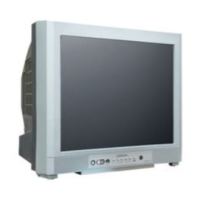
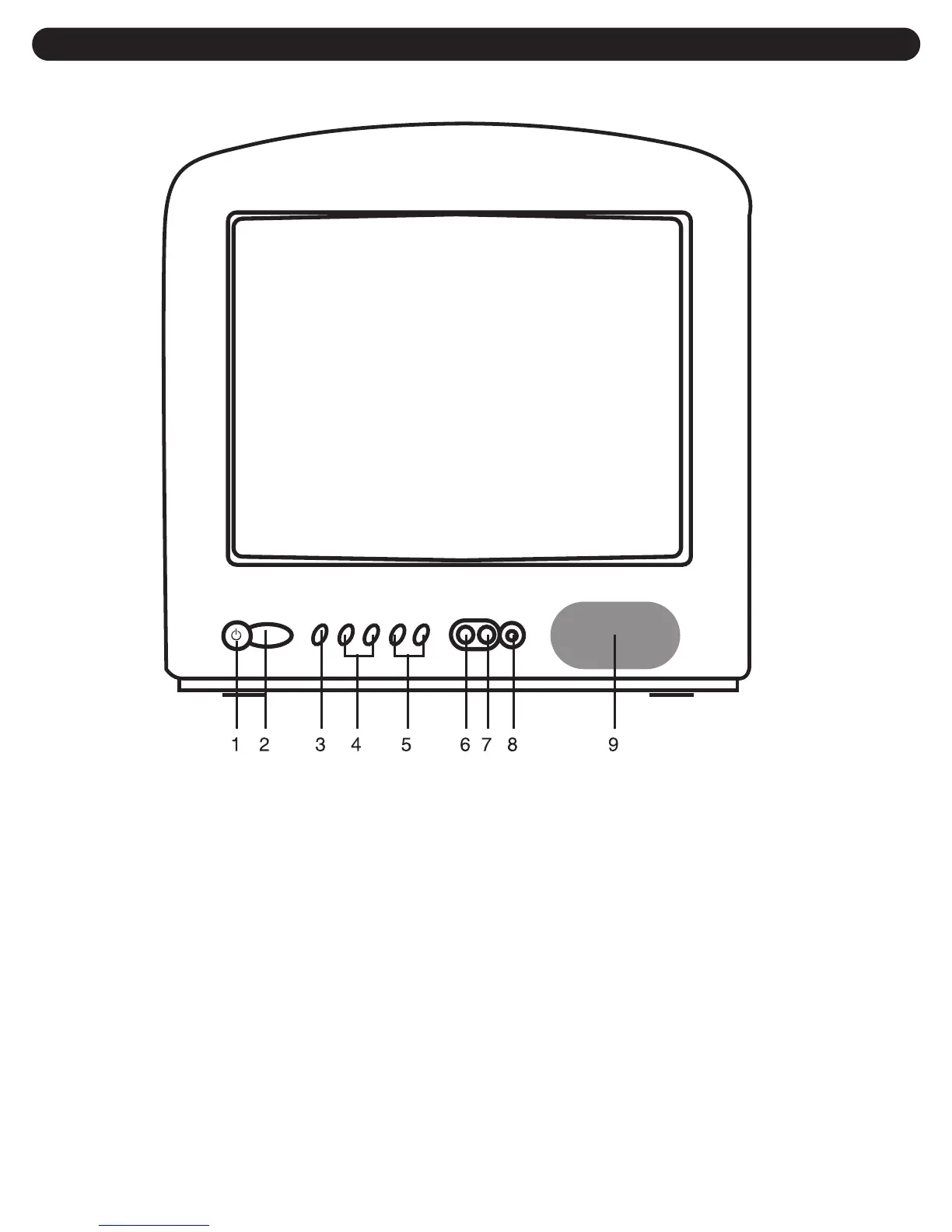
1 POWER Button-Use this button to turn your
TV on or off.
2 Remote Control Sensor-This receiver
receives a signal from your remote control. Do
not block it.
3 MENU Button-Use this button to turn the TV's
menu system on and off.
4 CHANNEL UP (
i
i
)/DOWN (
m
m
) Buttons-Use
these buttons to change channels on your TV,
or to select items in the menu system.
5 VOLUME UP (
k
k
) /DOWN (
o
o
) Buttons-Use
these buttons to change your TV's volume, to
activate selections in the menu system, or to
change audio and video settings.
6 VIDEO IN Jack-Use this jack to receive a
video signal from another A/V component.
7 AUDIO IN Jack-Use this jack to receive an
audio signal from another A/V component.
8 EARPHONE Jack-Connect an optional
Earphone/Headphone (not included) to this
jack for private listening.
9 Speaker
LOCATION OF CONTROLS
FRONT


 To Next Page
 Loading...