25
SETTING THE OFF TIMER
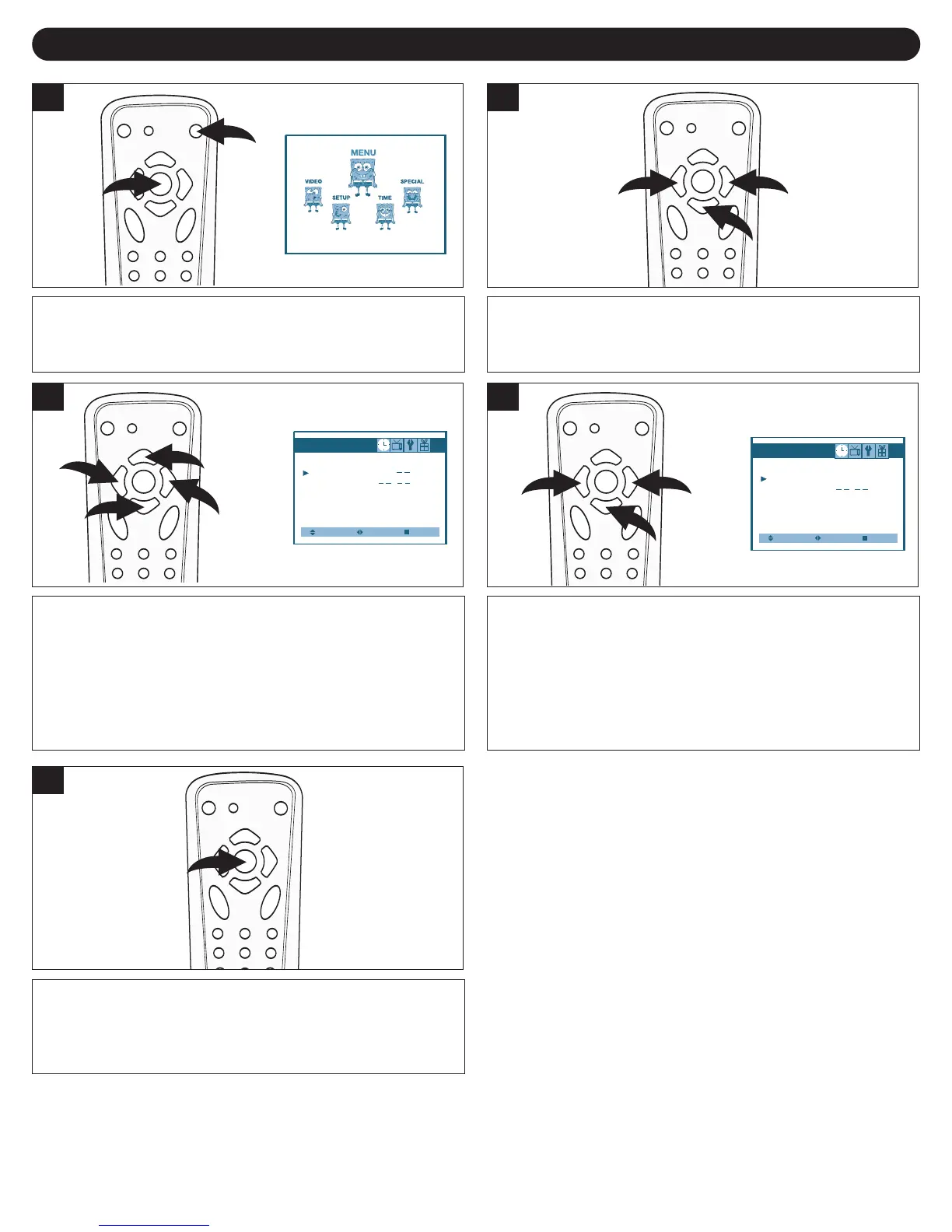
Press the Power button ❶ to turn on the TV. Press the
MENU button ❷; the MENU screen will appear.
1
Press the VOLUME UP (k) 1/DOWN (o) 2 buttons to
select TIME. Press the CHANNEL DOWN (m) 3 button to
enter.
2
Press the CHANNEL UP (i) 1/DOWN (m) 2 buttons to
select OFF TIME. Press the VOLUME UP (k) 3/DOWN
(o) 4 buttons to set the hour, then press the CHANNEL
DOWN (
m) 2 button.
Select
Time
Set Clock :
10 : 00
Off Time : 11
Wake-up Time :
Wake-up Channel :
Adjust Exit
3
Press the VOLUME UP (k) 1/DOWN (o) 2 buttons to set
the minute, then press the CHANNEL DOWN (m) 3 button.
Press the VOLUME UP (k) 1/DOWN (o) 2 buttons to set
the AM or PM setting.
Select
Time
Set Clock : 10 : 00
Off Time : 11 : 00
Wake-up Time
:
Wake-up Channel :
Adjust Exit
4
Press the MENU button twice or wait 20 seconds to exit the
menu.
5



 To Next Page
 Loading...