10
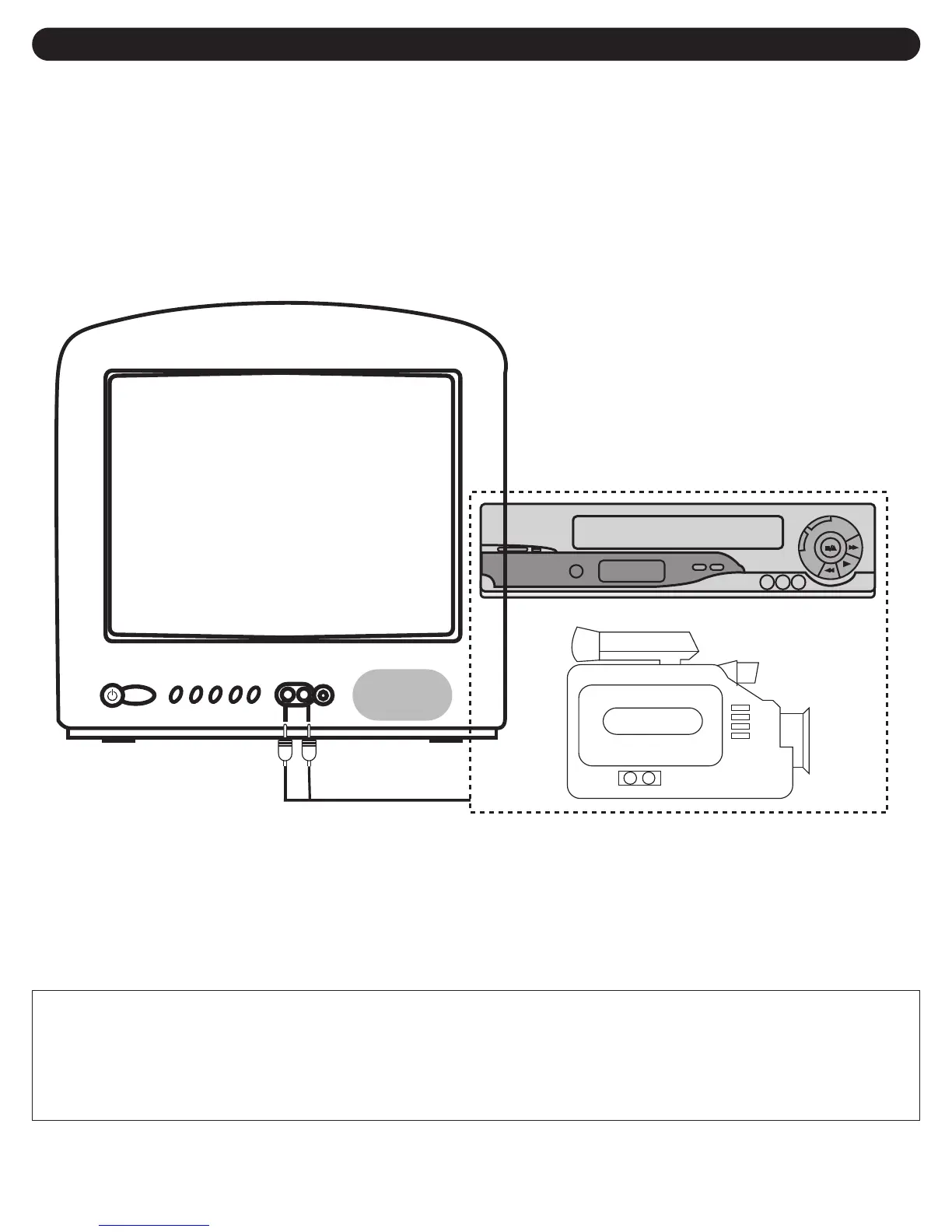
When you watch a program recorded on another source (VCR, video camera, DVD, etc.), you can use the Audio/Video
input jacks on the front of the TV.
Connect the Audio/Video output jacks of the external unit to the Audio Input jack and the Video Input jack of the TV.
To access the unit connected to these jacks, press the AV IN button so AV appears on the screen. To resume normal TV
viewing, simply press the AV IN button again.
EXTERNAL AUDIO/VIDEO CONNECTIONS
FAQ:
How do I watch the external unit connected to the Audio/Video Input jacks?
Press the AV IN button so AV appears on the screen, then start the external source.
AUDIO/VIDEO Cord (Not Supplied)
EXTERNAL SOURCE



 To Next Page
 Loading...