EasyManua.ls Logo

Emerson EWC13D4 - User Manual

Emerson EWC13D4
40 pages
Print Icon
To Next Page IconTo Next Page
Loading...
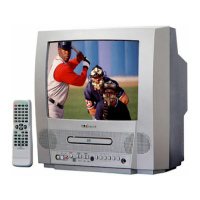
COLOR TV/DVD
EWC13D4 (13 inch)
OWNER’S
MANUAL
As an ENERGY STAR
Partner, our company has
determined that this product meets
the E
NERGY STAR guidelines for
energy efficiency. E
NERGY STAR
is a U.S. registered mark.
®
®
®
If you need additional assistance for set-up or operating after
reading owner’s manual, please call TOLL FREE : 1-800-256-2487.
Or visit our WEB SITE at
http://www.funai-corp.com
Please read before using this equipment
INSTRUCCIONES
EN ESPAÑOL INCLUIDAS.
“EMERSON AND THE G-CLEF LOGO ARE REGISTERED TRADEMARKS
OF EMERSON RADIO CORP., PARSIPPANY, NEW JERSEY, U.S.A.

Table of Contents

Questions and Answers

  • B
    Brandi ChangAug 18, 2025
    What to do if my Emerson EWC13D4 TV DVD Combo remote is not working?
    • M
      Michael CherryAug 18, 2025
      If your Emerson TV/DVD combo is not responding to the remote control, first ensure the power plug is connected to an AC outlet. Then, check the batteries in the remote and make sure you're aiming the remote directly at the sensor, removing any obstacles in the way. You should be within 23 feet of the TV/DVD. Finally, verify that the correct mode is selected by pressing SELECT on the remote.
  • W
    William McculloughAug 20, 2025
    How to fix no power on my Emerson EWC13D4?
    • T
      tmurphyAug 20, 2025
      If your Emerson TV/DVD combo doesn't have power, ensure the power plug is properly connected to an AC outlet and that the power is turned on.
  • S
    Scott MartinAug 23, 2025
    Why is there no picture or sound on my Emerson TV DVD Combo?
    • S
      Stephanie JohnsonAug 23, 2025
      If your Emerson TV/DVD combo shows no picture or sound, try switching to a new channel to rule out station issues. Also, ensure the power is on. Press the SELECT button on the remote to switch to TV mode and try other TV functions. Check that the antenna is securely connected to the terminal on the back. If you're using an outside antenna, inspect it for any broken wires.
  • M
    michaelsmithAug 26, 2025
    Why is the picture distorted on my Emerson EWC13D4?
    • D
      daniel03Aug 26, 2025
      If the picture on your Emerson TV/DVD combo is distorted or blurred, try changing to a different channel to see if the issue is with the station. If you are using an outside antenna, check for any broken wires.
  • J
    Jeffery CowanAug 28, 2025
    How to fix weak picture on Emerson TV DVD Combo?
    • K
      Kevin KingAug 28, 2025
      If you're experiencing a weak picture on your Emerson TV/DVD combo, try switching to a new channel to rule out station-related problems. Also, check that the antenna is properly connected to the terminal on the back of the unit and inspect any outside antenna for broken wires. You may also want to adjust the CONTRAST & BRIGHT control.
  • M
    Marie MendezAug 31, 2025
    How to remove bars on screen on Emerson EWC13D4 TV DVD Combo?
    • M
      Miranda PhillipsAug 31, 2025
      If you see bars on the screen of your Emerson TV/DVD combo, check for local interference. If you're using an outside antenna, make sure there are no broken wires.
  • M
    martinezbrianSep 2, 2025
    Why does my Emerson EWC13D4 have sound but no picture?
    • R
      Rodney GriffinSep 2, 2025
      If your Emerson TV/DVD combo has sound but the picture is poor, try switching to a new channel to rule out station issues. Check that the antenna is connected to the terminal on the back of the set and inspect any outside antenna for broken wires. Also, check for local interference and adjust the CONTRAST & BRIGHT control.
  • A
    Alexander JonesSep 5, 2025
    How to fix lines on Emerson TV DVD Combo screen?
    • G
      Gabriel BrennanSep 5, 2025
      If the picture on your Emerson TV/DVD combo rolls vertically or has lines or streaks, try changing to a new channel to see if the issue is with the broadcast. Also, check for local interference and inspect any outside antenna for broken wires.
  • R
    Rhonda CrawfordSep 7, 2025
    How to improve poor reception on Emerson TV DVD Combo?
    • B
      Bianca LawsonSep 7, 2025
      If your Emerson TV/DVD combo has poor reception on some channels or shows ghosts in the picture, try switching to a new channel to rule out station problems. Ensure the antenna is connected to the terminal on the back and check for any broken wires if using an outside antenna. Also, check for local interference.
  • T
    Tiffany MillerSep 10, 2025
    How to fix no color on Emerson TV DVD Combo?
    • J
      Justin LaneSep 10, 2025
      If your Emerson TV/DVD combo has no color, try changing the channel to rule out station-related issues. Ensure the antenna is connected to the terminal on the back, and if you're using an outside antenna, check for broken wires. Additionally, adjust the COLOR control.

Summary

Important Safeguards

Precautions

Laser Safety

Safety precautions related to the laser system and potential hazardous radiation exposure.

Location

Avoid Hazards of Electrical Shock and Fire

Critical safety instructions to prevent electric shock and fire hazards during operation.

Features

TV Mode Features

Details on TV-specific functionalities like channel tuning, remote control, and closed captions.

DVD Mode Features

Details on DVD playback capabilities including sound, playback modes, and disc management.

Operating Controls and Functions

TV;DVD Front Panel

Identification and description of controls located on the front panel of the TV/DVD unit.

Remote Control

Description of buttons and their functions on the infrared remote control for operating the unit.

TV;DVD Rear View

Identification of connectors and ports on the rear panel of the TV/DVD unit.

Preparation for Use

Antenna;Cable Connections

Guide to connecting various types of antennas and cable systems to the TV/DVD.

Connecting to External Input Jacks

Instructions for connecting external audio/video sources to the front input jacks.

Set Up for Use

Channel Set Up

Guide to automatically scanning and memorizing available TV channels.

Deleting (or Adding) Channel(s)

Instructions on how to remove or re-add channels from memory.

TV Operation

Watching a TV Program

Basic steps for turning on the TV and selecting channels for viewing.

V-Chip Set Up

TV Rating Set Up

Setting TV rating limits to block inappropriate content for children.

MPAA Rating Set Up

Setting MPAA rating limits to block inappropriate movie content.

Playing a Disc

Basic Playback

Step-by-step guide for inserting a disc and starting playback.

Changing the Settings

Changing the DVD Setup Items

Language Setting

How to select language for DVD menus, audio, and subtitles.

Audio Settings

How to configure audio settings including DRC, down sampling, and Dolby Digital output.

Parental Control

Parental Level

How to set the rating level to restrict playback of discs unsuitable for children.

Troubleshooting Guide

No Power

Steps to diagnose and resolve issues related to the unit not powering on or responding.

TV Mode

Troubleshooting common picture and sound problems specific to TV mode operation.

DVD Mode

Troubleshooting common problems encountered during DVD playback.

Specifications

General Specifications

Technical details of the TV and its capabilities.

Emerson EWC13D4 Specifications

General IconGeneral
Screen Size13 inches
DVD PlayerYes
Aspect Ratio4:3
Display TypeCRT
TunerNTSC
Power SourceAC 120V, 60Hz
Input PortsComposite
Output PortsHeadphone

Related product manuals