EasyManua.ls Logo

Emerson LD320EM2 - User Manual

Emerson LD320EM2
43 pages
Print Icon
To Next Page IconTo Next Page
Loading...
309-8819
emersonaudiovideo.com
EMERSON AND THE G-CLEF LOGO ARE REGISTERED TRADEMARKS
OF EMERSON RADIO CORP., PARSIPPANY, NEW JERSEY, U.S.A.
EnglishFrançaisEspañol
Need help? Please call toll free or visit our web site below
Besoin d’aide? Appelez notre numéro gratuit ou visitez notre site web à l’adresse
¿Necesita ayuda? Llame por favor sin costo ó visite nuestro sitio web en
EN Owner's Manual
FR Manuel du Propriétaire
ES Manual del Propietario
© 2011 Funai Electric Co., Ltd.
MODEL NUMBER SERIAL NUMBER
1-866-
www.
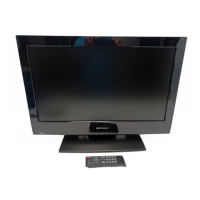
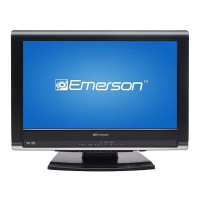
32” LCD TV / DVD
LD320EM2
26” LCD TV / DVD
LD260EM2
19” LCD TV / DVD
LD190EM2

Other manuals for Emerson LD320EM2

Questions and Answers

  • E
    Erin WareAug 20, 2025
    How to fix Emerson TV DVD Combo remote control that is not working?
    • J
      jenniferpetersAug 20, 2025
      If your Emerson TV DVD Combo remote control isn't working, first check the antenna or cable connection to the main unit. Then, inspect the remote's batteries, ensuring they are correctly inserted with the proper polarities (+/- signs). Make sure there are no obstacles between the remote and the infrared sensor on the unit. Aim the remote directly at the sensor, and reduce the distance to the unit. If you have an infrared-equipped device nearby, it may be interfering with the remote signal; move it away, adjust the sensor angle, or disable its infrared communication function.
  • B
    Benjamin JacksonAug 22, 2025
    How to troubleshoot no power on Emerson TV DVD Combo?
    • T
      tamismithAug 22, 2025
      If your Emerson TV DVD Combo has no power, ensure the AC power cord is properly plugged in. Verify that the AC outlet supplies the correct voltage by testing it with another electrical appliance. If a power failure occurred, unplug the AC power cord for 1 minute to allow the unit to reset.
  • N
    Nicole FrederickAug 25, 2025
    What to do if control buttons don't work on Emerson TV DVD Combo?
    • T
      Tony PerezAug 25, 2025
      If the control buttons on your Emerson TV DVD Combo do not work, press only one button at a time and ensure that no buttons on the remote are depressed and move freely.
  • M
    Molly LewisAug 26, 2025
    Why is there no screen image on my Emerson TV DVD Combo?
    • H
      hartallisonAug 26, 2025
      If your Emerson TV DVD Combo has power but no screen image, verify the antenna, cable receiver, or satellite box connections. Ensure all cables to the unit are connected to the correct output jack of your device, like a BD/DVD recorder. Confirm the selected input mode corresponds to the working input jack. If using PC mode, check that your computer isn't in sleep mode. Also, make sure the power is on and the correct input mode is selected.
  • R
    Robert BlackwellAug 28, 2025
    Why is there no picture or sound on my Emerson TV DVD Combo?
    • R
      Richard RussellAug 28, 2025
      If your Emerson TV DVD Combo has no picture or sound, check the connections of the antenna, cable receiver, or satellite box. Ensure the selected input mode is connected to the working input jack. If using PC mode, make sure your computer is not in sleep mode. Also, ensure the sound is not muted and the volume is not set to [0] or [Mute]. Try viewing other TV channels, as the issue might be with the broadcasting station or a weak signal. As a last resort, unplug the AC power cord, wait about 1 minute, then plug it back in and turn the unit on again.
  • K
    kcervantesAug 30, 2025
    What to do if my Emerson TV DVD Combo disc cannot be played back?
    • D
      danielle18Aug 30, 2025
      If your Emerson TV DVD Combo disc cannot be played back, start by cleaning the disc and ensuring it's correctly inserted. Check if the disc is defective by trying another disc. Also, verify that the parental lock is not enabled, or adjust the control level. Ensure the disc is compatible with the unit and handle discs carefully to avoid fingerprints, scratches, or dust.
  • M
    Melissa LarsenSep 1, 2025
    Why is picture quality poor on my Emerson TV DVD Combo?
    • M
      morrisonmargaretSep 1, 2025
      If the picture quality on your Emerson TV DVD Combo is poor but the sound is okay, try watching 'High Definition' wide screen programs for the best picture. If HD content isn't available, switch to 'Standard Definition' programs instead. You can also view other TV channels, as the problem might be due to the broadcasting station or a weak signal.
  • J
    jason90Sep 2, 2025
    Why is sound poor on my Emerson TV DVD Combo but picture is okay?
    • A
      angelakennedySep 3, 2025
      If the picture on your Emerson TV DVD Combo is okay but the sound is poor, check if the audio cable is correctly connected. Interference from electrical appliances, automobiles, motorcycles, or fluorescent lights may be the cause. Try moving the unit to another location to see if this resolves the problem.
  • J
    jonesmitchellSep 4, 2025
    Why do I see noise or trash on the screen of my Emerson TV DVD Combo?
    • A
      Anna FloresSep 4, 2025
      If you see "noise" or "trash" on the screen of your Emerson TV DVD Combo, it may be because the unit's capabilities are exceeding those of the digital broadcasting signal. The signal is increased to match the display capabilities, which can result in noise or trash.
  • S
    Sabrina NewtonSep 6, 2025
    Why does initial setup appear every time I turn on my Emerson TV DVD Combo?
    • C
      Cheryl AguilarSep 6, 2025
      If the initial setup appears every time you turn on your Emerson TV DVD Combo, connect the RF coaxial cable directly to the unit and run the initial setup. Also, ensure that you complete the channel scan before the unit goes into standby mode.

Summary

Important Safety Instructions

General Safety Precautions

General warnings and guidelines for safe operation to prevent hazards.

Wall Mounting Safety Guidelines

Specific instructions and warnings for safely mounting the unit on a wall.

Regulatory and Safety Precautions

FCC Compliance and Interference

Information on FCC regulations and measures to prevent radio interference.

Laser and Electrical Safety Warnings

Alerts regarding laser product classification and electrical shock hazards.

Handling, Environment, and Recycling

Guidelines for carrying, operating environment, and proper disposal of materials.

Child Safety

Safe Use of Flat Panel Displays

Precautions for preventing injury from children interacting with the TV.

Secure Wall Mounting for Safety

Emphasizes secure installation to prevent tip-overs and injuries.

Introduction

Trademark Information

Lists registered trademarks and logos associated with the product.

Product Features Overview

Details the various capabilities of the TV and DVD functions.

Supplied Accessories and Initial Assembly

Lists included items and guides on attaching the base and stand.

Control Panel and Terminals

Identifies buttons on the unit and connection ports on the rear/side.

Remote Control Functions

Explains the operation of each button on the remote control.

Preparation

Antenna and Cable Connections

Instructions for connecting antenna or cable TV signals to the unit.

Power Connection and Initial Setup

Guides on plugging in the AC cord and performing the first-time setup.

Watching TV

Sleep Timer and Input Selection

Manages automatic standby and switching between input sources.

Channel Selection and Display Modes

Covers tuning channels and adjusting screen aspect ratios.

Sound Functions and Screen Information

Adjusts audio settings and displays current broadcast details.

Using Functions

Picture and Sound Settings

Customizes image quality and audio output modes.

Channel Management and Features

Manages channel scanning, lists, and accessibility features.

Language, Captioning, and Lock Settings

Adjusts on-screen language, closed captions, and parental controls.

DVD and PC Settings

Configures DVD playback options and PC input adjustments.

Operating DVD

Playable Media and Region Codes

Information on compatible discs and regional playback restrictions.

DVD Playback Operations

Covers basic playback, pause, search, and resume functions.

DVD Special Settings

Manages subtitle languages, audio options, and camera angles.

Connecting Devices

HDMI and DVI Connections

Guides for connecting video sources using HDMI and HDMI-DVI.

Analog and Digital Audio Outputs

Details digital/analog audio output connections.

PC and Other Video Connections

Covers component, S-video, composite, and PC inputs.

Useful Tips

Troubleshooting Guide

Solutions for common operational problems and symptoms.

Frequently Asked Questions (FAQ)

Answers to common user queries about the unit's functions.

Information

Glossary and Maintenance

Defines technical terms and provides advice on unit care.

General Specifications and Warranty

Lists technical specifications and details the product warranty coverage.

Emerson LD320EM2 Specifications

General IconGeneral
BrandEmerson
ModelLD320EM2
CategoryTV DVD Combo
LanguageEnglish

Related product manuals