EasyManua.ls Logo

Emerson LD320EM2 - User Manual

Emerson LD320EM2
43 pages
Print Icon
To Next Page IconTo Next Page
Loading...
309-8819
emersonaudiovideo.com
EMERSON AND THE G-CLEF LOGO ARE REGISTERED TRADEMARKS
OF EMERSON RADIO CORP., PARSIPPANY, NEW JERSEY, U.S.A.
EnglishFrançaisEspañol
Need help? Please call toll free or visit our web site below
Besoin d’aide? Appelez notre numéro gratuit ou visitez notre site web à l’adresse
¿Necesita ayuda? Llame por favor sin costo ó visite nuestro sitio web en
EN Owner's Manual
FR Manuel du Propriétaire
ES Manual del Propietario
© 2011 Funai Electric Co., Ltd.
MODEL NUMBER SERIAL NUMBER
1-866-
www.
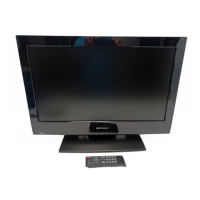
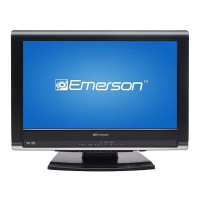
32” LCD TV / DVD
LD320EM2
26” LCD TV / DVD
LD260EM2
19” LCD TV / DVD
LD190EM2

Other manuals for Emerson LD320EM2

Questions and Answers

  • C
    Carlos JonesSep 8, 2025
    Why are adjusted picture or sound settings not effective on Emerson TV DVD Combo?
    • L
      Leslie JensenSep 8, 2025
      If the adjusted [Picture] or [Sound] settings on your Emerson TV DVD Combo are not effective every time, you must set [Home] in [Location]. Otherwise, the settings you adjusted will not be memorized after the unit goes into standby mode.
  • M
    Mark FitzgeraldSep 10, 2025
    Why can't I watch some RF signal TV programs on my Emerson TV DVD Combo?
    • H
      Hector ThompsonSep 10, 2025
      If you are unable to watch some RF signal TV programs on your Emerson TV DVD Combo, ensure that [Autoprogram] has been completed. The selected channel may not be broadcasting, or [Autoprogram] might have been interrupted. Also, the channel may be restricted by the [Child Lock] setting. The unit requires an antenna input, such as an indoor antenna (VHF/UHF), an external antenna (VHF/UHF), or an RF coaxial cable from your wall cable/satellite box.
  • B
    brianjarvisSep 12, 2025
    Why are there ghosts, lines, or streaks in the picture on my Emerson TV DVD Combo?
    • M
      Maria MartinezSep 12, 2025
      If you see ghosts, lines, or streaks in the picture on your Emerson TV DVD Combo, try viewing other TV channels. The problem may be limited to the broadcasting station or a weak signal strength.
  • A
    antonio81Sep 13, 2025
    Why are there different color marks on the TV screen of my Emerson TV DVD Combo?
    • B
      Brianna ClaytonSep 14, 2025
      If you see different color marks on the TV screen of your Emerson TV DVD Combo, try viewing other TV channels. The problem might be limited to the broadcasting station, missing data, or pixelation.
  • R
    Ronald JohnsonSep 15, 2025
    Why do I see a distorted picture or hear an unusual sound from my Emerson TV DVD Combo?
    • K
      Kara HughesSep 15, 2025
      If you see a distorted picture or hear an unusual sound on your Emerson TV DVD Combo, electrical interference from nearby appliances may be affecting the picture quality.
  • D
    Derrick HaleySep 18, 2025
    Why is there no image from external devices connected to my Emerson TV DVD Combo?
    • K
      kelly08Sep 18, 2025
      To resolve the issue of no image from connected external devices on your Emerson TV DVD Combo, first check if the correct input mode is selected by pressing INPUT SELECT or using CH +/-. Then, check the antenna or cable connection to the unit. If using the Component Video Connection, ensure that the Green (Y), Blue (Pb/Cb), and Red (Pr/Cr) connectors are connected to their corresponding colored jacks on the unit.

Summary

Important Safety Instructions

General Safety Precautions

General warnings and guidelines for safe operation to prevent hazards.

Wall Mounting Safety Guidelines

Specific instructions and warnings for safely mounting the unit on a wall.

Regulatory and Safety Precautions

FCC Compliance and Interference

Information on FCC regulations and measures to prevent radio interference.

Laser and Electrical Safety Warnings

Alerts regarding laser product classification and electrical shock hazards.

Handling, Environment, and Recycling

Guidelines for carrying, operating environment, and proper disposal of materials.

Child Safety

Safe Use of Flat Panel Displays

Precautions for preventing injury from children interacting with the TV.

Secure Wall Mounting for Safety

Emphasizes secure installation to prevent tip-overs and injuries.

Introduction

Trademark Information

Lists registered trademarks and logos associated with the product.

Product Features Overview

Details the various capabilities of the TV and DVD functions.

Supplied Accessories and Initial Assembly

Lists included items and guides on attaching the base and stand.

Control Panel and Terminals

Identifies buttons on the unit and connection ports on the rear/side.

Remote Control Functions

Explains the operation of each button on the remote control.

Preparation

Antenna and Cable Connections

Instructions for connecting antenna or cable TV signals to the unit.

Power Connection and Initial Setup

Guides on plugging in the AC cord and performing the first-time setup.

Watching TV

Sleep Timer and Input Selection

Manages automatic standby and switching between input sources.

Channel Selection and Display Modes

Covers tuning channels and adjusting screen aspect ratios.

Sound Functions and Screen Information

Adjusts audio settings and displays current broadcast details.

Using Functions

Picture and Sound Settings

Customizes image quality and audio output modes.

Channel Management and Features

Manages channel scanning, lists, and accessibility features.

Language, Captioning, and Lock Settings

Adjusts on-screen language, closed captions, and parental controls.

DVD and PC Settings

Configures DVD playback options and PC input adjustments.

Operating DVD

Playable Media and Region Codes

Information on compatible discs and regional playback restrictions.

DVD Playback Operations

Covers basic playback, pause, search, and resume functions.

DVD Special Settings

Manages subtitle languages, audio options, and camera angles.

Connecting Devices

HDMI and DVI Connections

Guides for connecting video sources using HDMI and HDMI-DVI.

Analog and Digital Audio Outputs

Details digital/analog audio output connections.

PC and Other Video Connections

Covers component, S-video, composite, and PC inputs.

Useful Tips

Troubleshooting Guide

Solutions for common operational problems and symptoms.

Frequently Asked Questions (FAQ)

Answers to common user queries about the unit's functions.

Information

Glossary and Maintenance

Defines technical terms and provides advice on unit care.

General Specifications and Warranty

Lists technical specifications and details the product warranty coverage.

Emerson LD320EM2 Specifications

General IconGeneral
BrandEmerson
ModelLD320EM2
CategoryTV DVD Combo
LanguageEnglish

Related product manuals