12
WATCHING TV
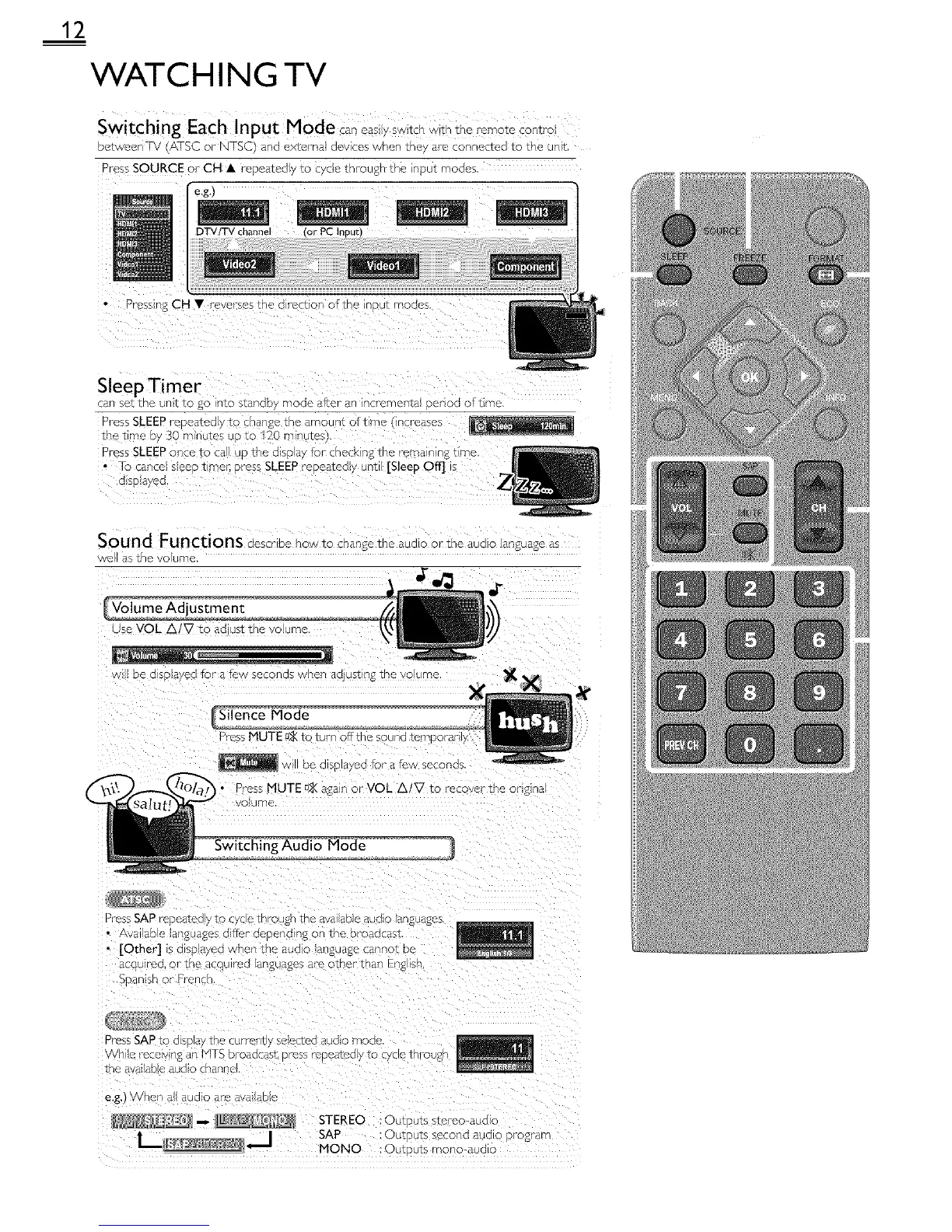
betweenFV (AZSC or NTSC) and externa devices when they are connected to the unit,
Press SOURCE or CH • repeated y to cyce through the input modes,
e.g.)
DTV/TV channel
nress n£ CH • reverses the a recson oftho inout modes,
SleepTimer
wanSeTthe UrIT IC gO IntO stanac / mode after an incrementa E2rod of tree
Press SLEEP repeatea y to cnange the amount oft me qcreases
the time by 30 -- nutes uo to 120 m nute_
Press SLEEP once to c_ up the disp ay for check n£ the rema nng tLmc
• /o canoe seeo t,me/: Dress SLEEP reDeatedb unt [Sleep Off] !
s SDarea.
Sound Functions describe howto change tne auaLo ortne aua_o Language a_
/e as ,ne vo ume
.r
use VOL A/V to ao J£ tne voume
De O SD RYed fOr" 8 _2W seconds when adjust ng the VOlUme
Press MUTE _ to turn offthe
w oe a so aved for a few seconds,
• Press MUTE D2(a£a n or VOL A/V to recover the on£ qal
voume
Press SAP repeateo y tc :yc e tnrougn the ava able auoo Lar _uages
• a _ aD _ _anguages differ- aepeno ng on 1.he 3roaac_st,
• [Othe£] IS d SD_/eo when tr/e aUO o/arlgua£e canno_ De
acc!t _eo, or tne aCOL co languages are other- than Eng sn
SDan sh or French
the ava_abe aua_o cnanr,
e.g.) cvnen a_ auo_o are avalaDe
_ _ STEREO :Out F Jts stereo-aucllo
SAP
| £s secona aua o prog am
IviONO Out,- its mono-au(] c



 To Next Page