EasyManua.ls Logo

Emerson Liebert MicroPOD MP2-210K - User Manual

Emerson Liebert MicroPOD MP2-210K
16 pages
Print Icon
To Next Page IconTo Next Page
Loading...
AC Power
For Business-Critical Continuity™
Liebert
®
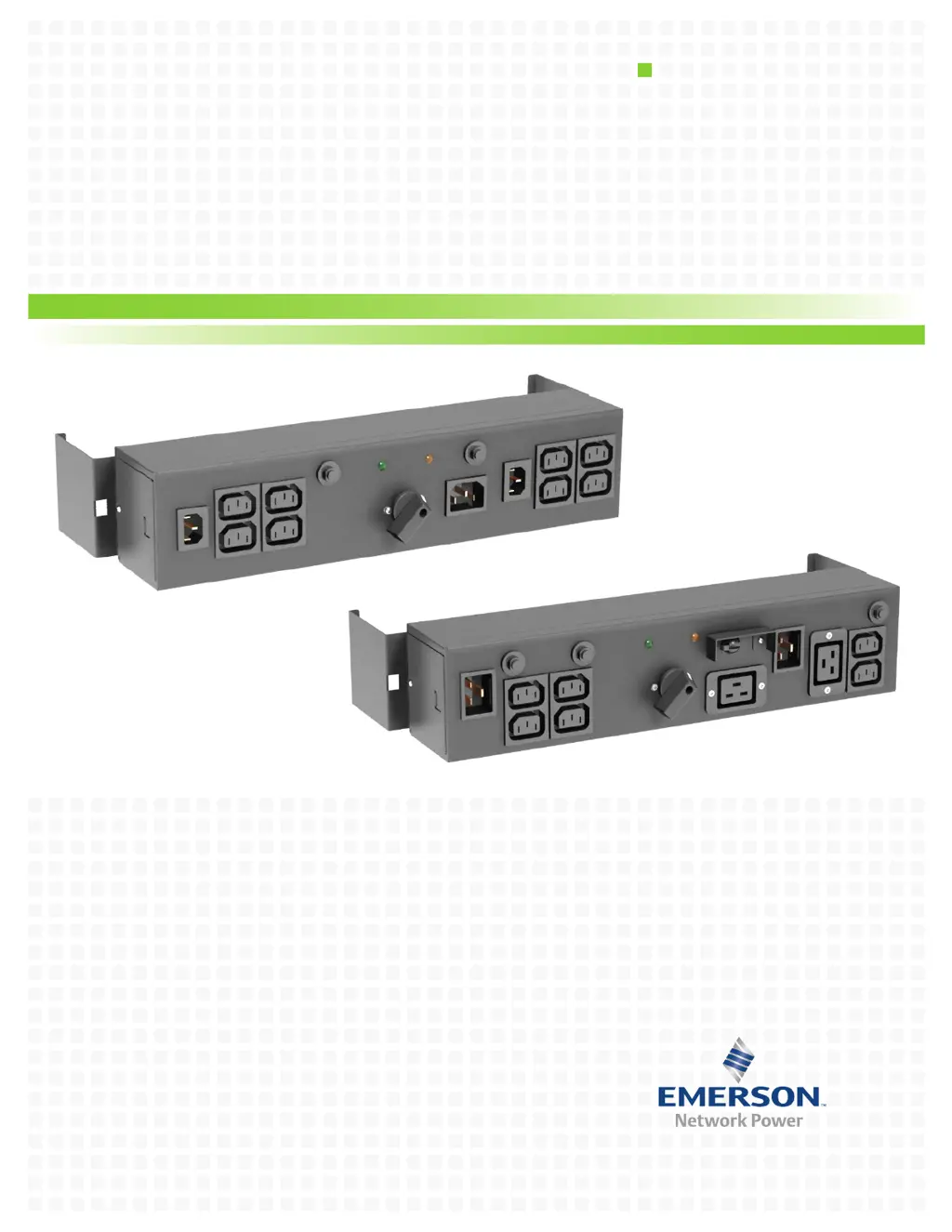
MicroPOD
230V
User Manual

Questions and Answers

  • J
    Jessica HarrisonAug 6, 2025
    What to do if Emerson Power distribution unit circuit protectors trip after resetting?
    • K
      Kimberly AdkinsAug 6, 2025
      If the Emerson Power distribution unit circuit protectors trip after resetting, it indicates an overcurrent on the receptacle. To resolve this, recalculate the load requirements and distribute the load among other receptacles.
  • J
    Jack PayneAug 13, 2025
    What to do if my Emerson Power distribution unit won't start connected loads?
    • S
      Shannon Mann DDSAug 13, 2025
      If your Emerson Power distribution unit won't start some or all connected loads, it's likely that the output circuit breaker has tripped. Reset the circuit protectors to resolve this.
  • S
    Steven WebbAug 21, 2025
    Why is the UPS Available lamp not illuminated on my Emerson Power distribution unit?
    • B
      Barbara RobersonAug 21, 2025
      If the UPS Available lamp (green) is not illuminated on your Emerson Power distribution unit, it could be due to a couple of reasons. First, the UPS output power might not be present, so turn on the UPS. Refer to the UPS user manual for instructions. Second, the UPS input and/or output cord might not be properly connected to the unit. Refer to the installation instructions in this manual.
  • K
    Kathleen GonzalezAug 28, 2025
    Why is the mains lamp (amber) not illuminated on my Emerson Power distribution unit?
    • D
      David OwenAug 28, 2025
      If the mains lamp (amber) on your Emerson Power distribution unit is not illuminated, it could be due to two potential issues. First, the mains power might not be present. In this case, you should call qualified service personnel to restore power to the receptacle. Second, the input cord might not be connected to the mains. Refer to the installation instructions in this manual.

Summary

Safety Instructions

Symbol Glossary

System Introduction and Description

System Description

Explains the two modes of operation: UPS and MAINS (maintenance bypass).

Product Installation

GXT UPS Installation

Details the process of attaching the Liebert MicroPOD to a Liebert GXT UPS.

Rack Mounting

Provides instructions for mounting the Liebert MicroPOD in a 19-inch enclosure.

Initial Startup Procedure

Pluggable Connection Guide

Describes how to connect the Liebert MicroPOD and UPS systems for initial operation.

Indicator Lamp Guide

Mains Status Indicator

Explains the function and illumination of the amber Mains indicator lamp.

UPS Status Indicator

Explains the function and illumination of the green UPS indicator lamp.

Device Operation

Transfer to Maintenance Bypass Mode

Details the steps to transfer the load from UPS to mains power for servicing.

Transfer to UPS Mode

Details the steps to transfer the load back to UPS conditioned power.

Technical Specifications

Troubleshooting Common Issues

Warranty Registration Process

Provides instructions and contact information for registering the product warranty.

Emerson Liebert MicroPOD MP2-210K Specifications

General IconGeneral
ModelMP2-210K
Product TypePower Distribution Unit
Power Rating210 kVA
Frequency50/60 Hz
Form FactorRack Mount
Weight50 kg
PhaseThree Phase
Input Current10A
Output Current10A
Outlet TypeIEC 320 C13
Operating Temperature0 to 40 °C
Humidity Range0 to 95% RH
Dimensions (H x W x D)1000 x 200 x 600 mm

Related product manuals