34
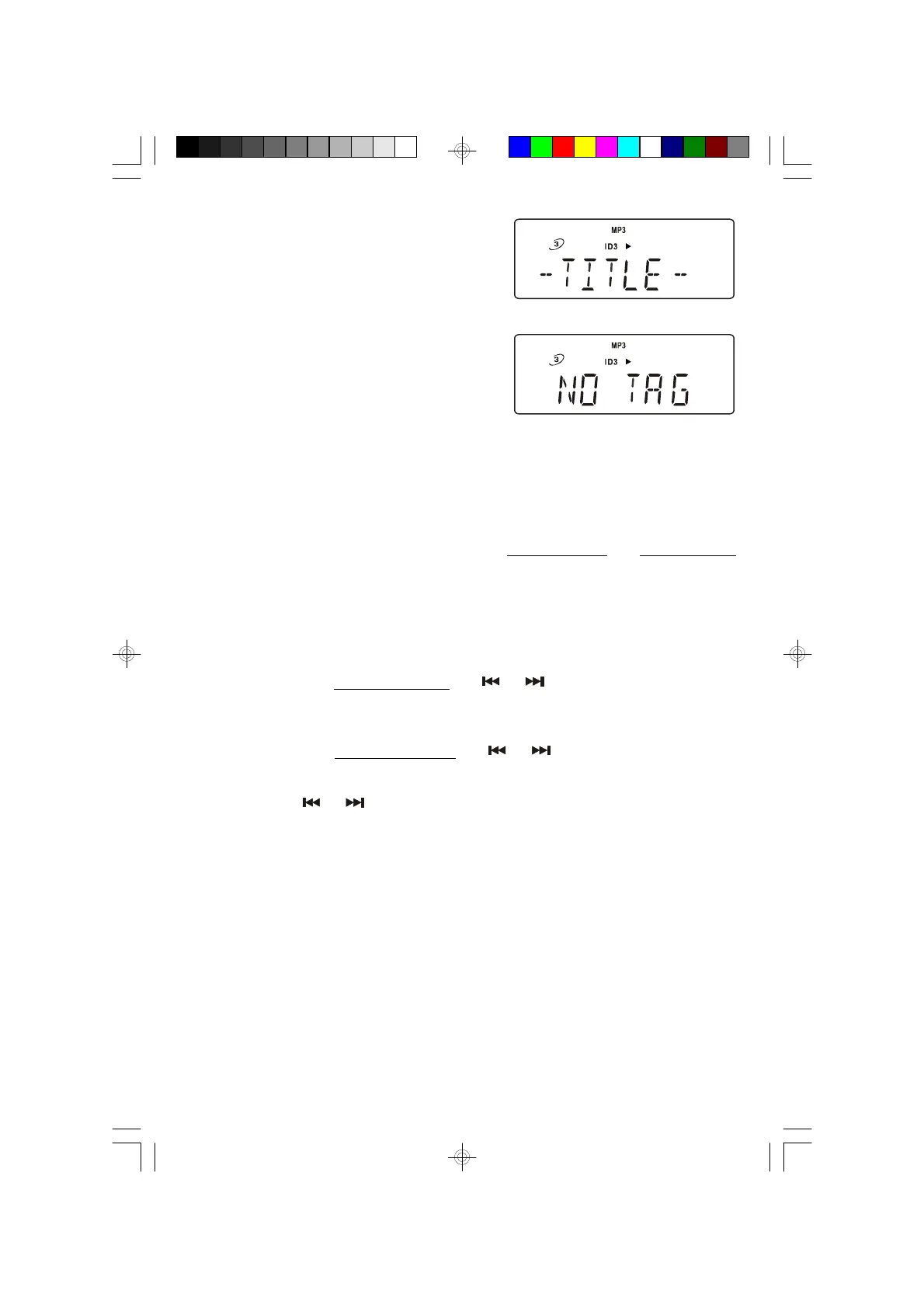
5.) Press the ID3 button.
The “TITLE”, “ARTIST”, “ALBUM”
information will scroll continuously on the
display.
If there’s no information in the ‘ID3’, the
display will show “NO TAG”.
NOTE: WMA does not support ID3.
Press ID3 button again to return to normal display.
6.) Playback will continue until all tracks on all folders have been played, then the
player stops and the display shows the total folders number and tracks number
on last disc played.
Skip Track and High Speed Music Search
• During playback, repeatedly press the or buttons to skip to higher or
lower numbered tracks. Playback will begin on the selected track.
• During playback, depress and hold the or buttons to search within a
track at high speed to locate a specific musical passage.
Release the or buttons when you hear the desired passage. Normal
speed playback will resume at that point.
MS3111M_112306.p65 23/11/2006, 10:4434


 To Next Page