EasyManua.ls Logo

Emerson Rosemount 5900 - User Manual

Emerson Rosemount 5900
30 pages
Print Icon
To Next Page IconTo Next Page
Loading...
Manual Supplement
00809-0400-2410, Rev AA
March 2016
Rosemount
2410 Tank Hub
Enraf
®
emulation instruction
Introduction . . . . . . . . . . . . . . . . . . . . . . . . . . . . . . . . . . . . . . . . . . . . . . . . . . . . . . . . . . . . . .page 1
Electrical installation . . . . . . . . . . . . . . . . . . . . . . . . . . . . . . . . . . . . . . . . . . . . . . . . . . . . . . . page 5
Configuration using the FBM . . . . . . . . . . . . . . . . . . . . . . . . . . . . . . . . . . . . . . . . . . . . . . . . page 7
Configuration using the EBM . . . . . . . . . . . . . . . . . . . . . . . . . . . . . . . . . . . . . . . . . . . . . . . . page 14
Advanced information . . . . . . . . . . . . . . . . . . . . . . . . . . . . . . . . . . . . . . . . . . . . . . . . . . . . . .page 23
1.1 Introduction
The purpose of this document is to provide guidelines on how to change from Enraf to
Rosemount equipment by exchanging gauges. When an Enraf gauge is replaced with a
Rosemount gauge, it is necessary to configure the Rosemount 2410 Tank Hub for emulation.
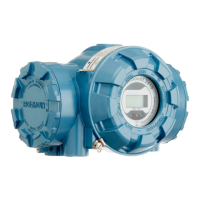
The Rosemount field devices, for example Rosemount 5900 Radar Level Gauge and Rosemount
2240S Temperature Transmitter, are connected to the tank hub using the intrinsically safe
Tankbus as usual. Emulation is done in the tank hub only. Each tank hub can emulate up to 10
tanks (10 separate Enraf gauges).
Figure 1-1. Rosemount Devices Replacing Old Gauges in an Existing Enraf System
Entis
PLC
CIU
Rosemount
5900S Radar
Level Gauge
Rosemount 2410
Tank Hub
Rosemount 3051S
Pressure Transmitter
Rosemount 2240S
Temperature Transmitter
with sensor

Other manuals for Emerson Rosemount 5900

Questions and Answers

Overview

The Rosemount 2410 Tank Hub is a versatile device designed to facilitate the transition from existing Enraf tank gauging systems to Rosemount equipment, primarily by emulating Enraf gauges. This manual supplement provides comprehensive guidelines for configuring and operating the tank hub in an Enraf emulation environment.

Function Description

The primary function of the Rosemount 2410 Tank Hub is to enable the replacement of Enraf gauges with Rosemount devices while maintaining compatibility with the existing Enraf host system. It achieves this by emulating the communication protocol of Enraf gauges, specifically the Enraf GPU protocol. This means that the Rosemount 2410 Tank Hub acts as an intermediary, translating data from connected Rosemount field devices (such as the Rosemount 5900 Radar Level Gauge and Rosemount 2240S Temperature Transmitter) into a format that the Enraf host system (e.g., Entis monitoring system or Enraf Microlect station) can understand.

The tank hub supports the emulation of Enraf gauges with Type of Instrument (TOI) B or C, including specific models like 811, 854, 894, 873, 973, and 813 MTG. Each tank hub is capable of emulating up to 10 separate Enraf gauges, effectively managing data for 10 distinct tank positions.

Communication with the host system is handled through various field bus configurations. The tank hub features slots for two independent communication boards, allowing for primary and secondary field bus connections. These can support TRL2 Modbus, RS485 Modbus, emulation, or wireless communication.

In a dual-board configuration, the tank hub can be configured for Enraf emulation using a Rosemount 2180 Field Bus Modem (FBM). This setup allows simultaneous communication on both ports, enabling a TankMaster™ PC to monitor devices during Enraf emulation in addition to configuration.

For tank hubs equipped with only a primary field bus, a Rosemount 3180 Enraf Field Bus Modem (EBM) is used for configuration via the TRL2 Modbus protocol. Once configured, the field bus switches to Enraf GPU for operation with the Communication Interface Unit (CIU).

The tank hub also supports Emerson's wireless technology, WirelessHART®, utilizing a Smart Wireless THUM™ Adapter as a wireless data link to a Smart Wireless Gateway. This allows for a combination of wireless and Enraf communication, providing control room redundancy.

Usage Features

The Rosemount 2410 Tank Hub is configured using the Rosemount TankMaster WinSetup program, a user-friendly software package that offers both basic and advanced configuration and service functions.

  • Communication Setup: Users can configure the Modbus Master protocol channel, specifying PC communication port, baud rate, parity, and stop bits. The baud rate for the Rosemount 2410 Tank Hub is pre-configured at 1200 and controlled by hardware switches on the Enraf communication board, although it can be changed as needed.
  • Device Installation: The TankMaster WinSetup wizard simplifies the installation of the tank hub. This involves selecting the 2410 Tank Hub device type, assigning a unique tag for identification in various windows and dialogs, and ensuring proper communication with the tank hub.
  • Enraf Emulation Configuration: A critical feature is the ability to set emulation addresses for Rosemount devices, ensuring they match the Enraf address of the replaced gauge (possible addresses 0-99). The Tank Database tab allows users to set the Modbus address to correspond with the chosen Enraf address for each device.
  • Gauge Type Selection: Users can select the appropriate Enraf gauge type (811 for TOI B gauges or 813 for TOI C gauges) from a drop-down list.
  • Emulation Parameters: The tank hub offers several configurable emulation parameters, including:
    • Disable Tor C: Disables Type of Request (TOR) C response (no response on temperature request).
    • Water Level: Enables water interface measurement, replacing the level value in TOR B and D with the Water Level value when a TOR W is received.
    • Ullage: Responds with ullage instead of level.
    • LowRes Pressure: Decreases the resolution of the pressure value by one decimal digit.
    • MiApproved: Makes the level invalid if outside the legal level value range and temperature invalid if outside the legal temperature value range.
    • HighRes Level: Increases the resolution of the level value by one decimal digit (applicable for decimal feet and inches).
    • Emulate Enraf 873: Responds with device 873 on identification requests.
  • Unit Type Configuration: All Enraf unit types are separately configurable, allowing users to select desired unit types from a drop-down list for Emulation Units.
  • Field Device Configuration: After configuring the tank hub, connected Rosemount field devices (e.g., 5900 Radar Level Gauge, 2240S Multi-input Temperature Transmitter) must also be configured using their respective Properties windows. The tank hub then sends measured data to the Enraf host, acting as the replaced Enraf gauge.
  • Protocol Switching: The tank hub incorporates an automatic protocol switch mechanism. It will switch from Enraf to Modbus protocol if it detects 20 corrupted messages, and will switch back to Enraf if it detects 20 corrupted messages in a row while in Modbus mode. This mechanism ensures robust communication.
  • Relay Configuration: The tank hub supports relay outputs (K1 and K2) that can be configured to be controlled by temperature values or the relay status in Enraf alarm status.
  • Alarm Status: The tank hub provides detailed alarm status information through holding registers, indicating High and Low alarms.

Maintenance Features

The manual provides troubleshooting guidance to ensure proper operation and address common issues.

  • Troubleshooting Chart: A troubleshooting chart helps diagnose problems based on symptoms related to input registers (RecMessages, MessagesToMe, SentMessages).
  • Input Register Monitoring: Users can check input registers to verify communication. For example, if "RecMessages" does not enumerate, it suggests checking power, cable connections, Enraf mode, and Enraf emulation configuration. If "MessagesToMe" does not enumerate, the Enraf address should be checked. If "SentMessages" does not enumerate, the host's requests should be verified.
  • Configuration Switches: The Enraf communication board features configuration switches (Enraf gain switch S1 and Baud rate switch S3) that control baud rate and bus gain. These switches are accessible for manual adjustment if needed.
  • Check Switch Status: Input registers can be used to check the current status of the switches without dismounting the communication board from the housing, providing a convenient way to monitor hardware settings.
  • Enraf Bus Gain Adjustment: The Enraf bus gain can be adjusted via hardware switches (SW1-SW4) to compensate for long cables or high impedance, reducing the risk of communication errors. Default gain is 10% but can be increased to 32% or 100%.
  • Contact Status: For devices with Type of Instrument C, relay status can be included in the Enraf contact status. Further information can be obtained from local Emerson Process Management/Rosemount Tank Gauging representatives.

Emerson Rosemount 5900 Specifications

General IconGeneral
Measurement PrincipleRadar
Accuracy±3 mm
Resolution1 mm
Process PressureUp to 40 bar (580 psi)
Output Signal4–20 mA HART, FOUNDATION Fieldbus
Protection ClassIP66/IP67
Process ConnectionThreaded, Flanged
Housing MaterialAluminum, Stainless Steel
Communication ProtocolHART, FOUNDATION Fieldbus
Enclosure RatingType 4X, IP66/67

Related product manuals