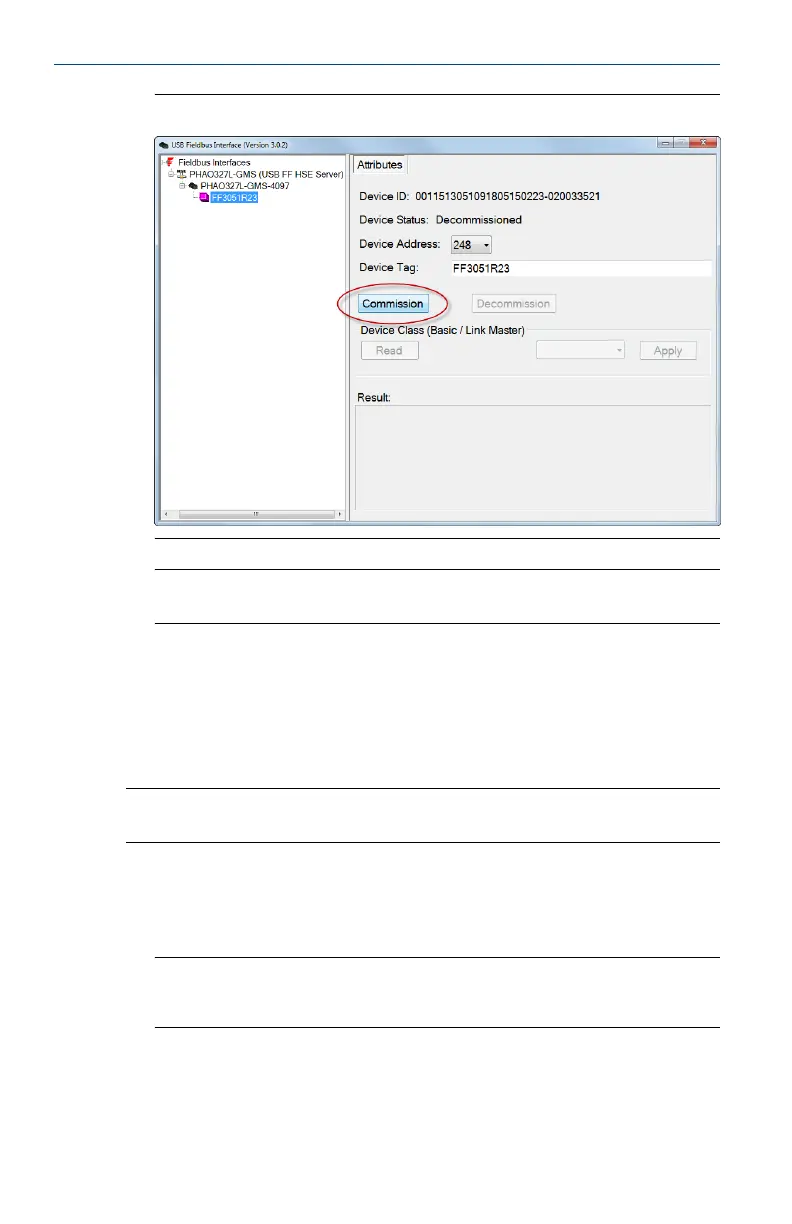
CommissionFigure 4-3:
Note
The commissioning process takes about 1 to 2 minutes to complete.
6. Repeat steps 2 through 5 for each device you want to commission.
4.4 Decommission fieldbus devices
Decommissioning sets the fieldbus device address to a temporary address.
Note
Fieldbus devices on a live segment cannot be decommissioned.
1. Launch the Fieldbus Interface Configuration utility.
2. Under the USB Fieldbus Interface icon, select the fieldbus device you
want to configure.
Note
A connected fieldbus device or segment should be powered by an external power source or be
provided power by the Fieldbus Interface Configuration utility for it to be detected.
3. Click Decommission.
May 2014 User's Manual
19


 To Next Page