7 Troubleshooting
Topics covered in this chapter:
• Fieldbus device not responding in AMS Device Manager
• Fieldbus device not detected in Fieldbus Interface Configuration utility
• Cannot edit device parameters in FDT Frame Application
7.1 Fieldbus device not responding in AMS Device Manager
In order to configure a fieldbus device in AMS Device Manager, you must first
commission the device in the Fieldbus Interface Configuration utility. For
more information on commissioning a device, see Section 4.3.
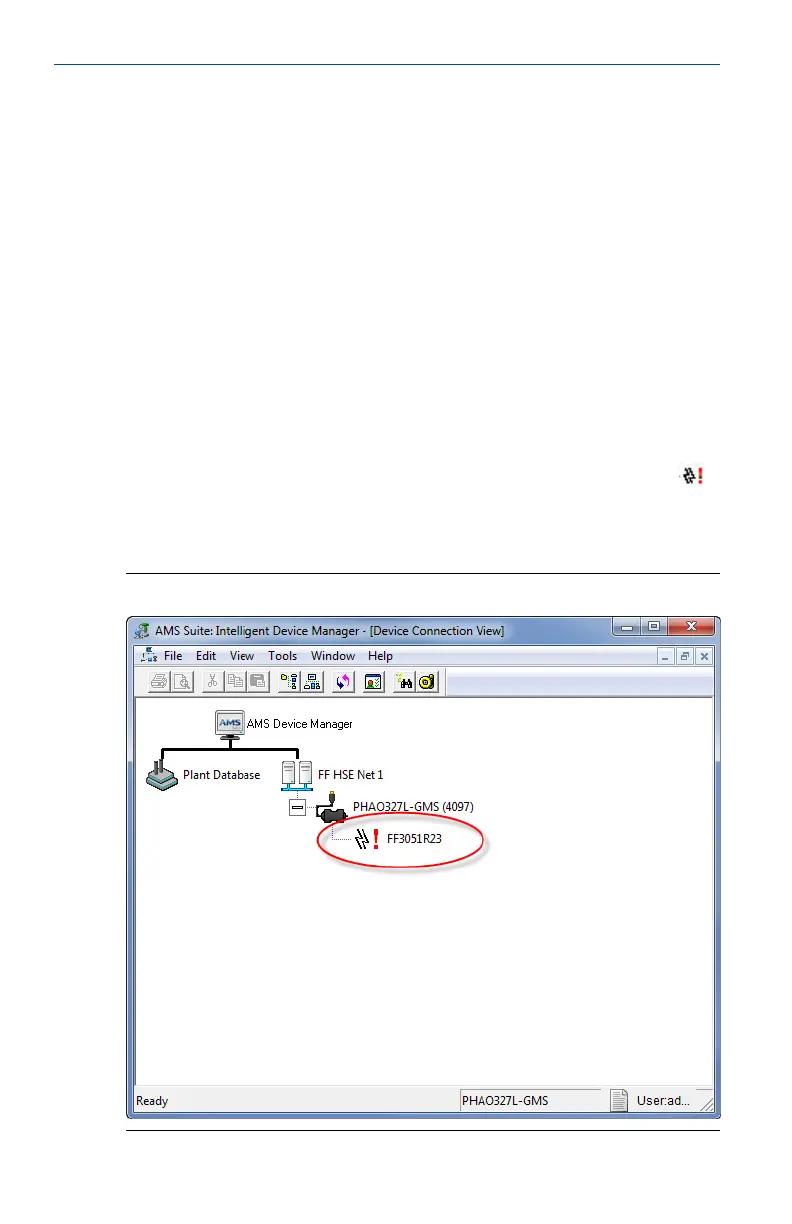
Uncommissioned devices are seen in AMS Device Manager as having the
(non-responding device) icon and are characterized by an empty device tag
or by the device default address.
Uncommissioned device in AMS Device ManagerFigure 7-1:
May 2014 User's Manual
43


 To Next Page