1 Introduction
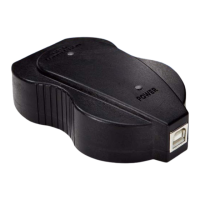
This manual guides you in using the USB Fieldbus Interface (interface) to
power and/or configure fieldbus devices. Included here are basic setup,
configuration, and troubleshooting information, as well as guidelines on how
to use the interface with AMS Suite: Intelligent Device Manager and with a
third-party FDT Frame Application.
This manual is divided into the following sections:
• Chapter 1: Introduction – contains safety messages and information
about this manual.
• Chapter 2: USB Fieldbus Interface – contains information about the
interface, its parts, usage, and features.
• Chapter 3: Software installation and device setup – contains system
requirements, software installation instructions, and device setup
information.
• Chapter 4: Fieldbus Interface Configuration utility – contains
information on how to use the utility to power, commission, and/or
configure some parameters of fieldbus devices.
• Chapter 5: Using with AMS Device Manager – contains setup
information and instructions in using the interface with AMS Device
Manager to configure fieldbus devices.
• Chapter 6: Using with an FDT Frame Application – contains setup
information and instructions in using the interface with an FDT Frame
Application to configure fieldbus devices.
• Chapter 7: Troubleshooting – contains solutions to the most common
operating problems.
• Appendix A: Approvals and certifications – contains certifications and
approval information.
• Appendix B: Specifications – contains specifications such as operating
temperature, software, electrical information, and environmental
considerations.
• Appendix C: Waste disposal – contains the interface disposal guidelines.
• Appendix D: Install drivers manually – contains instructions on how to
install drivers manually should they fail to install automatically for
Windows XP operating systems.
• Appendix E: Disable driver signature enforcement in Windows 8.0
and 8.1 – contains information on how to disable driver signature
enforcement on Windows 8.0 and 8.1 operating systems.
• Appendix F: Remove pre-release driver versions on a Windows XP
operating system – contains instructions on how to remove previous
driver versions.
May 2014 User's Manual
3


 To Next Page