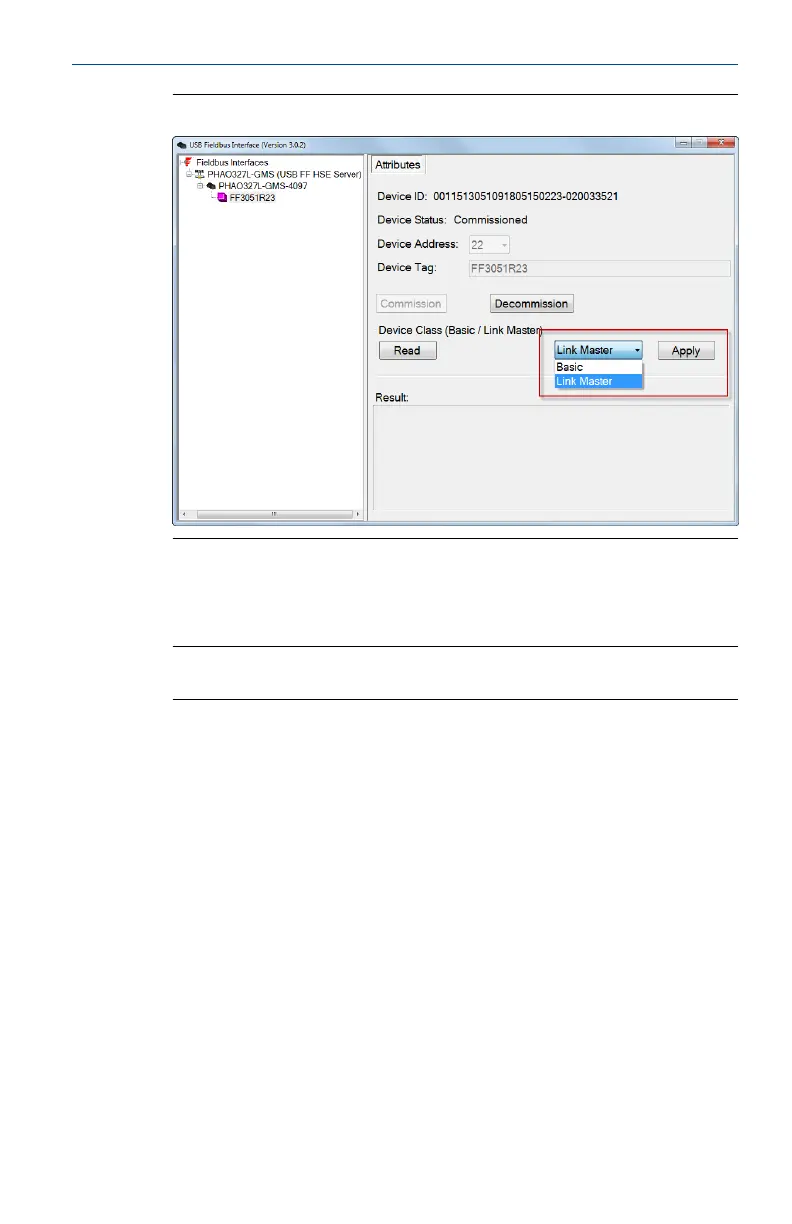
Change the device classFigure 4-6:
5. Click Yes to acknowledge the restart of the device.
6. Click OK to continue.
Note
Changing the device class takes about 1 minute to complete.
4.6 Start or stop the USB FF HSE Server manually
The USB FF HSE Server automatically starts when you launch the Fieldbus
Interface Configuration utility. It is typically not necessary to start or stop the
USB FF HSE Server manually.
1. Launch the Fieldbus Interface Configuration utility.
2. Click the USB FF HSE Server icon in the tree view.
3. Click Start Server or Stop Server.
User's Manual May 2014
22


 To Next Page