EasyManua.ls Logo

Emerson White-Rodgers 70 Series - User Manual

Emerson White-Rodgers 70 Series
40 pages
Print Icon
To Next Page IconTo Next Page
Loading...
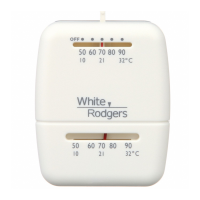
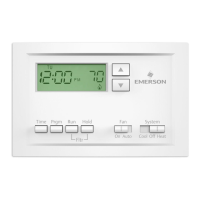
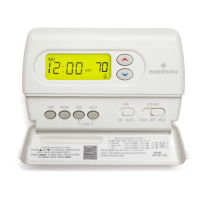
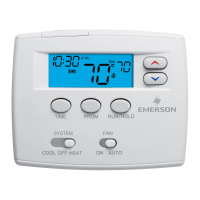
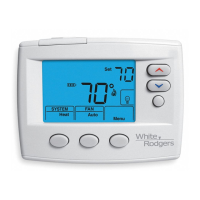
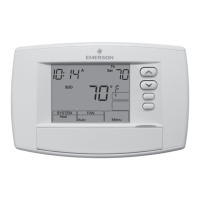
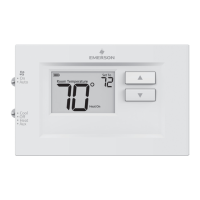
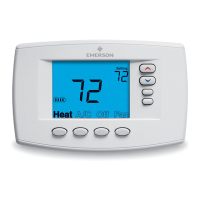
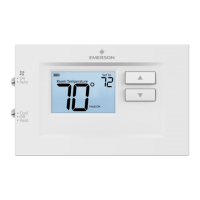
White-Rodgers 70 Series Thermostat Line Extension
1
White-Rodgers 70 Series
Thermostat Line Extension

Questions and Answers

  • M
    Mary BradleyJul 27, 2025
    What to do if my Emerson Thermostat is not cooling?
    • K
      keith77Jul 28, 2025
      If your Emerson Thermostat is not cooling, verify that the system switch is set to Cool and that the thermostat and system wires are securely attached. Set the system switch to Cool and lower the setpoint below room temperature. Also, check for loose connections to the thermostat or system, following the same diagnostic procedures as for a 'No Heat' condition, but ensure the thermostat is set to Cool and the setpoint is lower than the room temperature. Note that there may be up to a 5 minute delay before the thermostat clicks in Cooling if the compressor lock-out option is selected in the installer menu.
  • D
    Dylan Daugherty Jr.Jul 31, 2025
    What to do if my Emerson Thermostat is not heating?
    • G
      George FletcherAug 1, 2025
      If your Emerson Thermostat is not heating, first verify that the system switch is set to Heat and the thermostat and system wires are securely attached. Set the System Switch to Heat and raise the setpoint above room temperature. Within five minutes the thermostat should make a soft click sound and “Heat On” should appear on display. If the thermostat does not click, try the reset operation. If the thermostat clicks, contact the furnace manufacturer or a service person to verify the heating system is operating correctly.
  • J
    Jessica WalkerAug 5, 2025
    Why is my Emerson White-Rodgers 70 Thermostat showing 'No Heat No Cool No Fan'?
    • J
      jasonedwardsAug 6, 2025
      The Emerson Thermostat might display 'No Heat No Cool No Fan' due to several reasons: a blown fuse or tripped circuit breaker (replace the fuse or reset the breaker); the furnace power switch being OFF (turn the switch ON); a loose furnace blower compartment door panel (replace the door panel correctly); or loose connections to the thermostat or system (tighten the connections).
  • K
    Kathleen GuerreroAug 9, 2025
    Why does my Emerson White-Rodgers 70's 'Call for Service' icon appear?
    • R
      Ryan HuffAug 9, 2025
      The 'Call for Service' icon on your Emerson thermostat can appear for several reasons: 1. ) The heating system cannot heat the space to within 10 degrees of the setpoint within 2 hours (see corrective action for “No Heat”). 2. ) The cooling system cannot cool the space to within 10 degrees of the setpoint within 2 hours (see corrective action for “No Cool”). 3. ) If “--” is displayed for the Room Temperature, a replacement thermostat is needed. 4. ) None of the buttons operate on the thermostat (make sure keypad lockout is not turned on). 5. ) If “Call for Service” is flashing, the compressor self-diagnostic is detecting an issue (verify the equipment is operating correctly).
  • R
    Rose SullivanAug 13, 2025
    Why does my Emerson White-Rodgers 70's heat, cool, or fan run constantly?
    • S
      Stephanie DickersonAug 13, 2025
      If the heat, cool, or fan runs constantly on your Emerson Thermostat, it could be due to a short in the wiring, thermostat, or the heating, cooling, or fan system. Check each wire connection to make sure they are not shorted or touching other wires. Try resetting the thermostat; if the problem continues, replace the thermostat.
  • J
    Jennifer PughAug 18, 2025
    Why is there a difference between the Emerson White-Rodgers 70 display and the thermometer?
    • B
      Billy MurrayAug 18, 2025
      If your Emerson Thermostat display and thermometer disagree, the thermostat display may require adjustment. The display can be adjusted +/-5°. See Installer Menu item 81.
  • Y
    yarcherAug 23, 2025
    Why does my Emerson Furnace (Air Conditioner) cycle too fast or slow?
    • M
      Michael FriedmanAug 23, 2025
      If your Emerson furnace or air conditioner cycles too fast or slow (resulting in a narrow or wide temperature swing), the location of the thermostat and/or the size of the heating system may be influencing the cycle rate. To increase cycle time, choose SLO for slow cycle in the Installer menu. (Reference menu items 30 & 35) If an acceptable cycle rate is not achieved verify equipment is sized properly.

Summary

70 Series Thermostats at a Glance

Smart Part Numbers for Product Selection

Installer Menu Options

Application Switch Configuration

Installation Guide

Disconnect Power

Step 1: Disconnect electric power to the furnace.

Remove Old Thermostat Cover

Step 2: Remove the old thermostat's cover.

Wiring and Terminal Functions

Troubleshooting Guide

Emerson White-Rodgers 70 Series Specifications

General IconGeneral
Model70 Series
TypeNon-Programmable Thermostat
CompatibilitySingle Stage Heating and Cooling Systems
DisplayAnalog
Battery BackupNo
ProgrammableNo
MountingWall Mount
Voltage Rating24 VAC
MaterialPlastic
Stages1

Related product manuals