EasyManua.ls Logo

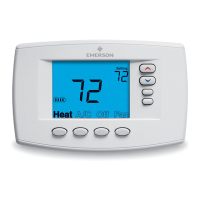
Emerson White Rodgers 1F95-0680 - User Manual

Emerson White Rodgers 1F95-0680
16 pages
Print Icon
To Next Page IconTo Next Page
Loading...
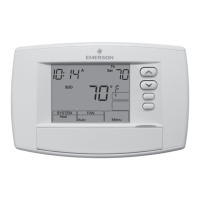
Blue Commercial Thermostat with
Automatic Heat/Cool Changeover
Option and Damper Control
Model Programming Choices
1F95-0680
7 Day 5/1/1 Day Non-Programmable
Single Stage, Multi-Stage, Heat Pump
Installation and Operating Instructions for Model:
APPLICATIONS
THERMOSTAT APPLICATION GUIDE
1F95-0680 Commercial Thermostat
SPECIFICATIONS
To prevent electrical shock and/or equipment damage,
disconnect electric power to system at main fuse or
circuit breaker box until installation is complete.
CAUTION
!
Save these instructions for future use!
FAILURE TO READ AND FOLLOW ALL INSTRUCTIONS
CAREFULLY BEFORE INSTALLING OR OPERATING THIS
CONTROL COULD CAUSE PERSONAL INJURY AND/OR
PROPERTY DAMAGE.
Description
Heat Pump (No Aux. or Emergency Heat)
Ye s
Heat Pump (with Aux. or Emergency Heat)
Ye s
Systems with up to 4 Stages Heat, 2 Stages Cool
Ye s
Heat Only Systems
Ye s
Millivolt Heat Only Systems – Floor or Wall Furnaces
Ye s
Cool Only Systems
Ye s
Gas or Oil Heat
Ye s
Electric Furnace
Ye s
Hydronic (Hot Water) Zone Heat – 2 Wires
Ye s
Hydronic (Hot Water) Zone Heat – 3 Wires
Ye s
Wired Remote Temperature Sensor (Indoor or Outdoor)
Ye s
Dual Fuel Feature (Heat Pump Mode, Outdoor Remote
Required) or Damper Control Feature
Ye s
ATTENTION: MERCURY NOTICE
This product does not contain mercury. However, this prod-
uct may replace a product that contains mercury.
Mercury and products containing mercury must not be
discarded in household trash. Do not touch any spilled
mercury. Wearing non-absorbent gloves, clean up any
spilled mercury and place in a sealed container. For proper
disposal of a product containing mercury or a sealed
container of spilled mercury, place it in a suitable shipping
container. Refer to www.thermostat-recycle.org for loca-
tion to send product containing mercury.
Index Page
Installation 2
Wiring Diagrams 3
Thermostat Quick Reference 5
Installer Configuration Menu 6
Operating Your Thermostat 9
Programming 10
Troubleshooting 14
Electrical Rating:
Battery Power .......................... mV to 30 VAC, NEC Class II, 50/60 Hz or DC
Input-Hardwire ......................... 20 to 30 VAC
Terminal Load ............................. 1.5A per terminal, 2.5A maximum all terminals combined
Setpoint Range ............................ 45 to 99°F (7 to 32°C)
Differential (Single Stage) .................... Heat 0.6°F; Cool 1.2°F
Differential (Multi-Stage) ..................... Heat 0.6°F; Cool 1.2°F
Differential (Heat Pump) ..................... Heat 1.2°F; Cool 1.2°F
Operating Ambient.......................... 32°F to +105°F (0 to +41°C)
Operating Humidity ......................... 90% non-condensing max.
Shipping Temperature Range ................. -40 to +150°F (-40 to +65°C)
Dimensions Thermostat...................... 4.2"H x 6.4"W x 1.7"D
PART NO. 37-6819B
Replaces 37-6819A
1345
www.white-rodgers.com
www.emersonclimate.com

Questions and Answers

  • A
    Adam JohnstonAug 6, 2025
    What to do if my Emerson White Rodgers 1F95-0680 Thermostat is not cooling?
    • K
      Karen AtkinsAug 7, 2025
      If your Emerson Thermostat is not cooling, the cooling system might require service, or the thermostat may need replacement. To diagnose, set the thermostat to COOL and lower the setpoint below the room temperature. Note that there may be up to a five minute delay before the thermostat clicks in Cooling.
  • H
    Hannah Duncan MDAug 11, 2025
    How to unlock my Emerson White Rodgers 1F95-0680 Thermostat if I forgot the Keypad Lockout Code?
    • E
      Eric DavisAug 11, 2025
      To unlock your Emerson Thermostat when you've forgotten the Keypad Lockout Code, press the menu button (the button will disappear) and hold it in for 20 seconds. This action unlocks the thermostat.
  • Z
    zcastanedaAug 15, 2025
    How to troubleshoot no heat, no cool, or no fan on my Emerson White Rodgers 1F95-0680 Thermostat?
    • K
      Kenneth JohnsonAug 15, 2025
      If your Emerson Thermostat isn't heating, cooling, or running the fan, there are several things you can check. First, ensure that a fuse hasn't blown or a circuit breaker hasn't tripped; if so, replace the fuse or reset the breaker. Also, verify that the furnace power switch is turned to the 'ON' position. Make sure the furnace blower compartment door or panel is correctly installed to engage the safety interlock or door switch. Finally, check for and tighten any loose connections to the thermostat or system.
  • M
    Megan RodriguezAug 23, 2025
    Why does the heat, cool, or fan run constantly on my Emerson Thermostat?
    • R
      reyesjamieAug 25, 2025
      If your Emerson Thermostat is constantly running heat, cool, or the fan, start by checking all wire connections to ensure they are not shorted or touching. Then, try resetting the thermostat. If the problem continues, consult your system's manufacturer or a service person for guidance on testing the heat/cool system. Also, check that the FAN switch is not set to 'Fan ON'. If the system then operates correctly, replace the thermostat.
  • J
    Jessica Holland DVMAug 28, 2025
    Why does my Emerson White Rodgers 1F95-0680 cycle too fast or too slow?
    • A
      Amanda ReynoldsAug 28, 2025
      If your Emerson Thermostat causes the furnace or air conditioner to cycle too fast or too slow, it may be influenced by the location of the thermostat or the size of the heating system. For an increased cycle time, choose SL for slow cycle in the Configuration menu, step 7 (heat) or 8 (cool). If an acceptable cycle rate is not achieved, contact a local HVAC service person for additional suggestions.
  • B
    bryanrodriguezSep 10, 2025
    Why do the thermostat setting and thermometer disagree on my Emerson White Rodgers 1F95-0680 Thermostat?
    • M
      Matthew PhillipsSep 12, 2025
      If your Emerson Thermostat setting and the actual thermometer reading disagree, the thermometer setting likely requires adjustment. You can adjust the thermometer +/- 4 degrees within the Configuration Menu section of your thermostat settings.
  • M
    Mary TaylorNov 2, 2025
    What to do if my Emerson White Rodgers 1F95-0680 is not heating?
    • R
      Rebecca TurnerNov 2, 2025
      If your Emerson Thermostat doesn't provide heat, begin by checking if the pilot light is lit and relight it if necessary. Also, be aware that many furnaces have safety devices that shut down when a lock-out condition occurs. If the heat works intermittently, it may be necessary to contact the furnace manufacturer or a local HVAC service person for assistance. You can also try setting the SYSTEM Switch to HEAT and raising the setpoint above room temperature to check for a soft click sound, which indicates proper operation. If there’s no click after resetting, consider contacting your heating and cooling service person or place of purchase for a replacement. If the thermostat clicks but the heat is still not working, contact the furnace manufacturer or a HVAC service person to verify the hea...

Summary

APPLICATIONS

THERMOSTAT APPLICATION GUIDE

Guide listing compatible HVAC system types for the thermostat model.

INSTALLATION

Remove Old Thermostat

Instructions for safely removing the existing thermostat.

Installing New Thermostat

Step-by-step guide for mounting and connecting the new thermostat base.

Battery Location

Information on battery installation and replacement.

Power Stealing Switch

Explanation of power stealing switch settings for system compatibility.

WIRING DIAGRAMS

TERMINAL DESIGNATION DESCRIPTIONS

Explains the function of each terminal on the thermostat.

Figure 2 - Single Stage or Multi-Stage System (No Heat Pump) with Single Transformer

Wiring diagram for single/multi-stage systems with one transformer.

Single Stage and Multi-Stage Connections

General guidance for connecting single/multi-stage systems.

Figure 3 - Single Stage or Multi-Stage System (No Heat Pump) with Two Transformers

Wiring diagram for single/multi-stage systems with two transformers.

THERMOSTAT QUICK REFERENCE

Home Screen Description

Description of the thermostat's main display screen and indicators.

Figure 5 - Home Screen Display

Visual representation of the home screen display.

Figure 6 - Programming & Configuration Items

Illustration of various programming and configuration items on the display.

Programming and Configuration Items

Explanation of the numbered items shown on the display figures.

INSTALLER;CONFIGURATION MENU

Installer Configuration Menu Table

Table detailing menu options, settings, and default values for configuration.

OPERATING YOUR THERMOSTAT

Check Thermostat Operation

Steps to verify thermostat and system functionality after installation.

Fan Operation

Instructions for testing the fan mode operation.

Heating System

Procedure for testing the heating system operation.

Emergency System

How to operate the thermostat in emergency heat mode.

Cooling System

Procedure for testing the cooling system operation.

System Mode Selection

How to select the thermostat's operating system mode (Heat, Cool, Auto, etc.).

Manual Operation

How to manually control or override programmed schedules.

PROGRAMMING

Set Current Time and Day

Steps to set the current time and day on the thermostat.

Energy Saving Factory Pre-Program

Overview of the default energy-saving heating and cooling schedules.

Planning Your Program

Guidelines and worksheet for planning custom heating/cooling programs.

Enter Heating;Cooling Program

Instructions for programming heating and cooling schedules and temperatures.

Automatic Schedule Setup

How to use the one-key feature for automatic program setup.

Entering Fan Program

Instructions for programming fan operation schedules.

Wired Remote Temperature Sensing

Details on installing and configuring remote temperature sensors.

Dual Fuel Temperature Setpoint

Configuring dual fuel systems and compressor off temperatures.

TROUBLESHOOTING

Reset Operation

Procedure for resetting the thermostat to factory settings.

Common System Issues

Troubleshooting for no heat, no cool, or constant fan operation.

Thermometer Accuracy

How to adjust the thermostat's temperature display if it disagrees.

Cycle Rate Issues

Addressing problems with system cycle rates and temperature swings.

Keypad Lockout

How to unlock the thermostat keypad if the code is forgotten.

Emerson White Rodgers 1F95-0680 Specifications

General IconGeneral
Model1F95-0680
TypeThermostat
Programmability7-Day Programmable
Voltage24 VAC
Hold FeatureYes
Wi-Fi CapabilityNo
BrandEmerson
Power SourceBattery
TerminalsR, C, W, Y, G
BatteryAA alkaline batteries
CompatibilityCompatible with most heating and cooling systems

Related product manuals