26 27
8. Set up the Emfit QS in your bed
Follow these steps if you need to connect Emfit QS
device to a different wireless network that has Inter-
net access, or if you experience any problems with
setting up your device. This action restores the device
back to factory default settings (NOTE: Sleep data or
registration details will not be deleted), and returns
the device back in Access Point (AP) mode:
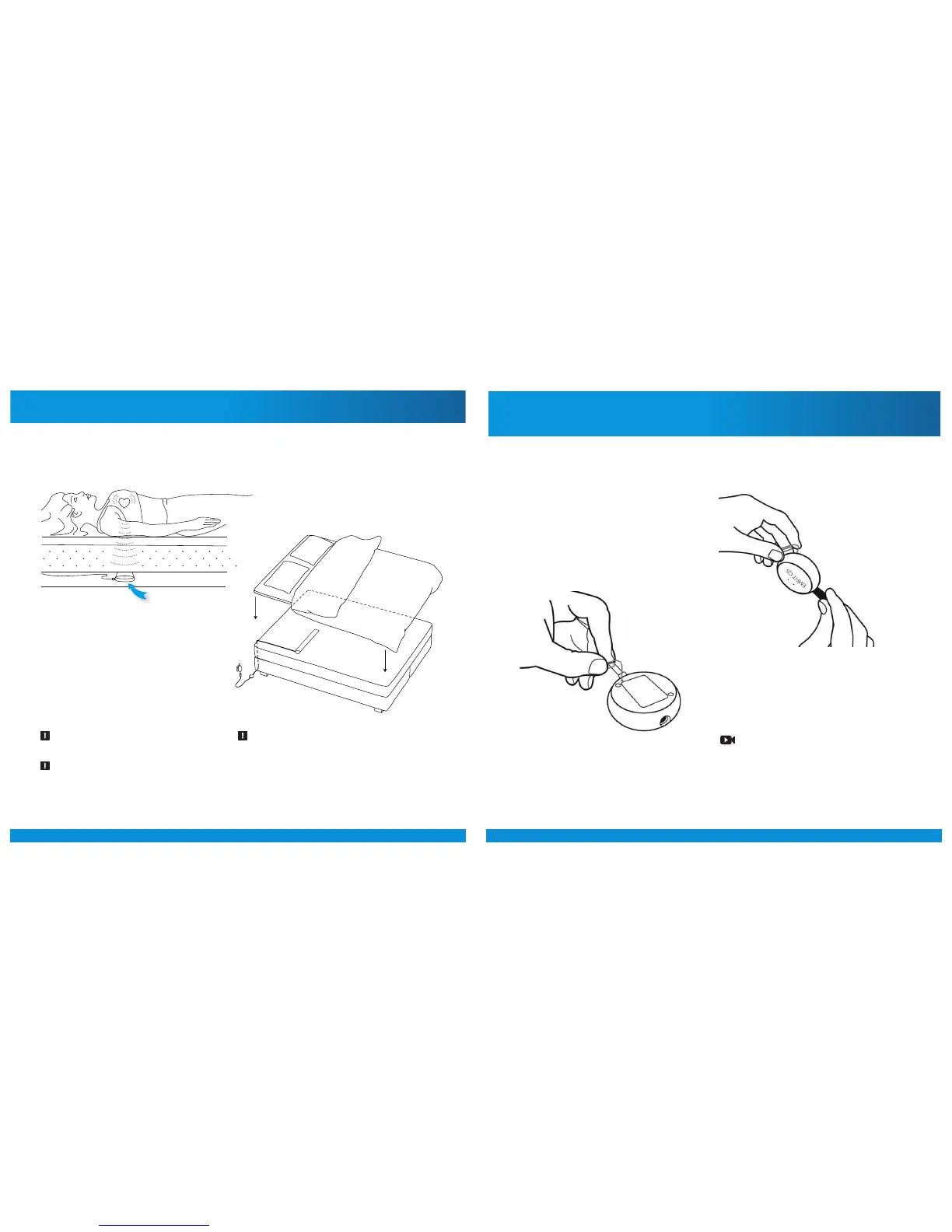
A) Remove the power supply cord from the device.
B) With using a paperclip or a needle, press and hold
down the WPS / multifunction button on the back of
the device:
C) Connect the power supply cord while keeping the
button pressed down. Remain keeping the button
pressed down.
9. Restoring Emfit QS device to
Access Point (AP) mode
D) As the red light starts flashing, keep the button
pressed down about 10 seconds until the red light
stops flashing and turns on.
E) Release the button. Green and red light will start
blinking alternately. Factory settings have been re-
stored.
NOTE: Videos that will help you to understand how the re-
storing is done are available in the User’s Guide at
qs.emfit.com aer you have logged in.
Place the bed sensor beneath the mattress or mattress topper across the bed under your chest area:
If you sleep with a partner in a double bed,
place the sensor on to your side of the bed
as far as possible from your partner. Make
sure the sensor is still under your chest area.
The device works most reliably when the
sensor is located directly below your heart.
Place the electronics unit on the floor and
at minimum 20 cm distance from your
body.



 To Next Page