10 11
Note! If only the red led flashes you
need to restore the device into AP
mode. Please see chapter 9 on page 17.
Power cord
Red
Green
Power cord Sensor cord
1
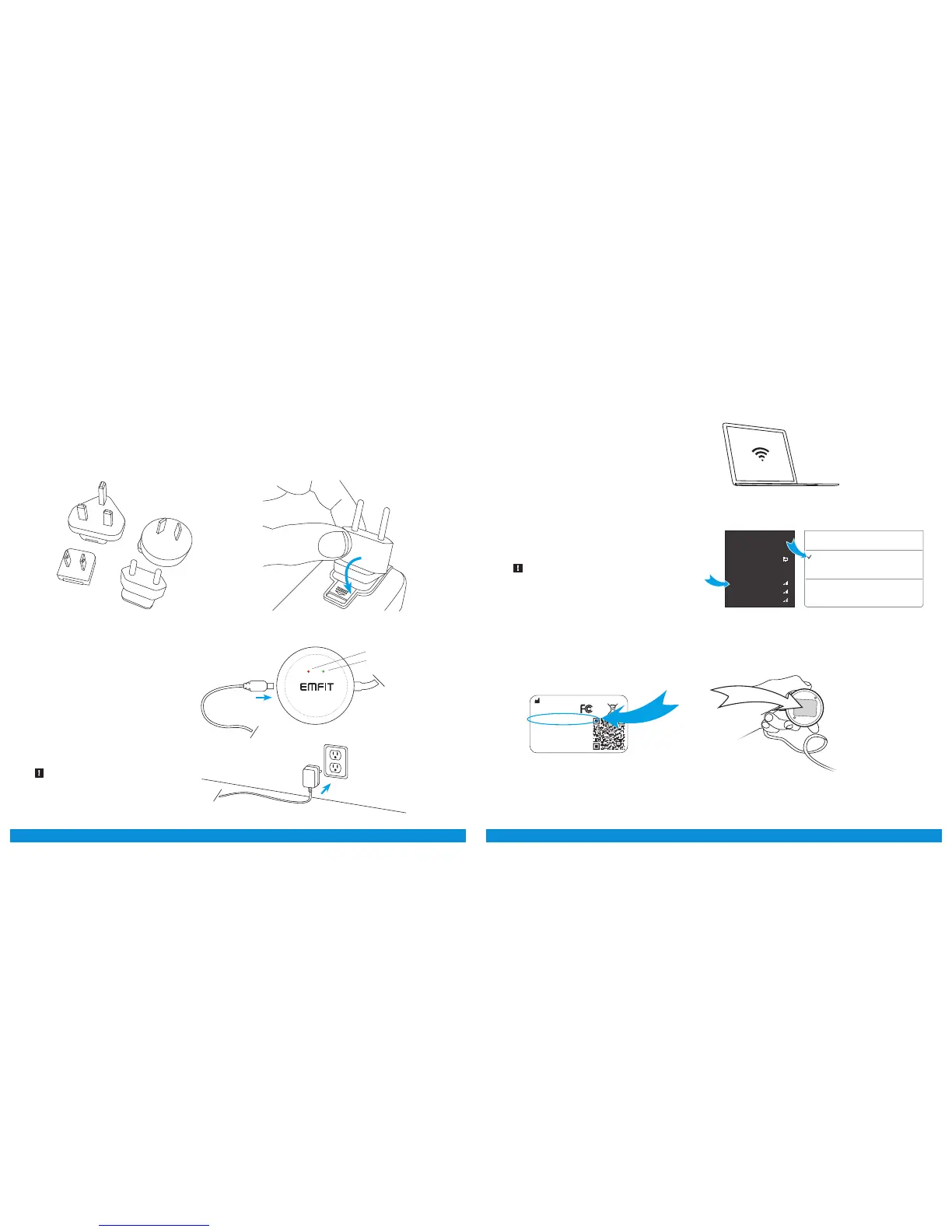
Select a suitable adapter from the four
alternatives.
2
Connect the correct adapter to the power
supply and ensure that it locks in its place.
3
Connect the power supply to
electrical outlet (110 - 230V AC)
and connect the power cord to
Emfit QS.
Green and red lights start to flash
alternately and device makes
beep sounds.
Steps:
With your computing device search for wireless
networks.
4
6
Fill in the requested password
(PW: XXX-XXXX-XXX).
5
Connect your computing device to the network:
Emfit_xxxxxx (where xxxxxx is the serial number
of your device).
Ignore possible “No internet connection”.
Emt Ltd, Finland | Product: Emt QS | Model: IP-9360
Contains FCC ID: W70MRF24WG0MAMB
Contains transmitter module IC:
7693A-24WG0MAMB
Designed and manufactured in Finland.
SN: XXXXXX
PIN: XXXXX
PW: XXX-XXXX-XXX
http://192.168.1.3
Windows Mac OSX
Networks
Turn Wi-Fi O
Emt _1234567
AppleWiFi
Testwork
Join Other Network…
Create Network…
Open Network Preferences…
Wi-Fi: On
Connections
Wi-Fi
ConnectedNetwork
Emt_1234567
Some-Guest-2.4GHz
2WIRE123



 To Next Page