Chassis usage
How to adjust the handle
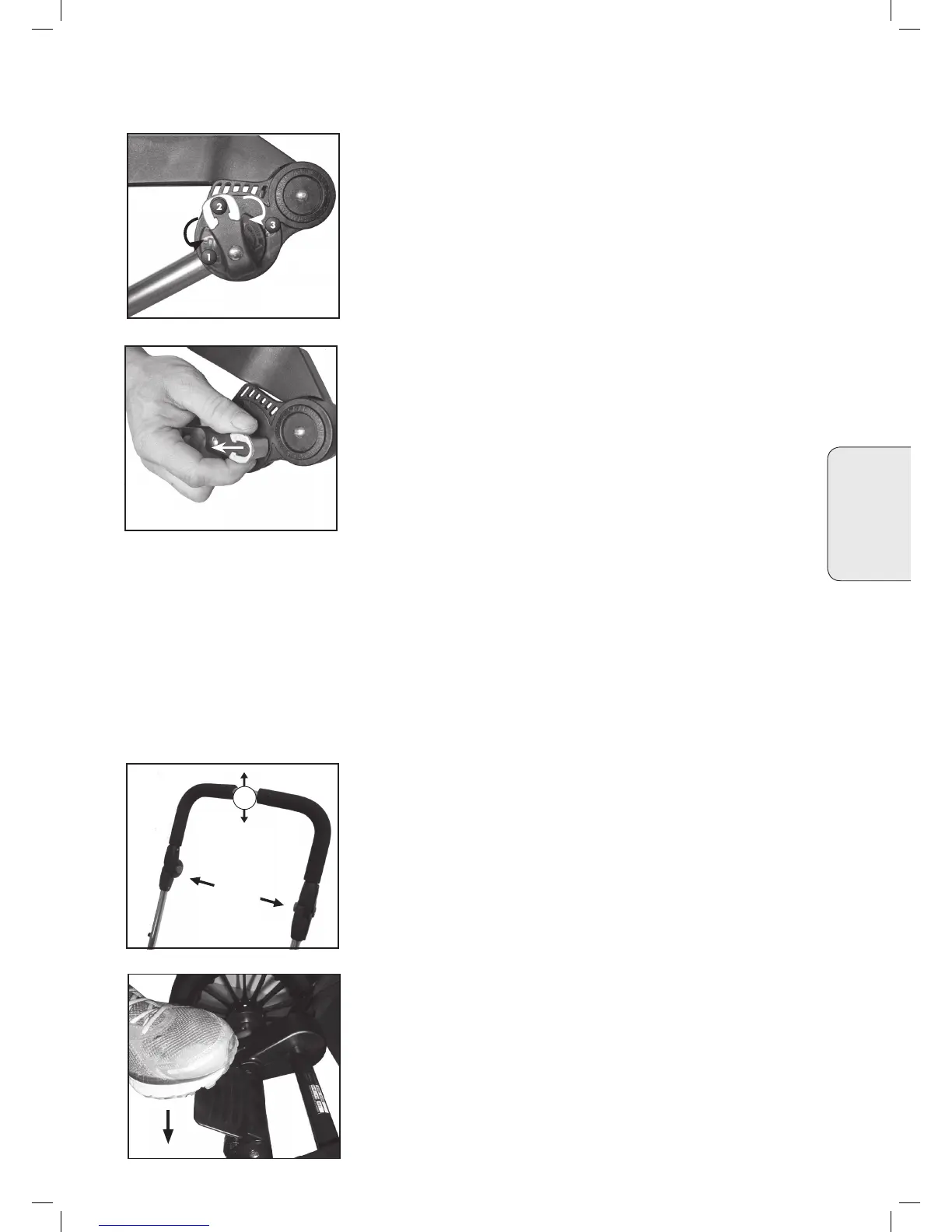
• Adjust the handle by pressing the grey buttons on the inside (2)
simultaneously.
Without releasing the buttons adjust the handle upwards or down-
wards to the desired position (3).
Engaging the Parking Device
• Engage the parking device by pushing down with your foot.
• Disengage the parking device by pulling up.
WARNING
• Never leave the vehicle without rst engaging the parking device.
• Avoid uphill or downhill parking.
• The pram's brake should always be engaged when you lift your
child in and out of the pram.
• Make sure that the cogs are attached properly on all 4 wheels
• Make sure that the brake pin engages into the cogs when the vehicle
is in parked position.
English
How to use the adjustable suspension.
• The adjustable suspension system enables you to select the strength
of the suspension as the child’s weight increases. Also useful for
different kinds of surface.
• The suspension may be adjusted into three different positions.
1. Soft
2. Medium
3. Hard
WARNING
• Remove your child from the pram before adjusting the suspension
Important
• Adjust the suspension when the chassis is folded to avoid unneces-
sary wearing of the mechanism.
• Adjust the suspension by pulling the grey tab (1) outwards and
twist the knob until the grey button locks into the desired position:
1, 2 or 3. Repeat on the other side of the chassis - make sure the
knobs are in the same positions on both sides of the chassis.
WARNING
• The suspension must be in the same position on both sides of the
chassis to avoid uneven strain and possible damage to the chassis.
• Make sure the grey button has locked into position in order for the
suspension to work properly.














 To Next Page