39
Operation Guide
1. Speedometer & Control
d� Function Summary
Turn Off the Password Function
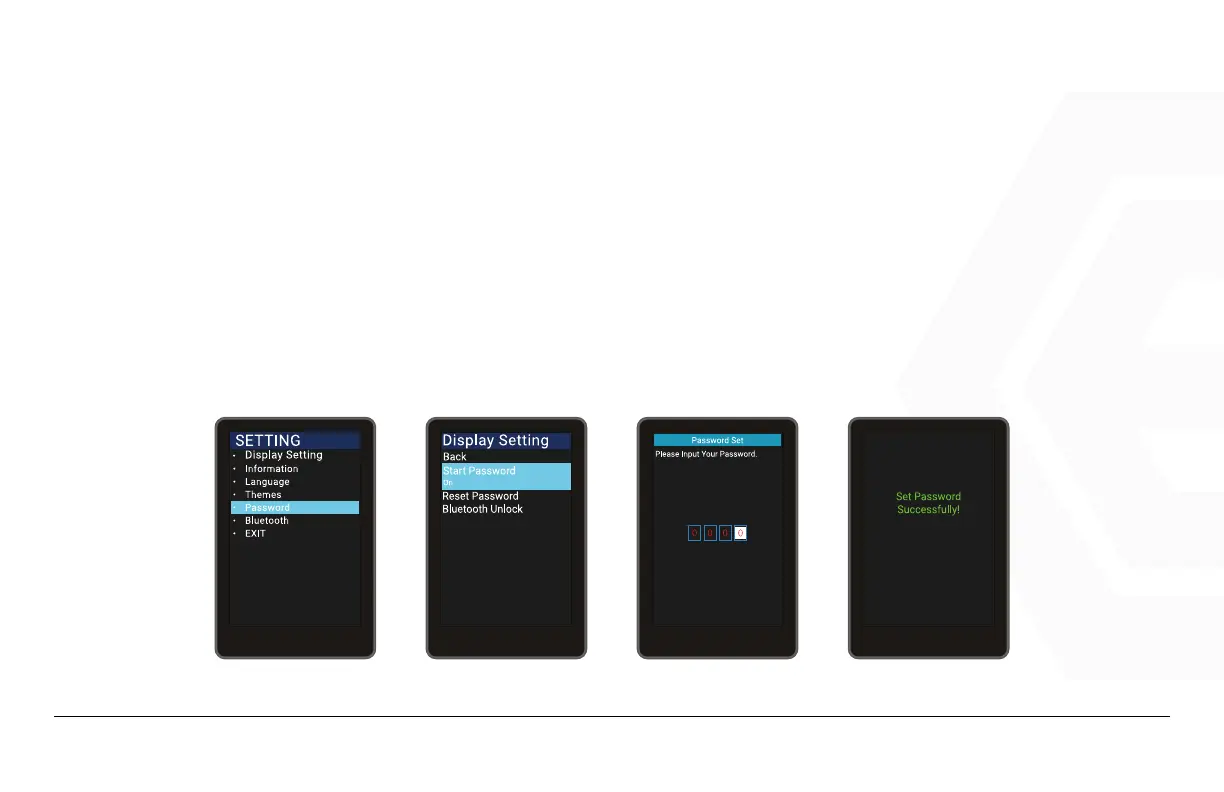
Press the Power button to enter the settings menu, use the “+” button or the “-” button to move the cursor up
or down. Select “Password” and press “OK” to enter the password options interface. Use the cursor to select
“Start Password” (if it is currently on) and press Power to conrm. The interface will then prompt for a pass-
word, use the “+” button or the “-” button to toggle the numbers “0-9” and press Power to switch between dig-
its. Once the password has been entered, the system will prompt to turn off the password function.



 To Next Page