40
Operation Guide
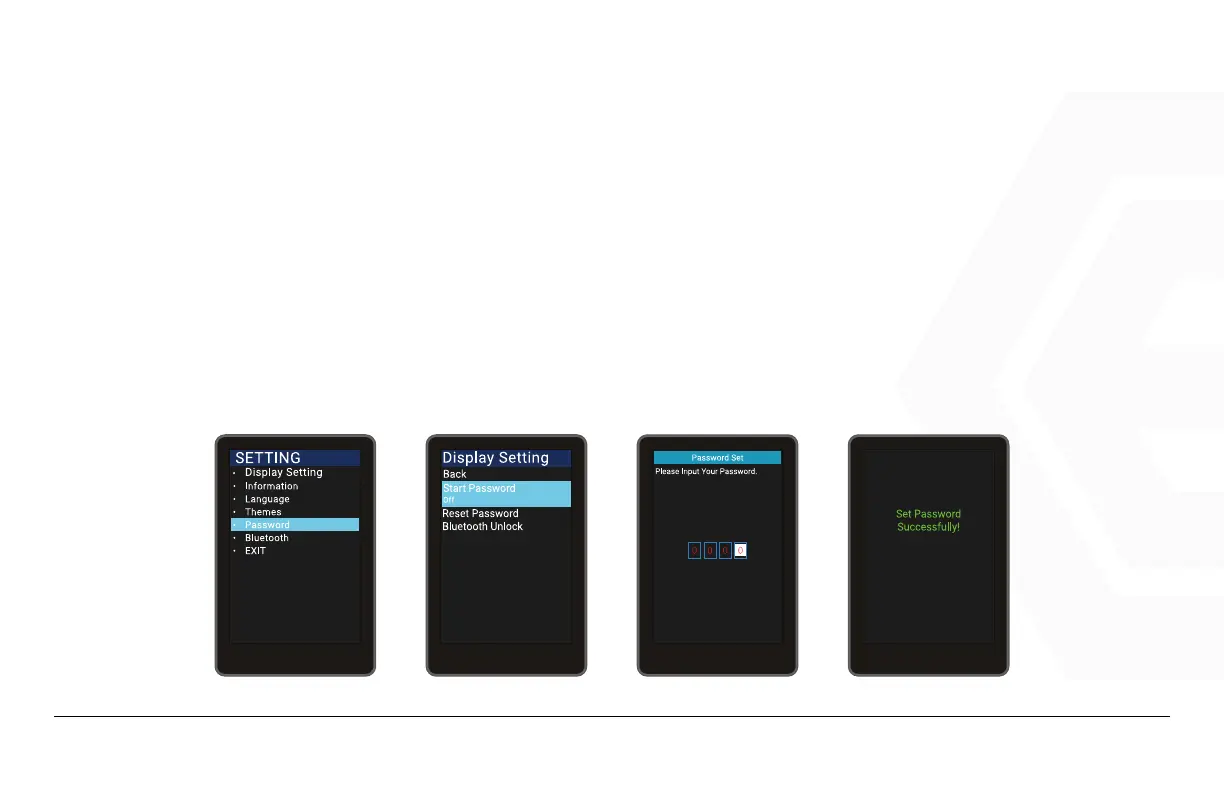
Turn On the Password Function
Press the Power button to enter the setting information list, use the “+” button or the “-” button to move
the cursor up and down, select the “Password” option and press “OK” to enter the Password options inter-
face, select “Start Password” (Start Password status is off) and press Power to confirm, the interface
prompts for the password, At this time, use the “+” button or the “-” button to toggle the number “0-9”.
Press Power to confirm the number in the current cursor, and after entering it, the system prompts you to
turn on the password function successfully.
1. Speedometer & Control
d� Function Summary



 To Next Page