41
Operation Guide
Set and Modify Password
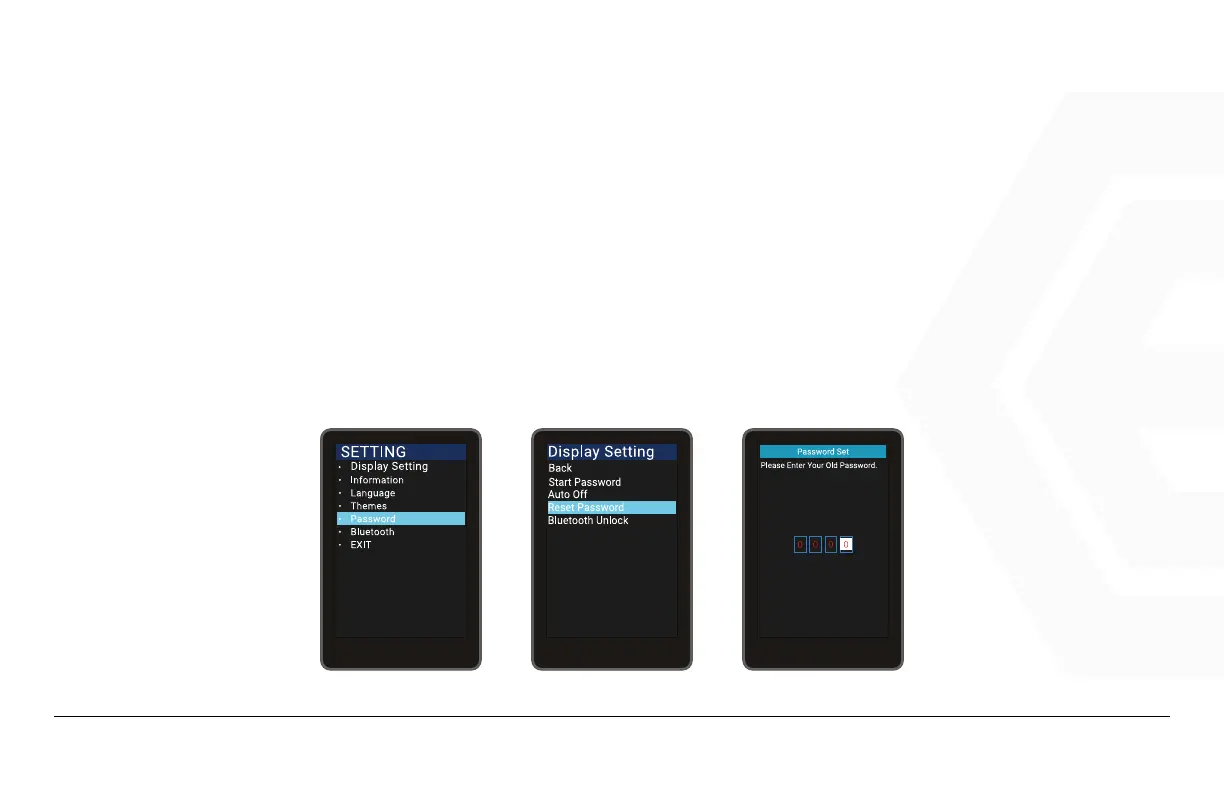
Press the Power button to enter the setting information list, use the “+” button or the “-” button to
move the cursor up and down, check the “Password” option and press “OK” to enter the Password Op-
tions interface, move cursor to “Reset Password” and press Power to confirm.
• The interface prompts “Please enter your old password”, use the “+” button or the “-” but-
ton to toggle the number “0-9” and press Power to toggle digits.
1. Speedometer & Control
d� Function Summary



 To Next Page