ENGLISH-12
7. CONTACTS
› Menu items: Search name, Add contact, Edit contact,
Delete, Send contact via SMS, Copy contact, My number,
Speed-dial keys, Emergency contacts, Contact settings,
SMS's in Contacts
7.1 Searching for a contact in the phone book
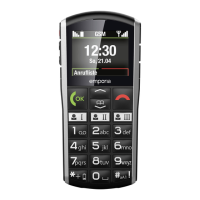
1. When on the home screen, press the phone book key or
open Menu _Contacts _Search name.
2. Use the arrow keys
and to scroll through the entries or
use the keypad to type the rst letter of the contact you are
looking for.
3. Start the call by pressing the green key
.
7.2 Adding a contact
1. Open Menu _Contacts _Add contact.
2. Enter the person's name and the phone number and
then Save them.
Always save names and numbers with the international dialling
code, e.g.+41 for Switzerland, +43 for Austria and +49 for Germany.



 To Next Page