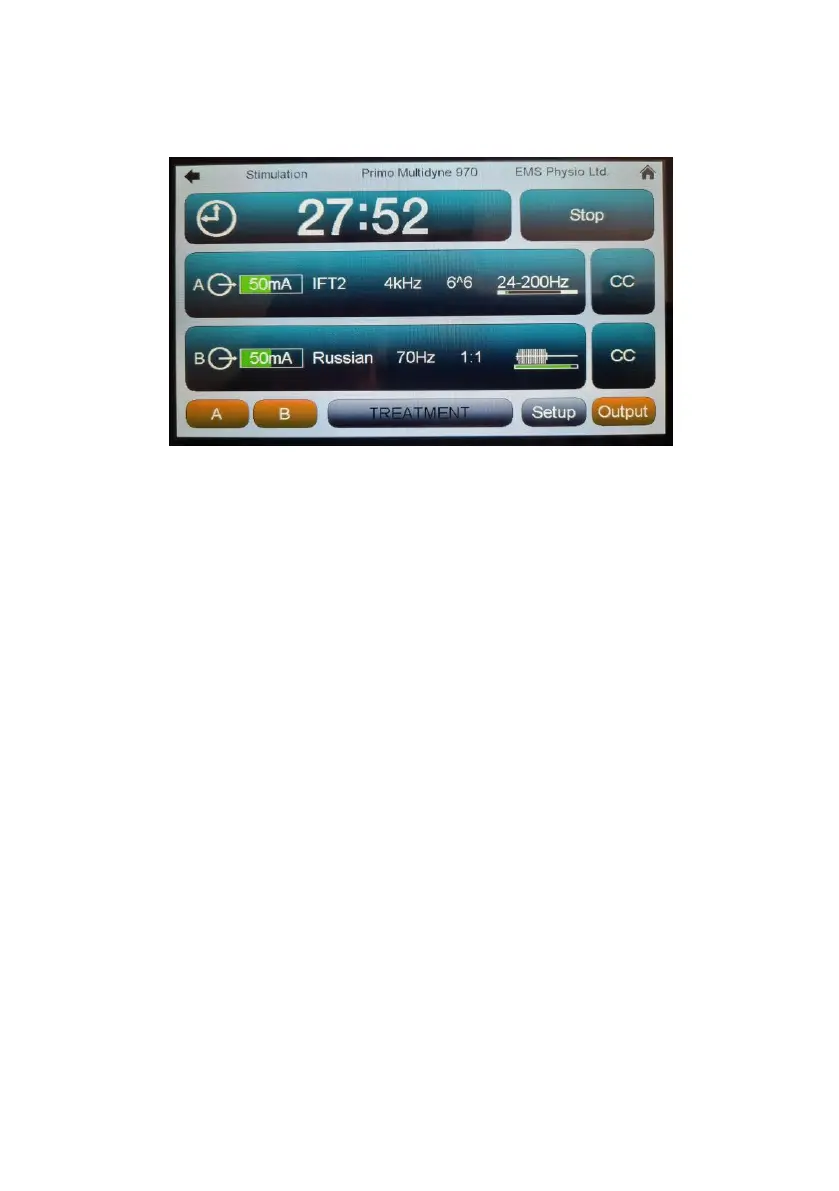
With Channels A and B selected at the bottom left of the display turning up
the rotary control will start both channels running together.
Touching either the ‘A’ or ‘B’ button again would de-select it and allow
individual control of the still-selected channel.
The status bars to the right of each channel strip give a moving indication
of any frequency sweep or Burst/Surge function in real time.
As also in the ‘Setup’ screen, pressing the ‘Stop’ button will cause the
treatment to stop with the output gradually fading to zero over five seconds.
(In the Interferential 960 only two independent instances of IFT2 or Medi-
Wave or combinations of IFT2 and Medi-wave will be available)


 To Next Page