22
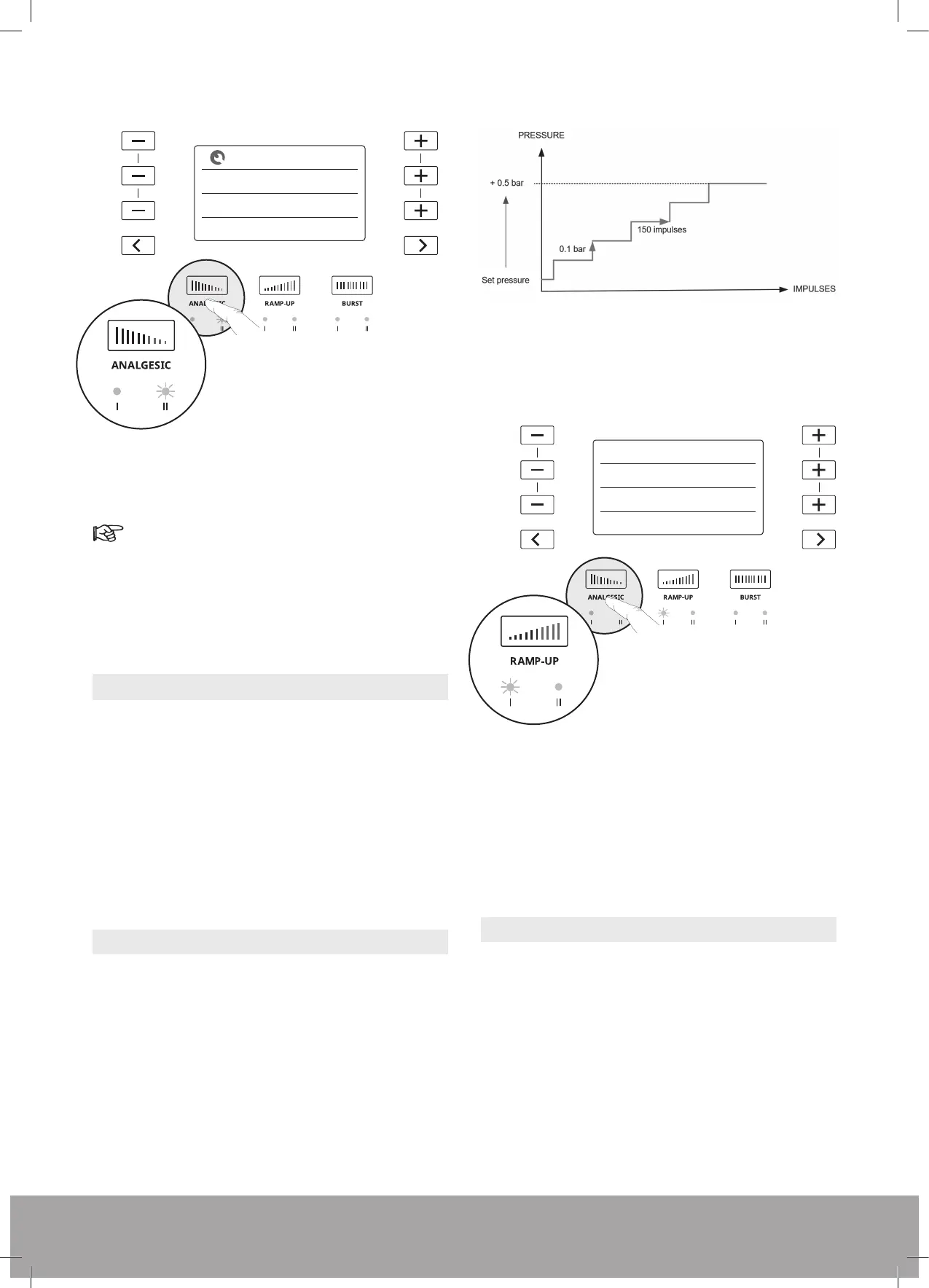
Figure 46
3. To start treatment with Analgesic mode 2, short-press
the trigger on the handpiece.
Press the trigger to pause the Analgesic mode.
4. After 1000 pulses, the device stops and returns to
preset settings to continue treatment.
5. Press the trigger on the handpiece to start treatment.
5.2. RAMP-UP MODES
The Ramp-Up
modes are designed to help you treat a
patient at maximum pressure without having to manually
adjust the pressure. Pressure pulse device treatments
are dose dependent. The best treatment outcomes will
be reached at the maximum possible pressure tolerated
by the patient.
If treatment is paused, the Ramp-Up mode is disabled.
Press the trigger again to continue treatment using the
last pressure threshold reached.
5.2.1. Ramp-Up Mode 1
Ramp-Up mode 1 will automatically increase the pressure
by 0.1 bar every 150 pulses until a total increase of 0.5
bar is reached, or until the remaining number of pulses
is reached.
Figure 47
1. Before starting treatment or after a pause, press the
Ramp-Up button to enable Ramp-Up mode 1. The
LED signi es that the mode is enabled.
Figure 48
2. Short-press the trigger on the handpiece to start
treatment.
3. After the pressure has increased by a total of 0.5 bar
or the remaining number of pulses is reached, the
Ramp-Up mode is completed.
5.2.2. Ramp-Up Mode 2
Ramp-Up mode 2 will automatically increase the pressure
by 0.1 bar every 150 pulses until a total increase of 4 bar
is reached, or until the speci ed number of pulses is
reached. After this, the system will display the previous
pressure setting.
[0 mJ/mm
2
]
Hz
Impulses
25
1000
SMART PROTOCOL
ANALGESIC
[0 mJ/mm
2
]
Hz
Impulses
25
1000
SMART PROTOCOL
ANALGESIC
bar
Hz
Impulses
1.5
25
750
SMART PROTOCOL
bar
Hz
Impulses
1.5
25
750
SMART PROTOCOL


 To Next Page