3.2
Installation
3.2.1 Order of Installation
(1) A connection cable is needed.
① Connect the antenna. Connect the cable and power for ¨èLAN.
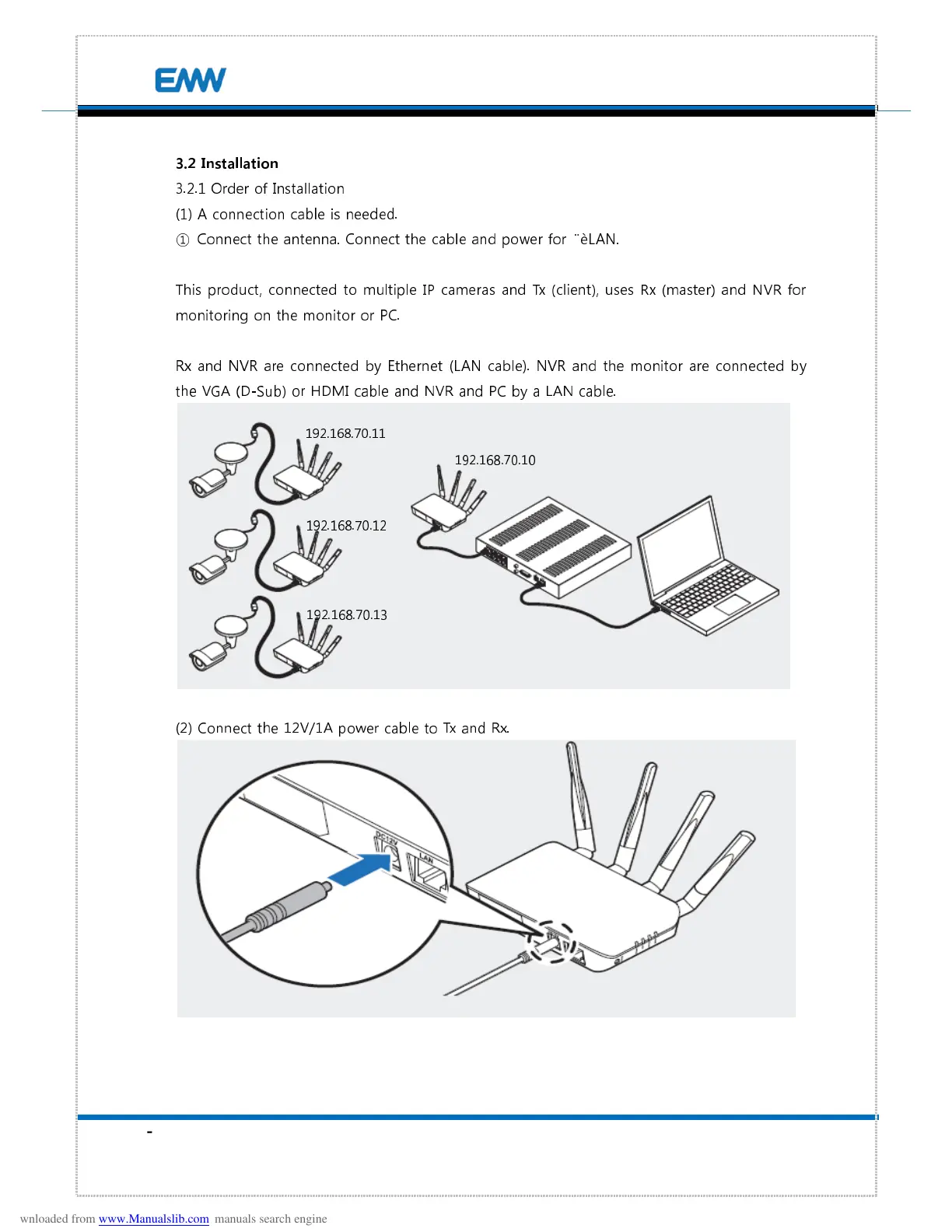
This product, connected to multiple IP cameras and Tx (client), uses Rx (master) and NVR for
monitoring on the monitor or PC.
Rx and NVR are connected by Ethernet (LAN cable). NVR and the monitor are connected by
the VGA (D-Sub) or HDMI cable and NVR and PC by a LAN cable.
(2) Connect the 12V/1A power cable to Tx and Rx.
192.168.70.11


 To Next Page