(3)
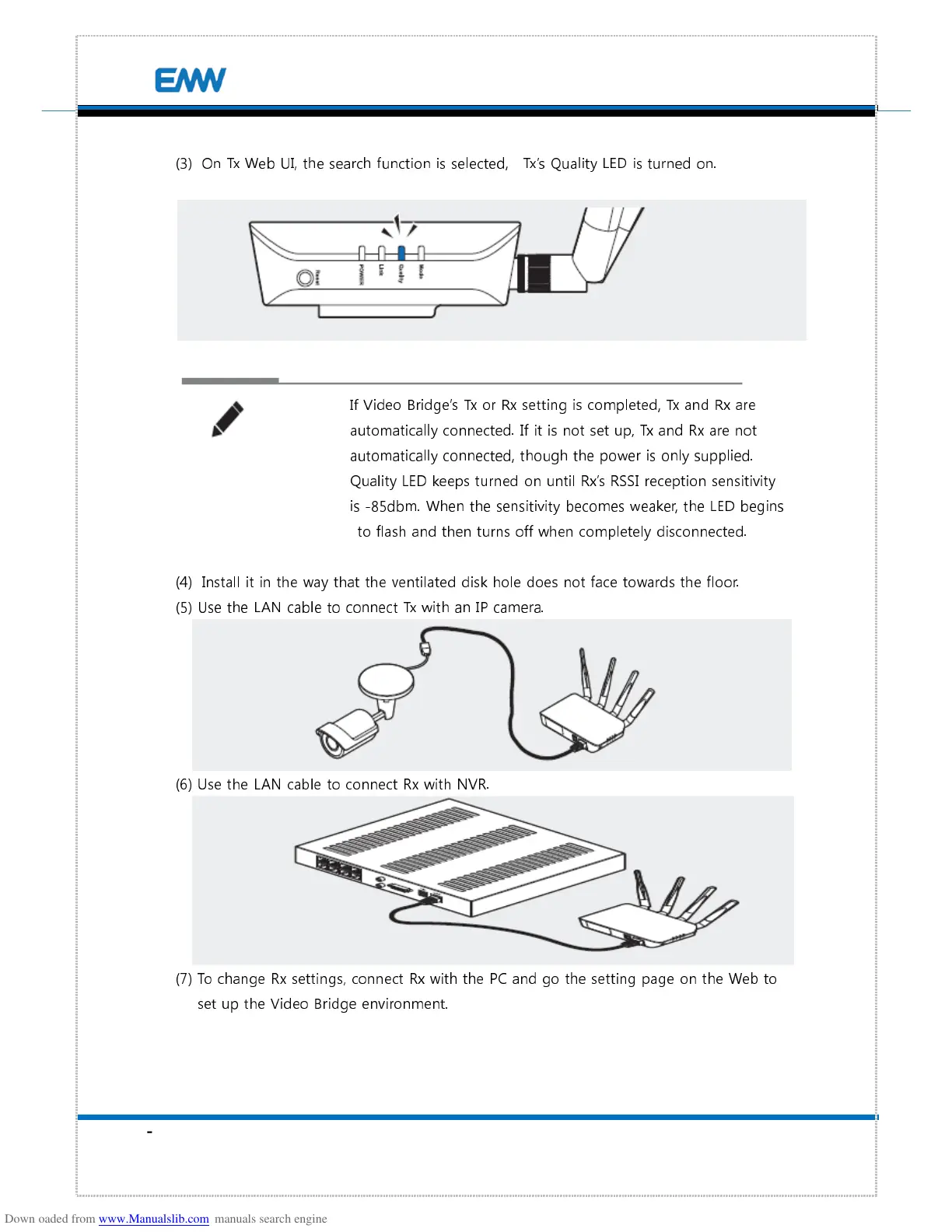
On Tx Web UI, the search function is selected, Tx’s Quality LED is turned on.
If Video Bridge’s Tx or Rx setting is completed, Tx and Rx are
automatically connected. If it is not set up, Tx and Rx are not
automatically connected, though the power is only supplied.
Quality LED keeps turned on until Rx’s RSSI reception sensitivity
is -85dbm. When the sensitivity becomes weaker, the LED begins
to flash and then turns off when completely disconnected.
(4)
Install it in the way that the ventilated disk hole does not face towards the floor.
(5) Use the LAN cable to connect Tx with an IP camera.
(6) Use the LAN cable to connect Rx with NVR.
(7) To change Rx settings, connect Rx with the PC and go the setting page on the Web to
set up the Video Bridge environment.


 To Next Page