EasyManua.ls Logo

Endress+Hauser VU113 - User Manual

Endress+Hauser VU113
8 pages
Print Icon
To Next Page IconTo Next Page
Loading...
Products Solutions Services
Special Documentation
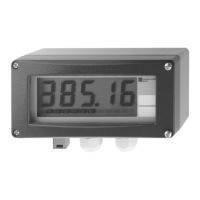
VU113 Bluetooth® display
Remote operation via Bluetooth® wireless
technology
SD02530P/00/EN/01.20
71469325
2020-06-30

Other manuals for Endress+Hauser VU113

Questions and Answers

  • T
    tricialandryAug 14, 2025
    Why is login via SmartBlue not possible on my Endress+Hauser Monitor?
    • S
      Steven FloresAug 14, 2025
      If you cannot log in via SmartBlue on your Endress+Hauser Monitor, first enable the Bluetooth function on your smartphone or tablet. If that doesn't work, perform a recovery sequence to enable the Bluetooth function of the sensor. As a last resort, attach the HistoROM.
  • A
    Anna MossAug 17, 2025
    How to fix key not responding on Endress+Hauser Monitor?
    • D
      davismarkAug 17, 2025
      If the keys on your Endress+Hauser Monitor are not responding, it could be due to a dirty cover glass. Remove the dirt and wait 3 minutes for the keys to respond. Condensation may also be the issue, so wipe the glass dry with a clean cloth and wait 3 minutes. Direct sunlight can also interfere, so provide shade. Finally, check if Bluetooth operation is active, indicated by a flashing Bluetooth symbol or crossed-out key symbols.
  • J
    jeremy62Aug 21, 2025
    What to do if Endress+Hauser Monitor cannot be operated via SmartBlue?
    • V
      victoriamortonAug 21, 2025
      If the device cannot be operated via SmartBlue, ensure that you have entered the correct password. If the sensor temperature is too high (over 60 °C or 140 °F) due to ambient temperature, Bluetooth communication may be disabled. Shield, isolate, and cool down the device if necessary.
  • M
    manningdanielleAug 25, 2025
    Why does Endress+Hauser Monitor have wrong key response during rain?
    • A
      Alexandra HaleyAug 25, 2025
      If the keys on your Endress+Hauser Monitor respond incorrectly during rain, it's because raindrops can be misinterpreted as user input. To prevent this, lock the display. Locking activates automatically if the device isn't operated for a while or can be activated manually.
  • A
    Andrea JohnsonAug 27, 2025
    What to do if key is not responding or too sensitive on Endress+Hauser Monitor?
    • S
      sheilawestAug 28, 2025
      If the keys on your Endress+Hauser Monitor are not responding or are too sensitive after opening the housing cover, the display might be crooked in the housing. Open the housing again and make sure the display is correctly mounted and properly engaged in the catches.
  • C
    collinsbriannaAug 31, 2025
    Why Endress+Hauser Monitor is visible but not accessible via SmartBlue?
    • A
      Annette BuchananAug 31, 2025
      If your Endress+Hauser Monitor is visible in the live list but cannot be accessed via SmartBlue on an Android device, ensure the location function is permitted for the app and was approved initially. For certain Android versions, GPS or the positioning function must be activated with Bluetooth. Activate GPS, fully close and restart the app, and enable the positioning function for the app.
  • M
    moorehannahSep 3, 2025
    Why is my Endress+Hauser Monitor visible but not accessible via SmartBlue on Apple device?
    • G
      Gregory PorterSep 3, 2025
      If your Endress+Hauser Monitor is visible in the live list but cannot be accessed via SmartBlue on an Apple device, log in as a standard user. Enter the username "admin" and the initial password (device serial number), paying attention to upper and lower case.
  • B
    Barbara HernandezSep 6, 2025
    Why key is not responding after housing cover cleaning on Endress+Hauser Monitor?
    • S
      shernandezSep 6, 2025
      If the keys on your Endress+Hauser Monitor are not responding after cleaning the housing cover, it is because the cleaning changes the reflection properties of the device cover. The function readjusts automatically; operation should be possible again after approximately 3 minutes.
  • M
    mcintoshnicholasSep 9, 2025
    Why are the keys not responding when operating Endress+Hauser Monitor with gloves?
    • A
      Aaron BlackburnSep 10, 2025
      If the keys on your Endress+Hauser Monitor are not responding when operating with gloves, it may be because the glove reflection is too low to detect operation, especially with black gloves. Remove the gloves or replace them with gloves made of a different material.

Summary

Declaration of Conformity

About this document

Symbols

Indicates additional information.

Documentation

Details about the product's intended use and device versions.

Registered trademarks

Lists registered trademarks like Bluetooth, Apple, and Android.

Radio approvals

Europe

Details RED 2014/53/EU compliance and related standards for Europe.

Canada and United States

Covers FCC Rules and Industry Canada RSS standards for North America.

Japan

Compliance with Japanese Radio Law and Telecommunications Business Law.

Mexico

IFETEL notice regarding operational conditions for Mexico.

Other countries

Information on other national approvals available upon request.

Operation options

Access via Bluetooth wireless technology

Describes how to access device functions using Bluetooth technology.

Preparatory steps

Technical data

Provides detailed specifications including range, voltage, and temperature.

Operating altitude

Specifies operating altitude limits as per IEC 61010-1 Ed.3.

Commissioning

Requirements

Details device requirements for commissioning via SmartBlue app.

SmartBlue app

Step-by-step guide for using the SmartBlue mobile application.

Endress+Hauser VU113 Specifications

General IconGeneral
BrandEndress+Hauser
ModelVU113
CategoryMonitor
LanguageEnglish

Related product manuals