EasyManua.ls Logo

Endress+Hauser RIA452 - User Manual

Endress+Hauser RIA452
60 pages
Print Icon
To Next Page IconTo Next Page
Loading...
Products Solutions Services
BA00265R/09/EN/13.13
71212732
Software version
2.01.xx
Operating Instructions
RIA452
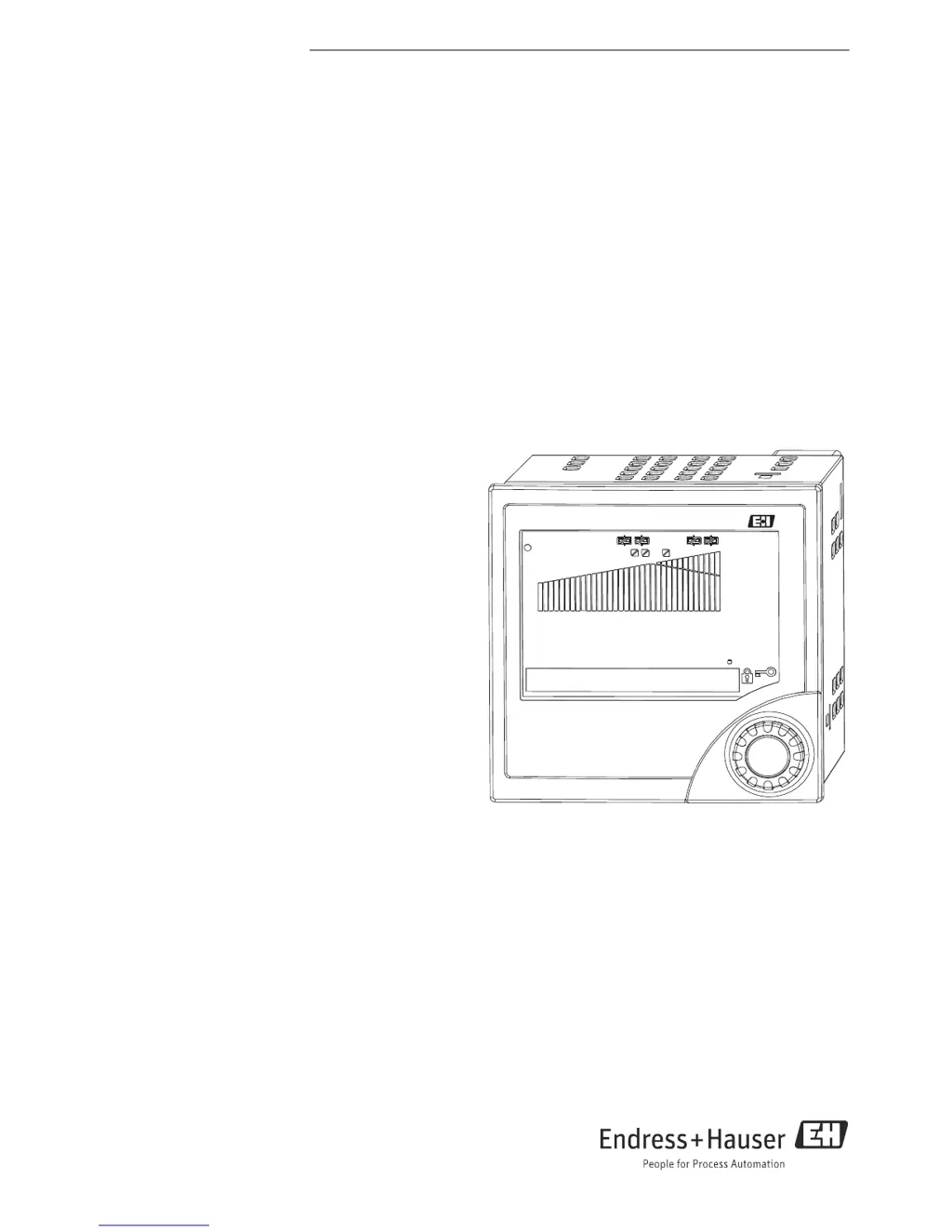
Panel meter
RIA452
Endress+Hauser
2573
m³/min

Other manuals for Endress+Hauser RIA452

Questions and Answers

  • N
    Nicole HaynesAug 20, 2025
    Why is there no measured value displayed on my Endress+Hauser Measuring Instruments?
    • A
      Alicia RichardsonAug 20, 2025
      If there's no measured value showing, first, check the power supply to the device. If the power is on, but the display is still blank, the device may be defective and will need to be replaced.
  • C
    Christopher SawyerAug 22, 2025
    What to do if the red marking for overranging/underranging is flashing on Endress+Hauser Measuring Instruments?
    • V
      Vicki ChungAug 22, 2025
      If the red marking for overranging/underranging is flashing, it means the analog output is more than 10% above or below the scaled range. You should check the scaling of the analog output (Out 100% or Out 0%).
  • E
    emily83Aug 25, 2025
    What to do if the red marking is flashing on Endress+Hauser Measuring Instruments?
    • S
      Stephanie AndersonAug 25, 2025
      If the red marking flashes on the bar graph of your Endress+Hauser Measuring Instruments, it indicates that the analog output is more than 10% above or below the scaled range. The solution is to check the scaling of the analog output (Out 100% or Out 0%).
  • L
    Lisa McleanAug 26, 2025
    How to troubleshoot no measured value display on Endress+Hauser Measuring Instruments?
    • R
      Robert SweeneyAug 26, 2025
      If there is no measured value displayed on your Endress+Hauser Measuring Instruments, first check the power supply to ensure it is properly connected. If the power supply is connected and the device still isn't displaying a measured value, the device may be defective and needs to be replaced.
  • B
    Barbara JohnsonAug 27, 2025
    How to hardware-lock the configuration on an Endress+Hauser Monitor RIA452?
    • C
      Cassandra MooreAug 28, 2025
      To hardware-lock the Endress+Hauser measuring instrument, insert the jumper into position J1 in the top right-hand corner on the rear of the instrument.
  • J
    Justin HarrisAug 30, 2025
    How to troubleshoot no measured value display on Endress+Hauser Monitor?
    • M
      Mark ButlerAug 30, 2025
      If there is no measured value displayed on your Endress+Hauser Monitor, first check the device's power supply. If the power supply is working but the display is still blank, the device may be defective and require replacement.
  • B
    brucewilliamAug 31, 2025
    What to do if the red marking for overrange/underrange is flashing on Endress+Hauser RIA452 Monitor?
    • R
      Ronald RoachSep 1, 2025
      If the red marking for overrange/underrange is flashing on the bar graph of your Endress+Hauser Monitor, it indicates that the analog output is more than 10% above or below the scaled range. To resolve this, check the scaling of the analog output (Out 100% or Out 0%).
  • H
    Heidi SteinSep 2, 2025
    What does error E 290 mean on Endress+Hauser Monitor?
    • L
      Luis TaylorSep 3, 2025
      Error E 290 on your Endress+Hauser Monitor indicates a number overshoot due to a decimal point shift. To fix this, check the decimal point position and the number range settings.
  • T
    Todd WilliamsSep 4, 2025
    How to fix E 210 error on Endress+Hauser Monitor?
    • R
      Rebecca ByrdSep 4, 2025
      Error E 210 on your Endress+Hauser Monitor indicates a pulse buffer overflow in the pulse output. To resolve this, adjust the pulse output parameters to ensure the maximum frequency is not exceeded.
  • D
    David ClarkSep 6, 2025
    What causes E 221 error on Endress+Hauser RIA452 Monitor?
    • K
      Kelli WatkinsSep 6, 2025
      Error E 221 on your Endress+Hauser Monitor signals a pump error related to digital input 1. You can acknowledge this error by operating the device or by switching the power off and then on again.

Summary

Introduction and Safety

Brief Overview

Introduces key sections for rapid device setup and operation.

Safety Instructions

Crucial safety information, including designated use, operational safety, and return procedures.

Safety Conventions and Icons

Explanation of safety symbols like WARNING, CAUTION, NOTICE, and ESD.

Device Installation and Wiring

Device Identification

Details on device designation, nameplate, and scope of delivery.

Installation Procedures

Guidelines for mounting location, dimensions, orientation, and panel cutout.

Wiring Connections

Covers quick wiring guides, terminal assignments, and connecting external sensors.

Operation and Commissioning

Device Operation

Quick operation guide, display elements, and local operation via jog/shuttle dial.

Device Commissioning

Steps for function check, device configuration, and setting up inputs/outputs.

Special Commissioning Functions

Configuration details for pump monitoring, limit values, integration, and pulse output.

Troubleshooting, Maintenance, and Technical Data

Troubleshooting and Error Handling

Guidance on common errors, device malfunctions, and troubleshooting steps.

Maintenance and Accessories

Information on device maintenance, available accessories, and spare parts.

Technical Data Specifications

Comprehensive data on input, output, power supply, environment, and dimensions.

Appendix

Provides conversion factors for various flow units to cubic meters per hour.

Endress+Hauser RIA452 Specifications

General IconGeneral
BrandEndress+Hauser
ModelRIA452
CategoryMonitor
LanguageEnglish

Related product manuals