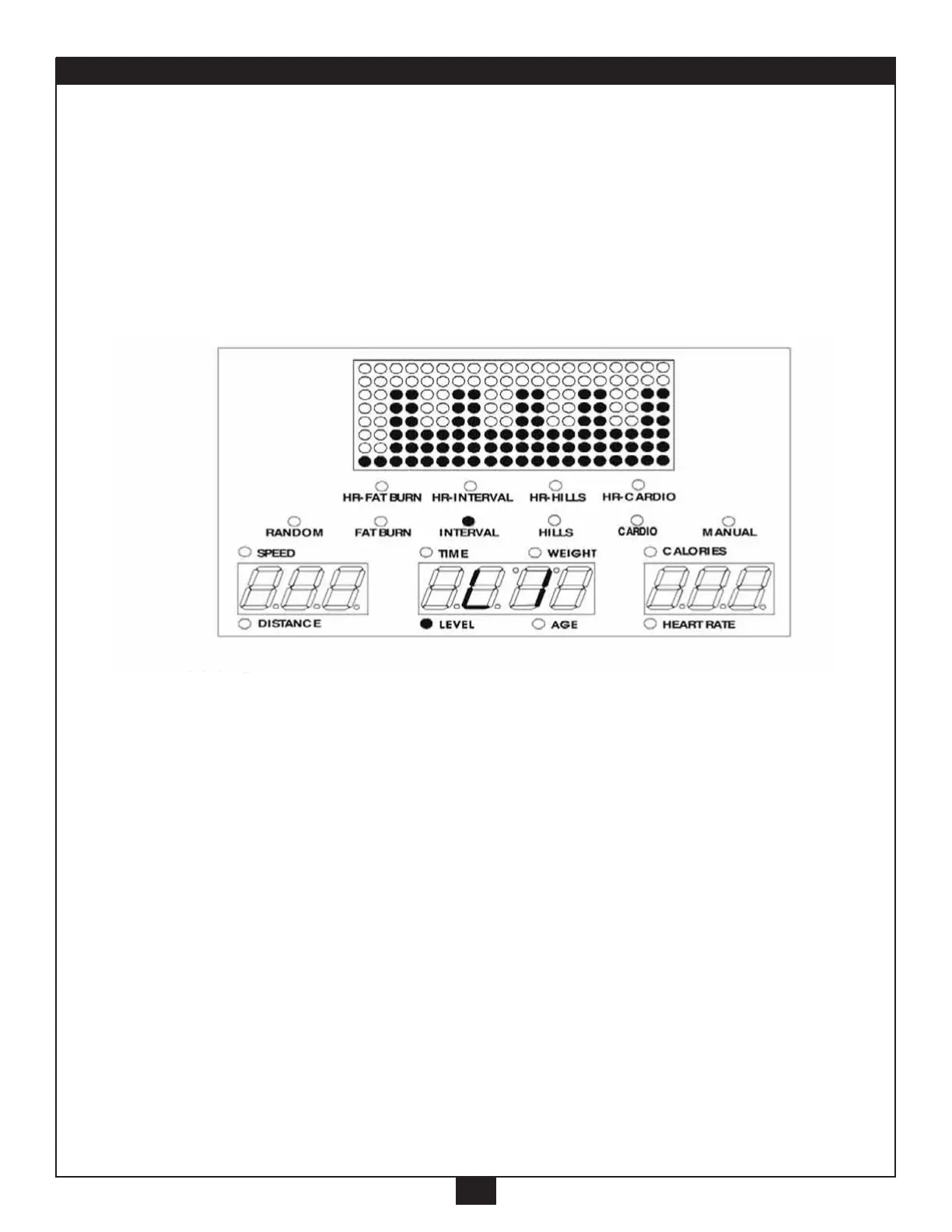
INTERVAL
15
5. INTERVAL program:
This program varies the intensity of the workout between low and
high resistance to quickly raise and lower the heart rate in 2 minute
intervals, similar to endurance type training. The upper and lower
resistance levels may be independently adjusted to vary the size of
the interval.
A. Press “Interval” button (“Interval” light will go on).
B. Setup the “LEVEL”,
*
Setup the same way as in the Manual program. (on pages 8 and 9).
Press “ENTER”.
C. Setup the “TIME”,
*
, Press “ENTER”.
D. Setup the “WEIGHT”,
*
, Press “ENTER”.
E. Setup the “AGE”,
*
, Press “ENTER”.
F. The Main Readout will scroll “PRESS START”.
Press “START” button, to start the program.
G. You can still adjust the level with the “+/-” button.



 To Next Page