12
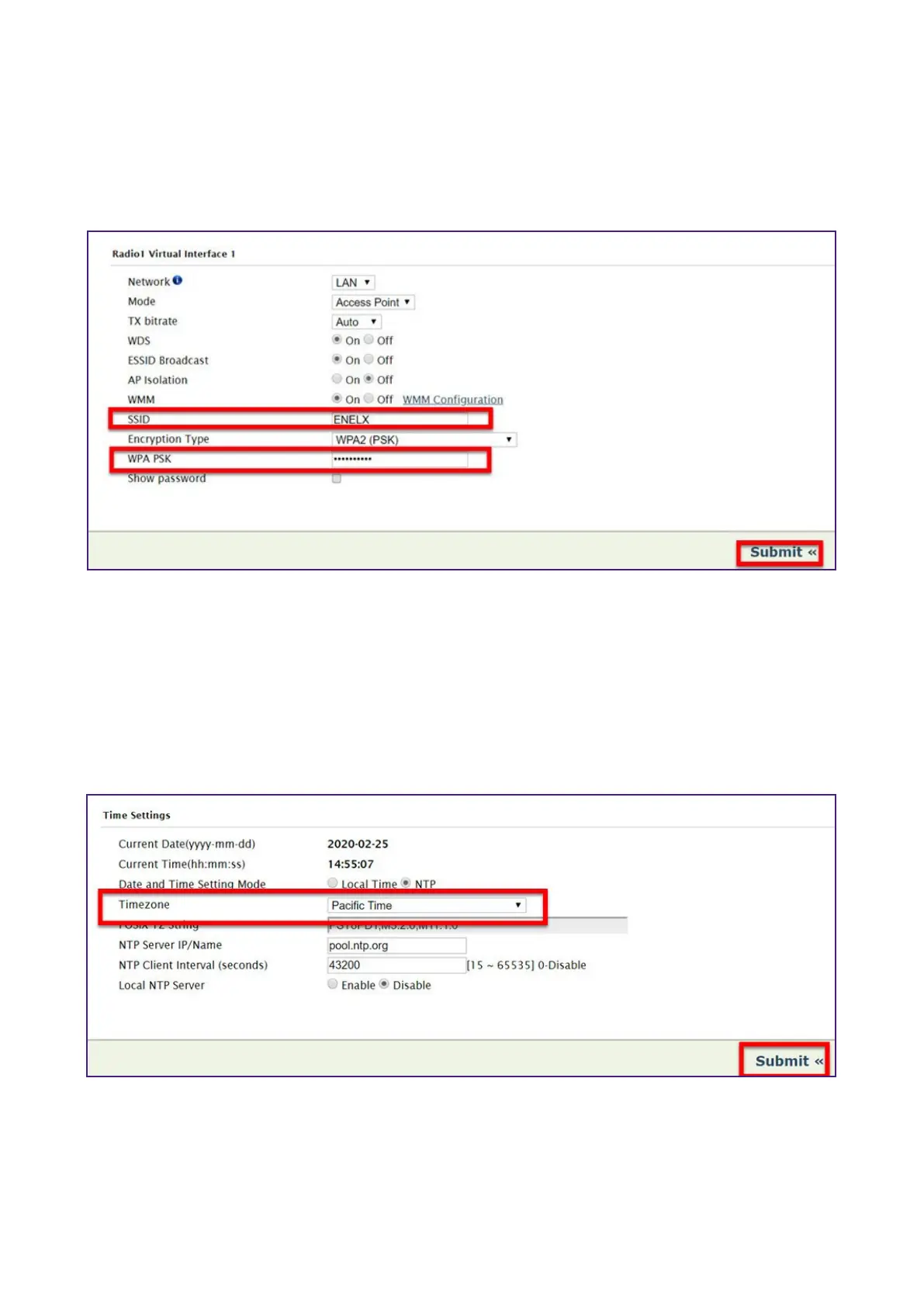
Change the JuiceRouter WiFi SSID And Password
1. In the top menu, select Wireless > Radio1.
2. Enter a new SSID and password, then select Submit.
Change the JuiceRouter Timezone
1. In the top menu, select System > Seings.
2. In the “Time Seings” section, select a new timezone from the dropdown menu. Then,
select Submit.


 To Next Page