11
Web Dashboard
Connect To The Dashboard
There are 2 ways to connect to the JuiceRouter’s web dashboard:
> Use an Ethernet cable to connect a computer to the open Ethernet po on the PoE
injector
> Connect to the JuiceRouter's WiFi:
> Network: ENELX
> Password: Enelx12345
In a web browser, navigate to 192.168.168.1. To log into the dashboard for the rst time,
use the default credentials:
USERNAME
admin
PASSWORD
admin123
The rest of this section describes additional actions within the Dashboard. These actions
are recommended, but not required.
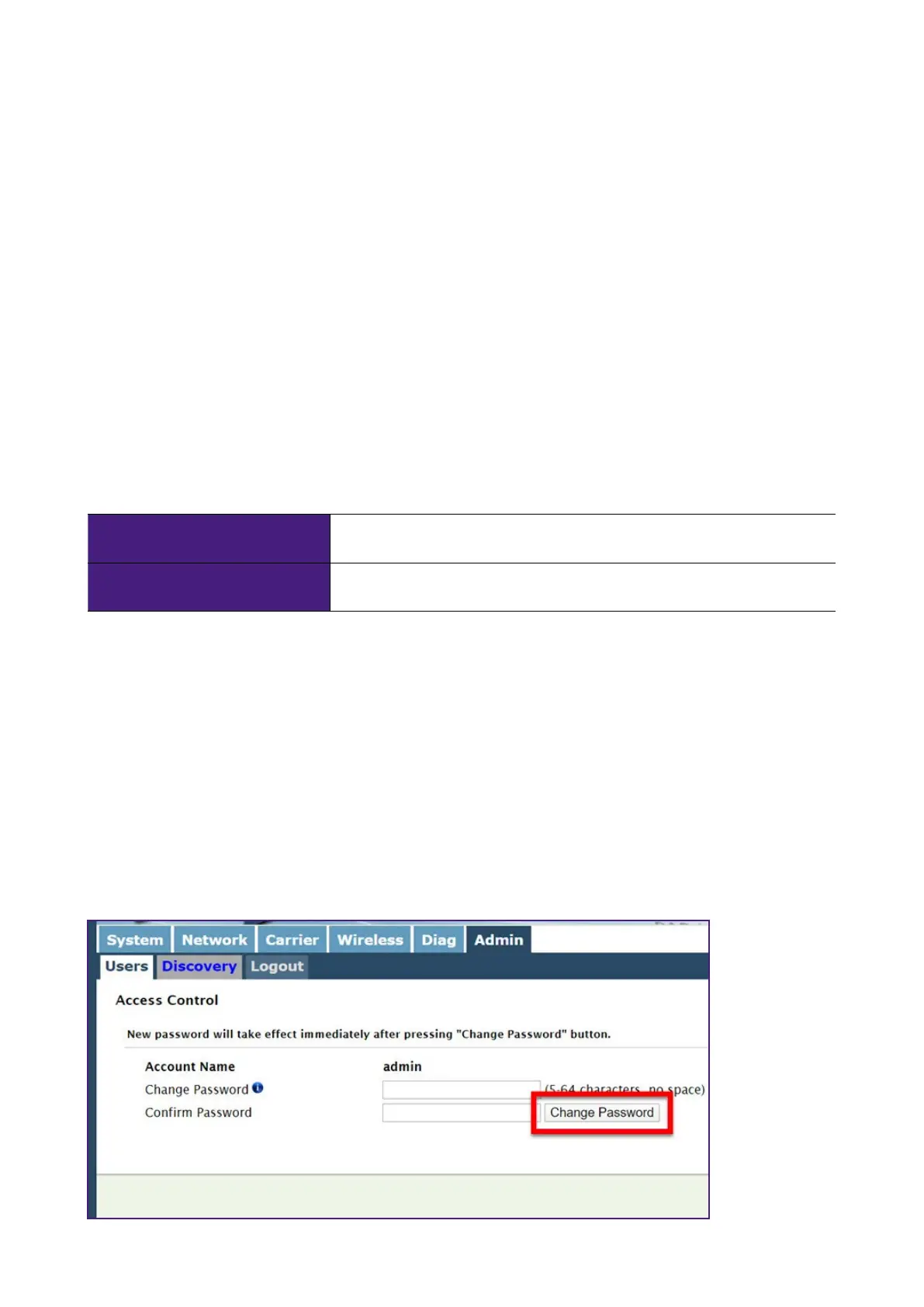
Change the Dashboard Password
1. In the top menu, select Admin > Users.
2. Enter a new password, then select Change Password. After selecting this buon, you
are automatically logged out of the dashboard.


 To Next Page