S K U : SH A5328
E A N : 50 60774553053
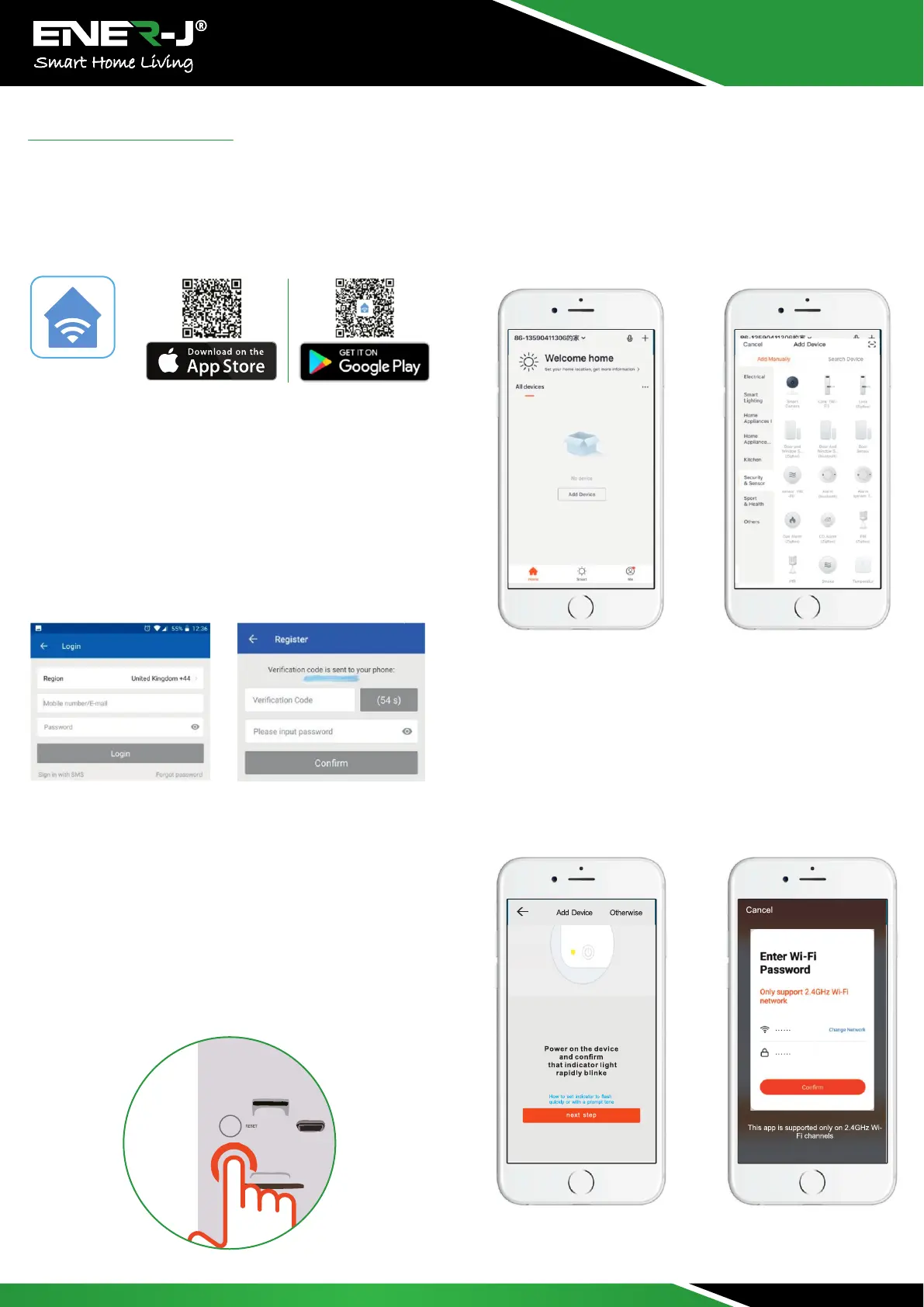
Downloading and installing the APP
Open App Store (for iOS) or Google Play Store (for Android) on
your device, search for "ENERJSMARr or scan QR code as
following to download the right App for your device.
ENERJSMART
Setup the Device
Setting up the APP
User Register
If you are using it for the first time, please select New Registration
and follow steps entering your mobile number or Email id to
register. For Existing Customers, please enter your user id and
password to login.
Before you begin;
- Make sure the ENERJSMART app is installed to your device.
- Make sure that your device is connected to a 2.4GHz Wi-Fi
Network, 5GHz is NOT compatible.
Add the device
Before Adding the Device, please ensure that the device is in
configuration/pairing mode- with a voice notification 'The
camera is now ready to begin pairing'. (Blue light rapidly blinking
on the device at the speed of 1 time/second).
lf you didn't hear the voice notification, please RESET the device
by pressing the reset button 5 seconds. You can release the
button after the LED indicator turned off, the device will restart to
default settings automatically.
Open the "ENERJSMART app and tap “Add Device”
Select device type: Security & Sensor - Smart Camera, then make
connection with the device according to steps.
Choose "Next Step", the name of the Wi-Fi network will
automatically be filled in, enter the Wi-Fi password and tap
"Confirm".
Note: The App will fill the corresponding password automatically
if connected with the same Wi-Fi, you don' t need to fill in
password again


 To Next Page