EasyManua.ls Logo

ENER-J PRO 2 - User Manual

ENER-J PRO 2
6 pages
Print Icon
To Next Page IconTo Next Page
Loading...
S K U : SHA5328
E A N : 50 60774553053
WIRELESS
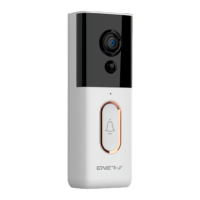
VIDEO DOORBELL PRO 2
Longer Battery Life.
Completely Wireless
Instant Notifications
Sleek in looks and bursting with features,
our premium wireless Video Doorbell Pro
2 lets you see more of whoever is at your
door, from wherever you are.
Question and Answer IconNeed help?

Do you have a question about the ENER-J PRO 2 and is the answer not in the manual?

Summary

Appearance Introduction

IR LED

The ambient light is not enough, this can increase picture brightness.

Light Sensor

Used to collect environmental light status, when ambient light drops down to 2 Lux, the IR LED will turn on automatically.

MIC

Captures audio for two-way communication.

Button

The doorbell button for user interaction.

PIR

Detects motion and sends phone notifications.

Lens

Captures video images for monitoring.

Indicator Light

Shows connection status via different light signals.

Reset Button

Resets the device to factory default settings.

Battery Slot

Holds the device's batteries.

USB Interface

Port for charging the device.

Mounting Port

Used to attach the camera to a bracket.

Technical Specifications

CPU

Processor used in the device.

Sensor

Image sensor details.

Lens

Field of view and type.

Video Streaming

Video resolution and frame rate.

Configuration

Wi-Fi and sound wave setup methods.

PIR

PIR detection and wake-up features.

Audio

Audio standards and input/output details.

Recording

Video recording modes.

Network

Supported network protocols and Wi-Fi standards.

Battery

Battery capacity and type.

Support

Supported operating systems and platforms.

Product Features

Long Battery Life

Up to 6 months on standby with 4800mAh batteries.

Wide Angle Lens

Exquisite image recording with a wide view.

Fast Wake Up

Quick mobile device remote wake-up.

Wi-Fi Connectivity

2.4GHz Wi-Fi connection support.

Two-Way Talk

High-quality noise-cancelled audio communication.

PIR Motion Detection

Sends notifications for detected motion.

Day;Night Mode

Automatic switching for optimal 24x7 image quality.

Dimensions

Setup the Device

Downloading and Installing the App

Guide to get the ENERJSMART app.

Setting up the App

Initial app configuration and requirements.

User Register

Steps for new user registration or login.

Add the Device

Process to pair the doorbell with the app.

Physical Installation

Instructions for mounting the doorbell.

Secure with a Security Screw

Final step to secure the doorbell with a screw.

Having Trouble?

Pairing Failed

Troubleshooting steps for pairing failures.

Picture Upside Down

Solution for an inverted video feed.

False Notifications

Tips to reduce false motion alerts and battery drain.

Overview

The ENER-J® Wireless Video Doorbell Pro 2 (SKU: SHA5328, EAN: 5060774553053) is a smart home device designed to enhance security and convenience by allowing users to see and interact with visitors at their door from anywhere. This premium wireless video doorbell offers a sleek design and a comprehensive set of features, operating completely wirelessly with a focus on longer battery life and instant notifications.

Function Description:

The primary function of the Video Doorbell Pro 2 is to provide real-time video and audio communication with individuals at the door. It captures video images and detects motion, sending instant notifications to the user's smartphone. The device integrates with the Tuya platform, offering "Intelligence Inside" for smart home connectivity. It features a doorbell button for visitors to press, triggering alerts and enabling two-way audio communication. The device is designed to be completely wireless, eliminating the need for complex wiring or a separate hub, and operates without any monthly fees. It also includes an IR LED and Light Sensor for enhanced night vision capabilities, ensuring clear images in low-light conditions.

Important Technical Specifications:

  • CPU: Ingenic T31ZL
  • Sensor: 2.0 MG COMS sensor 1/2.9
  • Lens: 4G+IR, offering a 115° horizontal, 80° vertical, and 160° diagonal view.
  • Video Resolution: 19201080/15fps and 640360/15fps.
  • Video Streaming: Supports automatic white balance, automatic gain control, automatic backlight compensation, and digital wide dynamic range.
  • System: Lite OS
  • Standby Time: Up to 6 months
  • Night Vision: Dual filter switches automatically, with an IR distance of 3-5m (850nm).
  • PIR Motion Detection: Supports wake-up detection with low/middle/high sensitivity settings.
  • Audio: Coding standard AAC&G.726, with a -38dB microphone input and 1 built-in speaker for two-way audio.
  • Recording: Manual remote wake-up recording and PIR alarm recording.
  • Network: 2.4GHz Wi-Fi (WIFI802.11b/g/n) supporting TCP/IP, HTTP, TCP, UDP, SMTP, DHCP, DNS, P2P protocols. Note: 5GHz Wi-Fi is NOT compatible.
  • Battery: 9600mAh (supports 4800 mAh x 2 batteries).
  • Operating Temperature: -10°C to +50°C, ≤80%RH.
  • Support: Tuya, iOS 10.0+, Android 5.0+.
  • Dimensions: 137mm (height) x 48mm (width) x 29mm (depth).

Usage Features:

  • 1080P HD Video: Provides exquisite image recording with a wide-angle lens, allowing users to see more of whoever is at their door.
  • Completely Wireless & Longer Battery Life: The 9600mAh battery (two 4800mAh batteries) can support up to 6 months on standby mode, offering convenience without constant recharging.
  • Instant Notifications: When object movement is detected by the PIR sensor, the device sends automatic notifications to the user's phone.
  • Fast Mobile Device Remote Wake Up: The device can be remotely activated in less than 1 second.
  • Two-Way Audio: High-quality two-way talk with noise cancellation allows for clear communication with visitors.
  • No Hub Needed & No Monthly Fees: The doorbell connects directly to the home Wi-Fi network, eliminating the need for additional hardware or subscription costs.
  • Day/Night Mode Automatic Switching: Ensures optimal image quality 24/7 by automatically adjusting to ambient light conditions.
  • Easy Setup: The device is set up via the ENERJSMART app, which guides users through downloading the app, registering an account, and connecting the device. The app utilizes QR code scanning for pairing and provides voice notifications during the configuration process.
  • Physical Installation: Recommended installation height is four feet off the ground for optimal performance. A wedge mount is provided for angling the doorbell if installed higher. Anchors are included for stucco, brick, or concrete surfaces. The doorbell slots into a bracket and is secured with a security screw.

Maintenance Features:

  • Battery Slot: Easily accessible for replacing or charging the two 4800 mAh batteries.
  • Micro USB Port: For charging the device.
  • Reset Button: A long press for 5 seconds resets the device to default settings, useful for troubleshooting connection issues or if the picture appears upside down.
  • Indicator Light: Provides visual feedback on the device's status:
    • Blink BLUE light: Configuration status.
    • Light RED light ON: Failed to connect to Wi-Fi.
    • BLUE light ON: Connected to phone automatically.
    • RED and BLUE flash: Connecting to Wi-Fi automatically.
  • Troubleshooting Guide: The manual includes common issues and solutions, such as pairing failures (checking 5GHz band, firewall), upside-down pictures (using Flip mode in app, resetting), and excessive false notifications (adjusting PIR sensitivity).
  • Technical Support: Contact information for technical support is provided for assistance with any issues or questions.

ENER-J PRO 2 Specifications

General IconGeneral
BrandENER-J
ModelPRO 2
CategoryAccessories
LanguageEnglish