5
Caution: This unit should never be placed where it can
blow directly into the face of any person or pet.
8. SETTINGS AND ADJUSTMENTS:
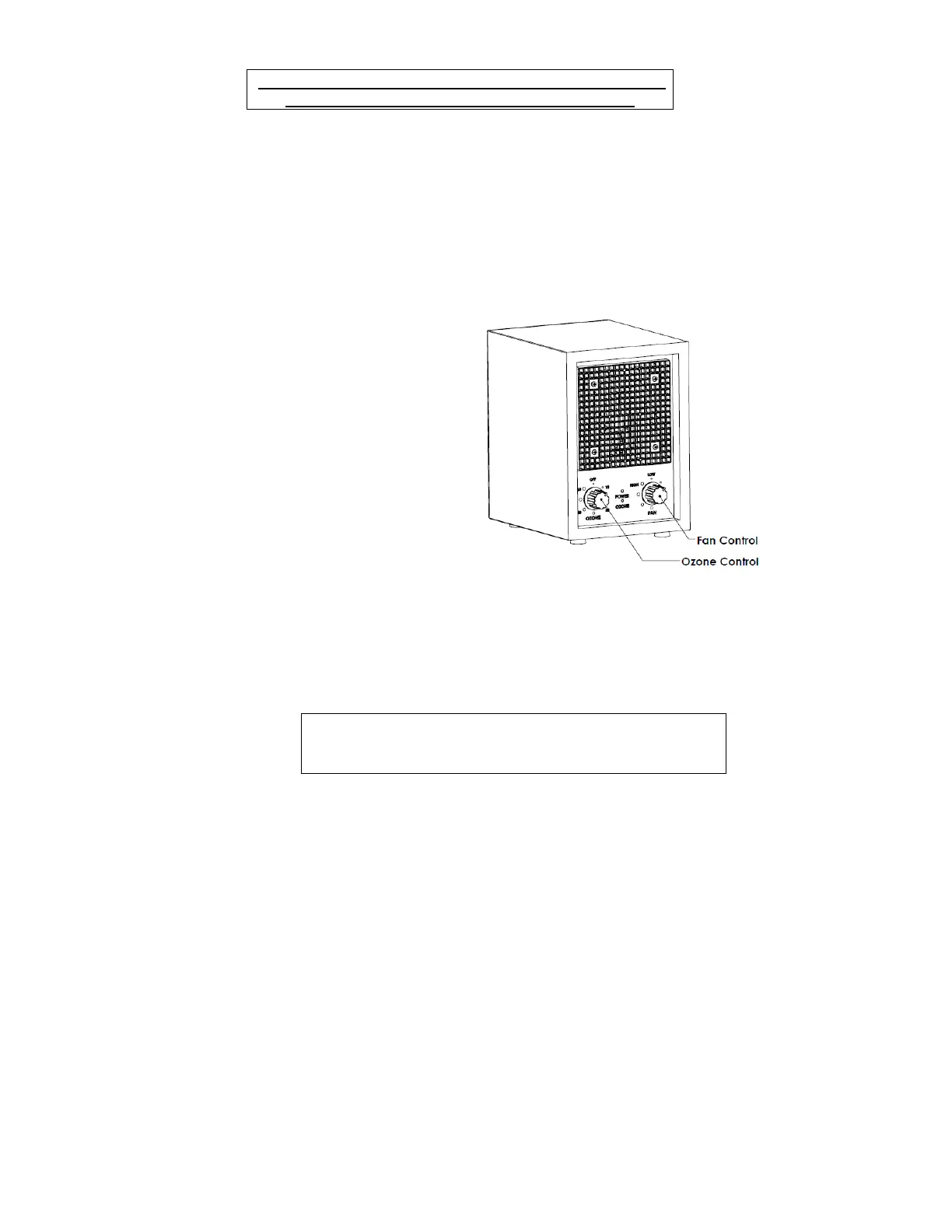
8.1 FAN & UV CONTROL
The fan control can turn on or turn off the fan, or adjust wind speed. When
the fan is rotating at the fastest speed, there may be a relatively loud noise,
please place the unit at a certain distance according to your personal
preference. UV light & Ionization is controlled by the Fan switch too.
8.2 OZONE CONTROL.
The ozone control can turn on,
turn off or adjust ozone function.
Keeping in mind the previous
statement, adjust the purifier so
that the odor of ozone fades into
the environment after 15-30
seconds.
To reduce mold, mildew, and
bacteria, turn the unit on high
settings for 3-4 hours to let air
circulate out from room by
opening doors or windows.
The POWER light turns to
GREEN color when the “Fan”
switch turned on, the OZONE
light turns to RED when the
“Ozone” switch turned on. Ozone purification is suggested to be switched
on only in unoccupied spaces.
Do not look at the front panel at a close distance as the UV sterilization
light can damage the eyes.
Caution: Always be sure a room or area is
UNOCCUPIED before performing the above
described Ozone control



 To Next Page