Wireless 11N USB Adapter
18
2.7. Wi-Fi Protected Setup
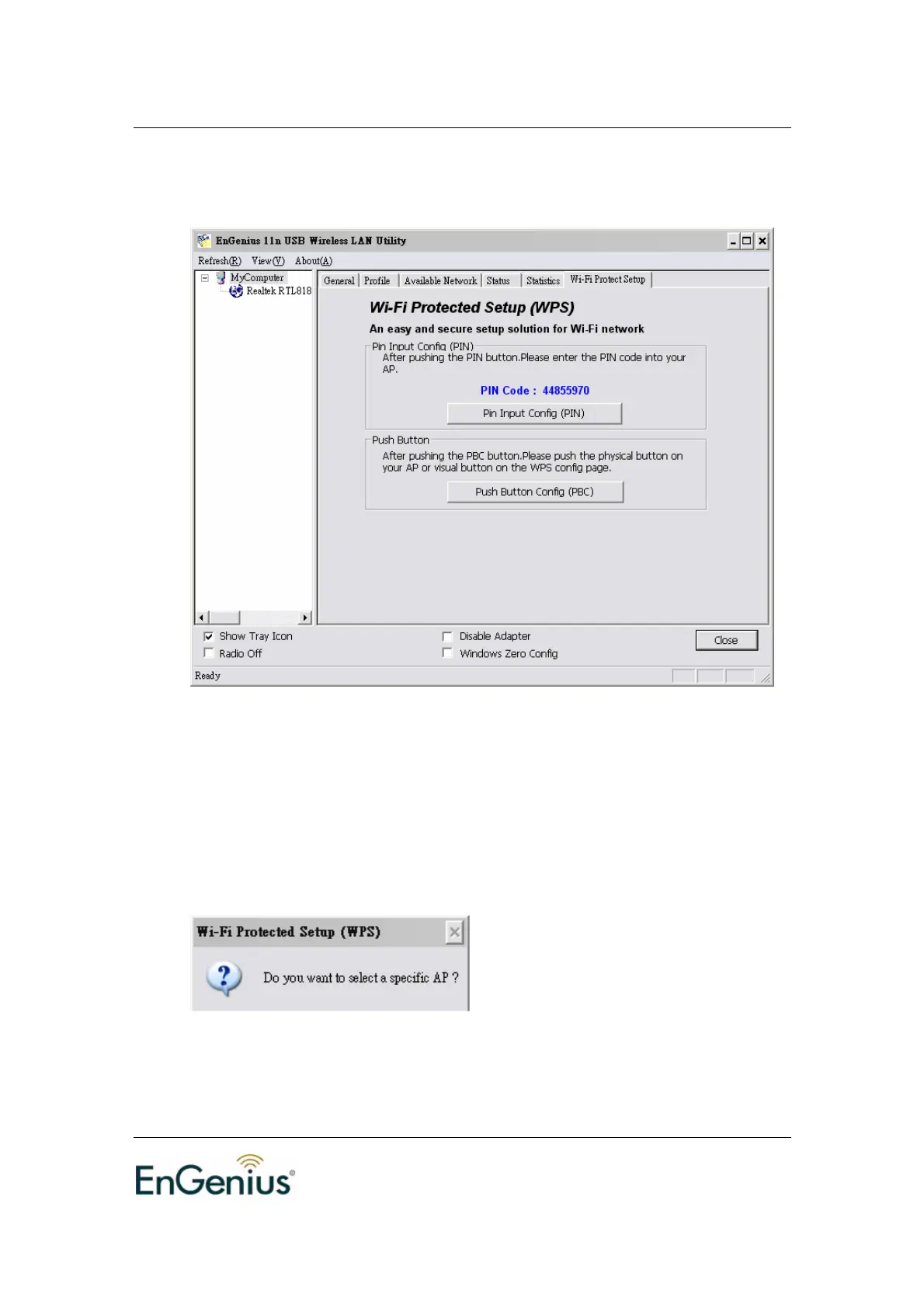
There are two ways to setup connection through WPS.
Pin Input Config (PIN): enter PIN code to establish connection
Push Button Config (PBC): this is the software button for WPS button
PIN Input Config:
Click on the button to start the PIN code process
If select Yes, AP scanning will run automatically.


 To Next Page