Wireless 11N USB Adapter
27
3.3. WLAN Client Utility - Profiles
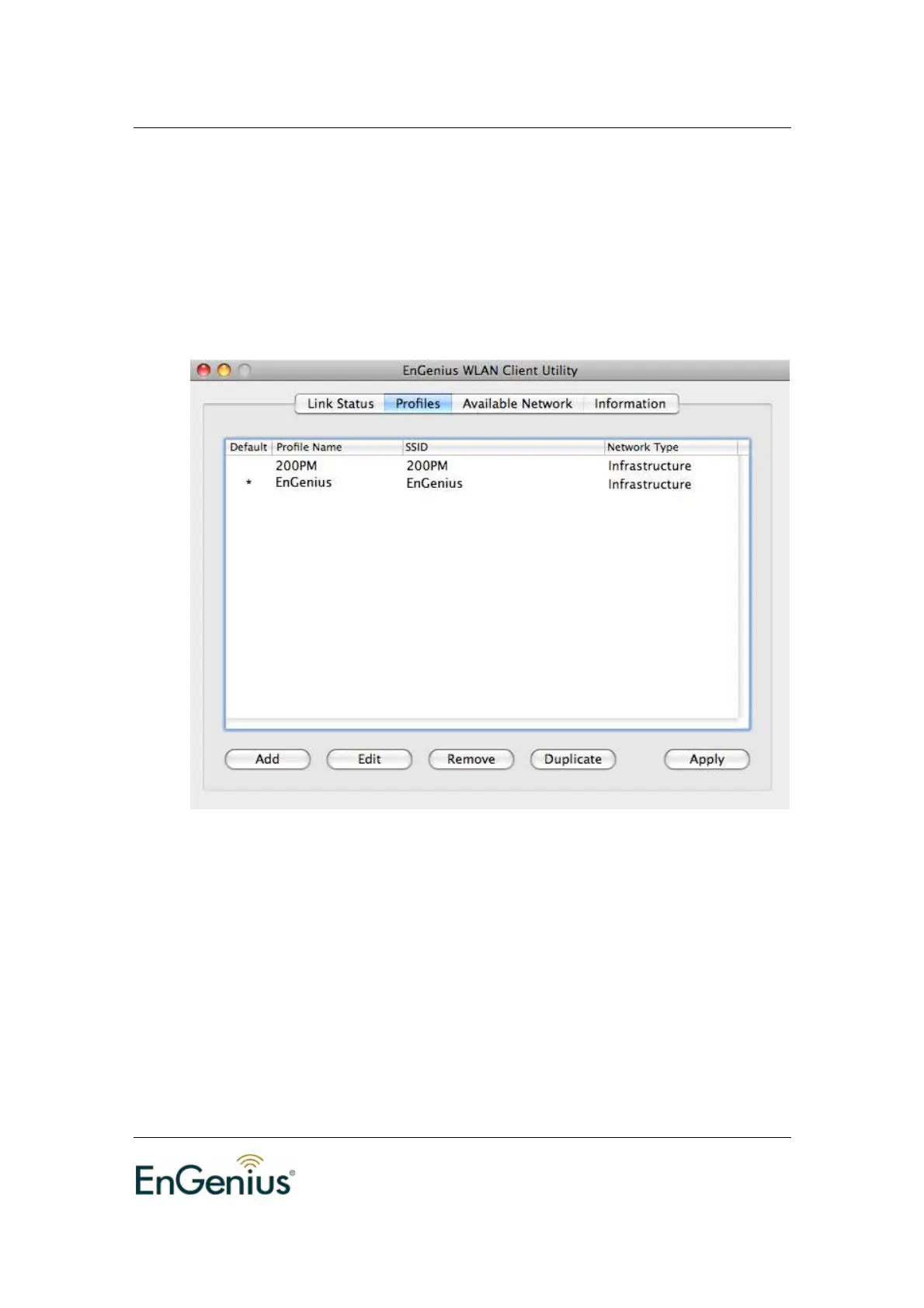
The Profile tab is used to store the settings and configurations of multiple Access
Points for different application. In the profiles table, it list all saved profiles and
some information, included Profiles Name, SSID, Network Type. You can click
Add to add a new profile, or click Remove to delete a profile. And also you can
click Edit to modify a exist profile, or click Duplicate to copy the settings of a exist
profile to a new profile. Click Apply after all modification is done.
Profile Name: Show all you created profile names.
SSID: Displays the SSID of the Access Point. The SSID is a unique
name shared among all points in your wireless network. The SSID must
be identical for all points in the network, and is case-sensitive.
Network Type: Indicates whether the SSID is Ad-hoc mode or
Infrastructure mode.


 To Next Page