Wireless 11N USB Adapter
32
3.4. WLAN Client Utility - Available Network
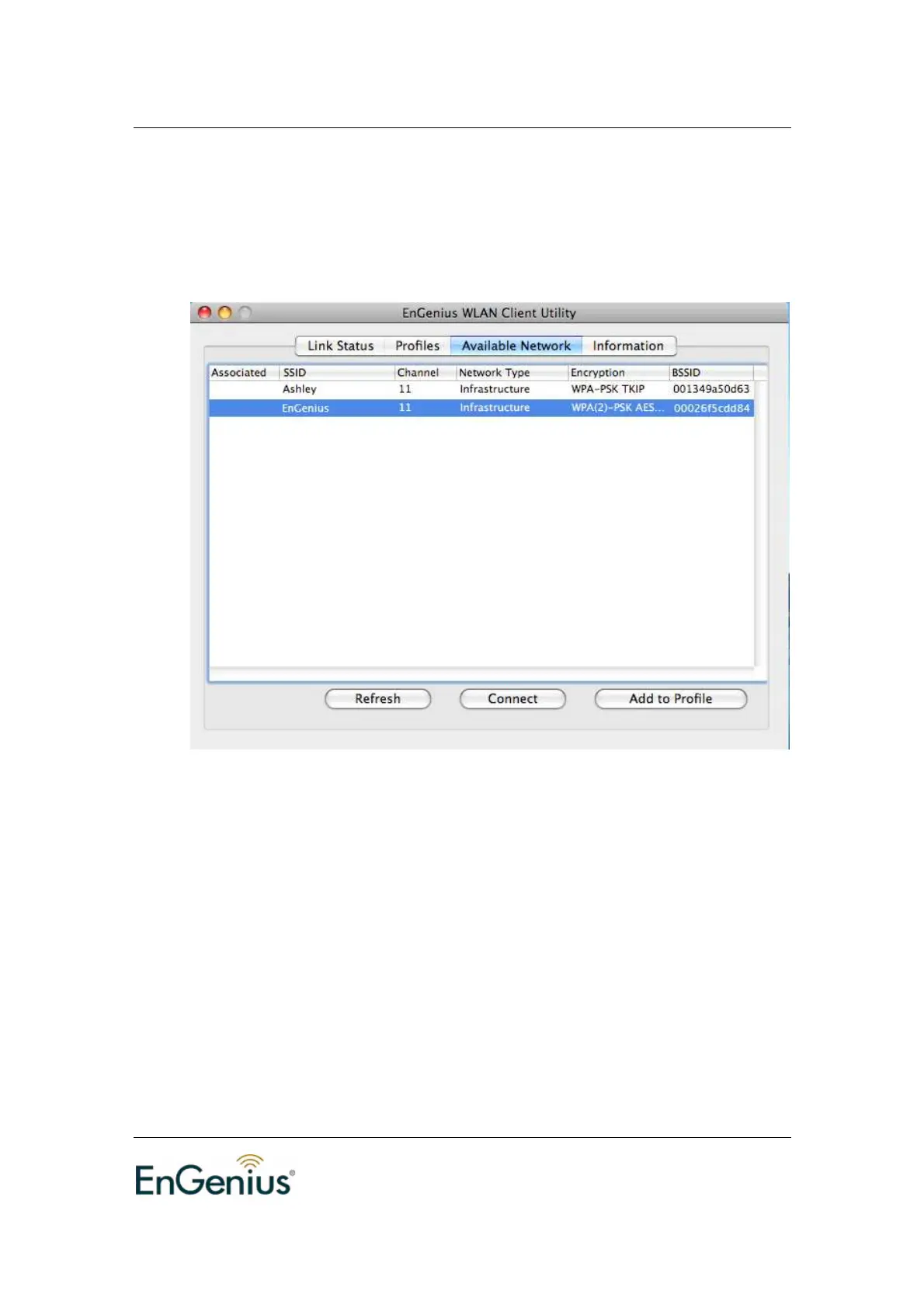
The Available Network displays a list of Access Points in the area, and allows
you to connect to a specific one. The following information is included in this tab,
as the image depicts below.
SSID: The SSID of AP which has scanned
Channel: Display the channel AP used.
Network Type: Indicates whether the SSID is Ad-hoc mode or
Infrastructure mode.
Encryption: Show what kind of the used encryption on AP.
BSSID: Display the MAC address of AP
Refresh: when click this button, it will re-scan the AP list and refresh the
AP table.
Connect: Choose an AP you want to connect, and then click this button.
Add to Profile: Choose an AP you want to save to profile, and then click
this button.


 To Next Page