Wireless 11N USB Adapter
30
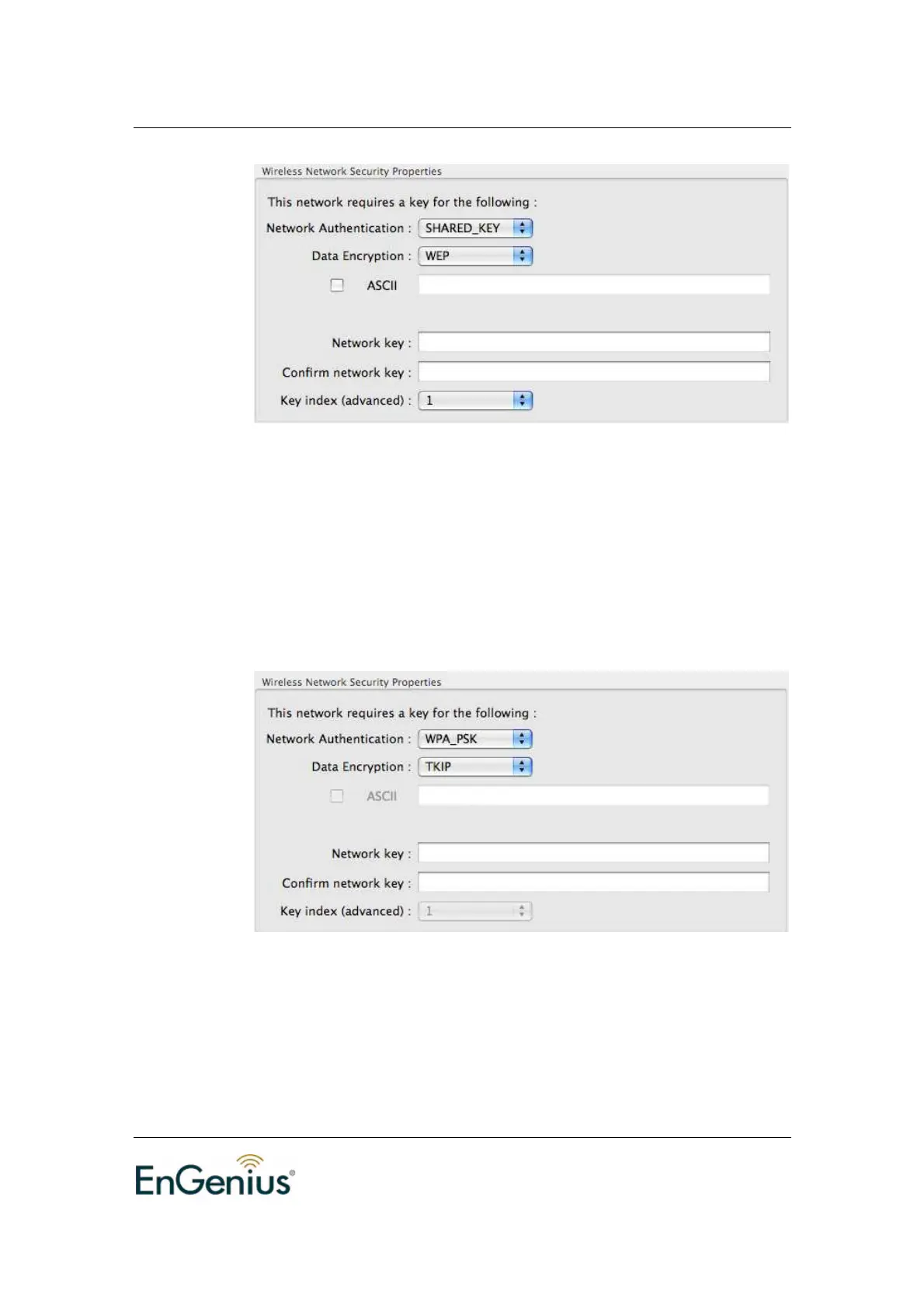
Network Authentication: Select OPEN_SYSTEM or SHARED_KEY
from the drop-down list.
Data Encryption: Select WEP from the drop-down list.
ASCII: You can type the WEP key, 5 or 13 character string, into the
field when you enable this.
Network Key: Type a character string into the field. For 64-bit enter 10
hexadecimal characters. For 128-bit enter 26 hexadecimal characters.
Confirm network Key: Type your network key again for confirmation.
Key index: You can save different keys to different key index.
WPA_PSK
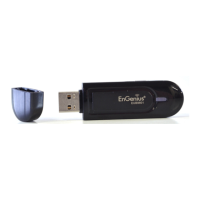
Network Authentication: Select WPA_PSK from the drop-down list.
Data Encryption: Select TKIP or AES from the drop-down list.
Network Key: Enter a WPA Pre-shared key which is between 8 and
32 characters long.
Confirm network Key: Type your network key again for confirmation.
WPA2_PSK


 To Next Page