Multi-Function Gigabit Wireless-N Client Bridge Version 2.0
12
3.2.1 Status
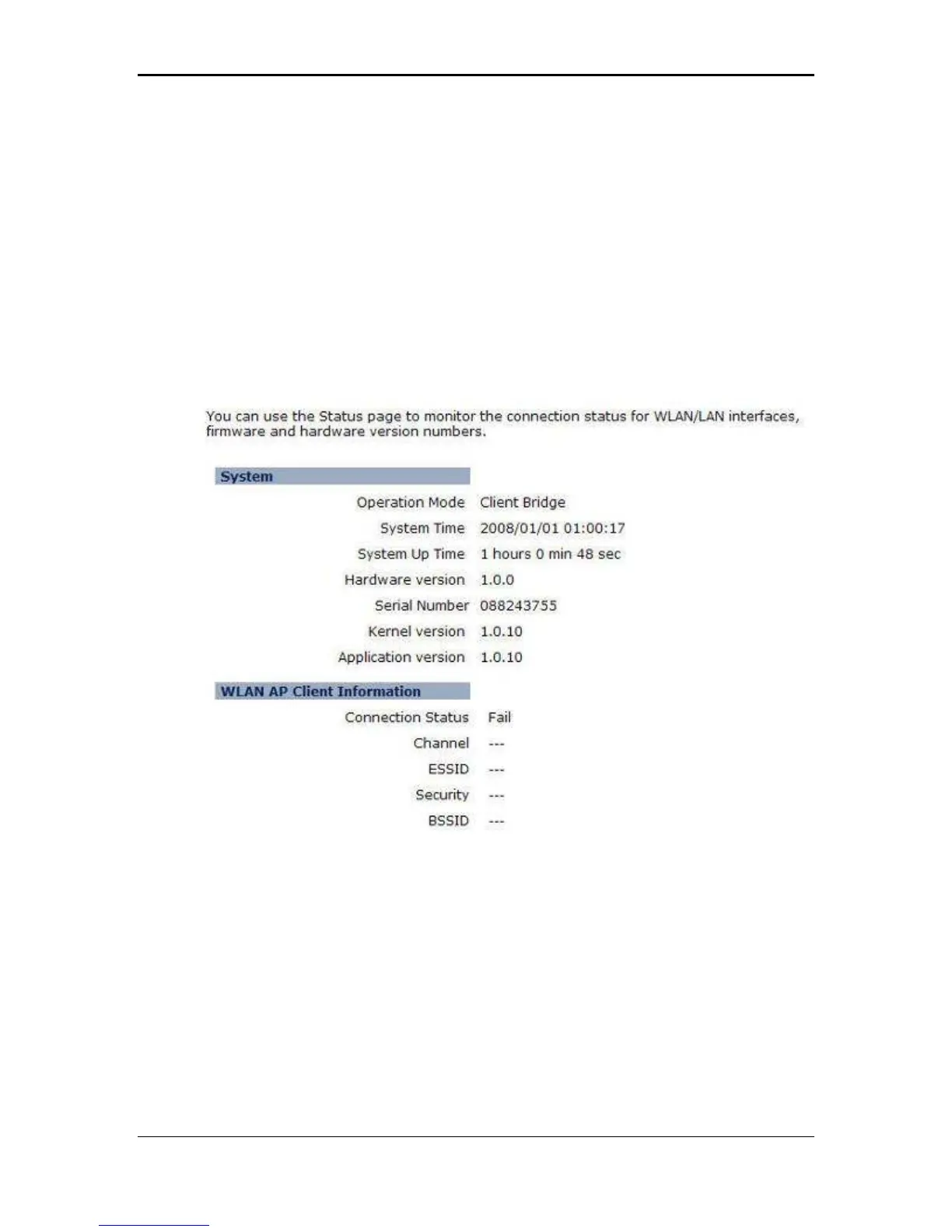
Click on the Status link under the System drop-down menu. The status page
displays a summary of current system settings. Information such as operating mode,
system up time, firmware version, serial number, kernel version and application
version are displayed in the ‘System’ section. LAN IP address, subnet mask, and
MAC address are displayed in the ‘LAN’ section. In the ‘WLAN’ section, the
frequency, channel is displayed. Since this device supports multiple-SSIDs, the
details of each SSID, such as ESSID and its security settings are displayed in the
‘SSID_#’ section.
3.2.2 Schedule
Click on the Schedule link in the navigation menu. Prior to setting schedule, time
zone must be set in the Tools menu. Schedules can be created to specify the
occasions to enforce the rules.
For example, if you want enable power saving on Mon-Fri from 3pm to 8pm, you
could create a schedule selecting Mon, Tue, Wed, Thu, and Fri and enter a Start
Time of 3pm and End Time of 8pm.



 To Next Page